AR-B1474 User¡¦s Guide
3-4
3.2.4 FDD Port Connector (CN2)
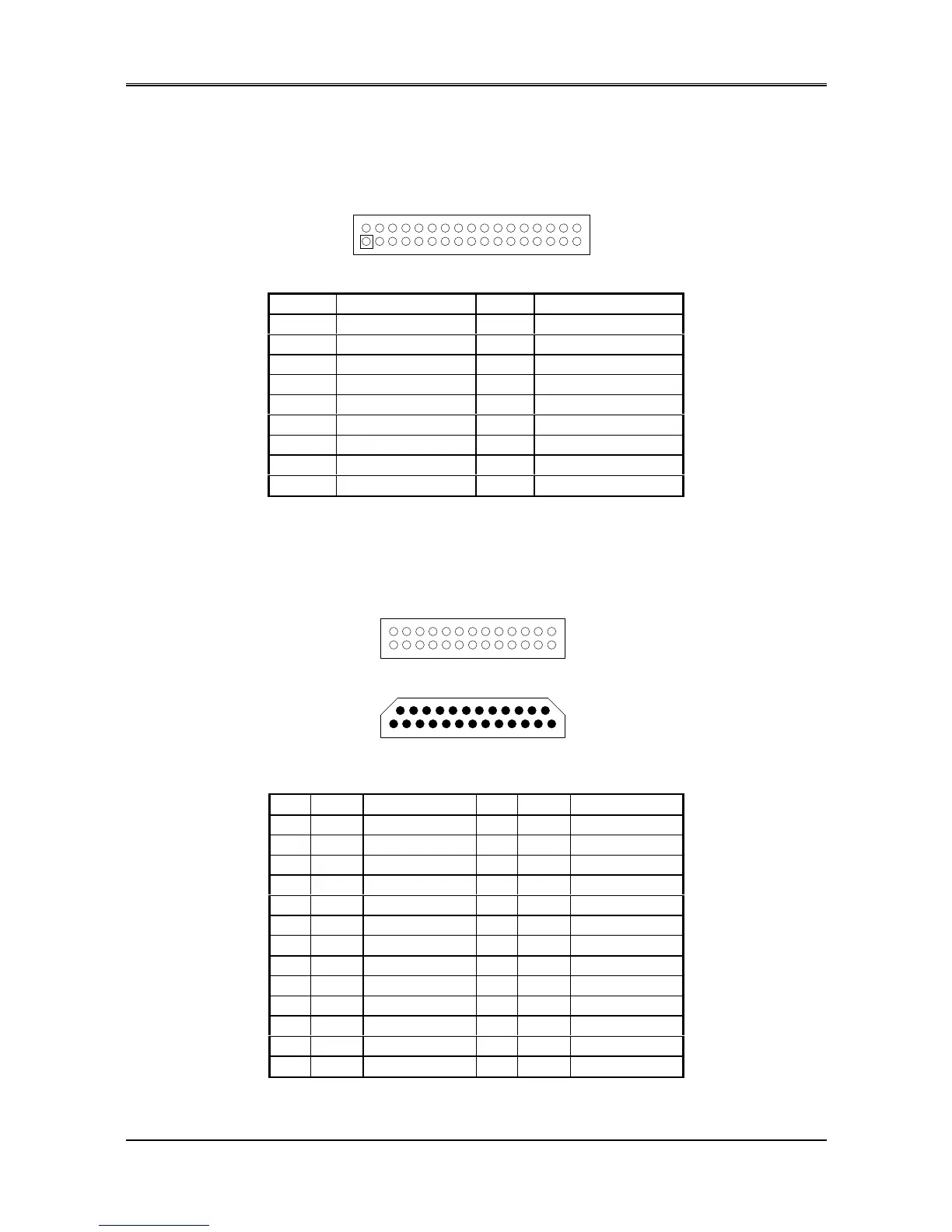
The AR-B1474 provides a 34-pin header type connector for supporting up to two floppy disk drives.
To enable or disable the floppy disk controller, please use BIOS Setup program to select.
1
2
33
34
Figure 3-7 CN2: FDD Port connector
Pin Signal Pin Signal
1-33(odd) GROUND 18 -DIRECTION
2 -Reduce Write Current 20 -STEP OUTPUT PULSE
4 Not used 22 -WRITE DATA
6 Not used 24 -WRITE ENABLE
8 -INDEX 26 -TRACK 0
10 -MOTOR ENABLE A 28 -WRITE PROTECT
12 -DRIVE SELECT B 30 -READ DATA
14 -DRIVE SELECT A 32 -SIDE 1 SELECT
16 -MOTOR ENABLE B 34 -DISK CHANGE
Table 3-2 FDD Pin Assignment
3.2.5 Parallel Port Connector (CN3)
To use the parallel port, an adapter cable has been connected to the CN3 (26-pin header type) connector. This
adapter cable is included in your AR-B1474 package. The connector for the parallel port is a 25-pin D-type female
connector.
1
2
1
14
13
25
D-Type Connector
Parallel Port Connector
25
26
Figure 3-8 CN3: Parallel Port Connector
CN3 DB-25 Signal CN3 DB-25 Signal
1 1 -Strobe 2 14 -Auto Form Feed
3 2 Data 0 4 15 -Error
5 3 Data 1 6 16 -Initialize
7 4 Data 2 8 17 -Printer Select In
9 5 Data 3 10 18 Ground
11 6 Data 4 12 19 Ground
13 7 Data 5 14 20 Ground
15 8 Data 6 16 21 Ground
17 9 Data 7 18 22 Ground
19 10 -Acknowledge 20 23 Ground
21 11 Busy 22 24 Ground
23 12 Paper Empty 24 25 Ground
25 13 Printer Select 26 -- No Connect
Table 3-3 Parallel Port Pin Assignments



 To Next Page