6 (GB)
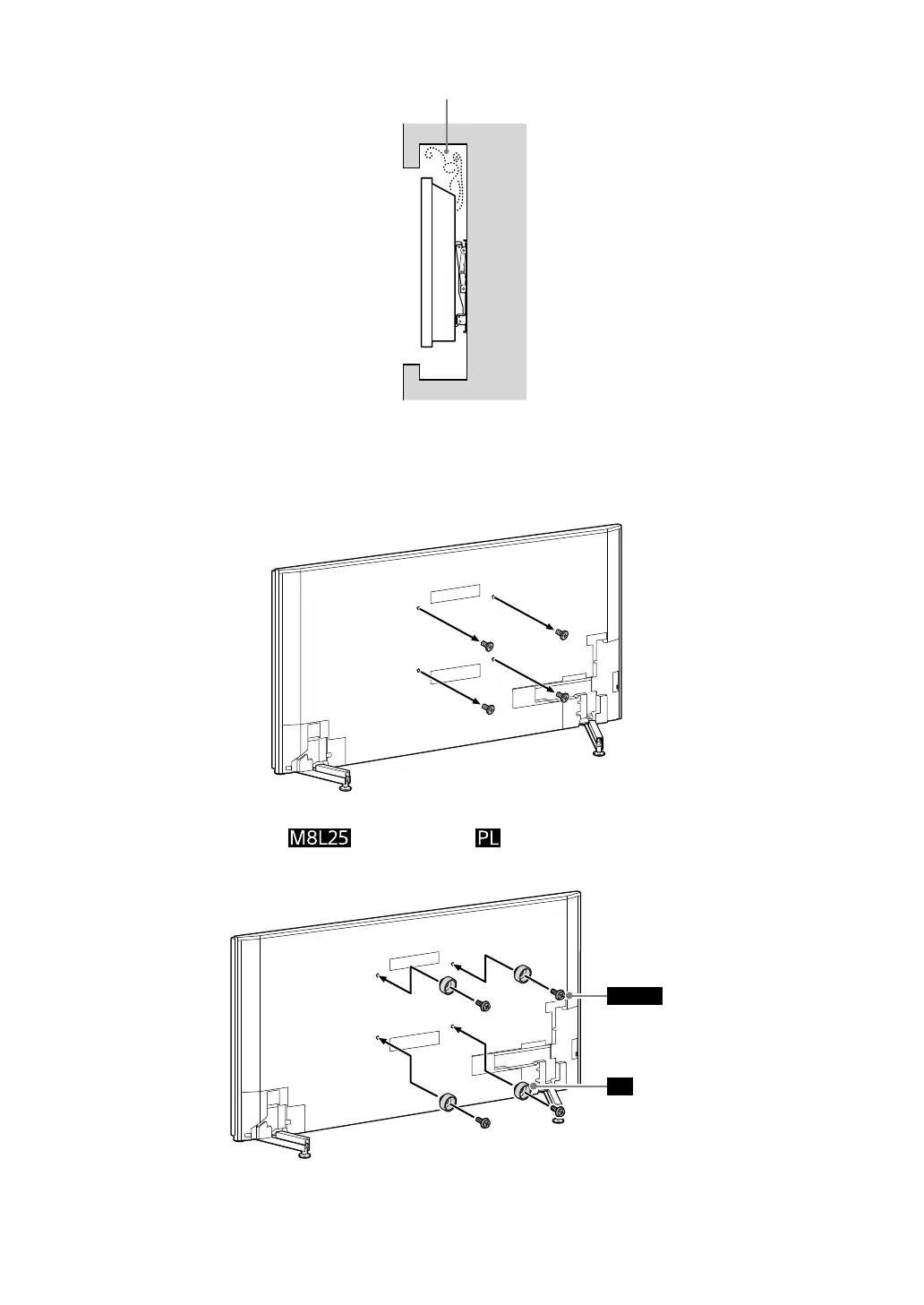
Never install the TV as shown below:
Air circulation is blocked.
Wall
Note
•If you intend to route the cables in the wall, make a hole in the wall to insert the cables before beginning the installation.
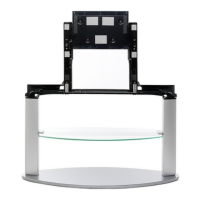
3 Remove the screws from the rear of the TV.
4 Attach the screws and pulleys to the rear of the TV (to make it
parallel with the wall).
PL
M8L25
Note
•If using an electric screwdriver, set the torque at approximately 1.5 N·m {15 kgf·cm}.
•Be sure to fasten the pulleys when attaching them to the TV.



 To Next Page