7 (GB)
GB
5 Make sure that the wall has enough space for the TV and is capable of
supporting a weight of at least four times that of the TV.
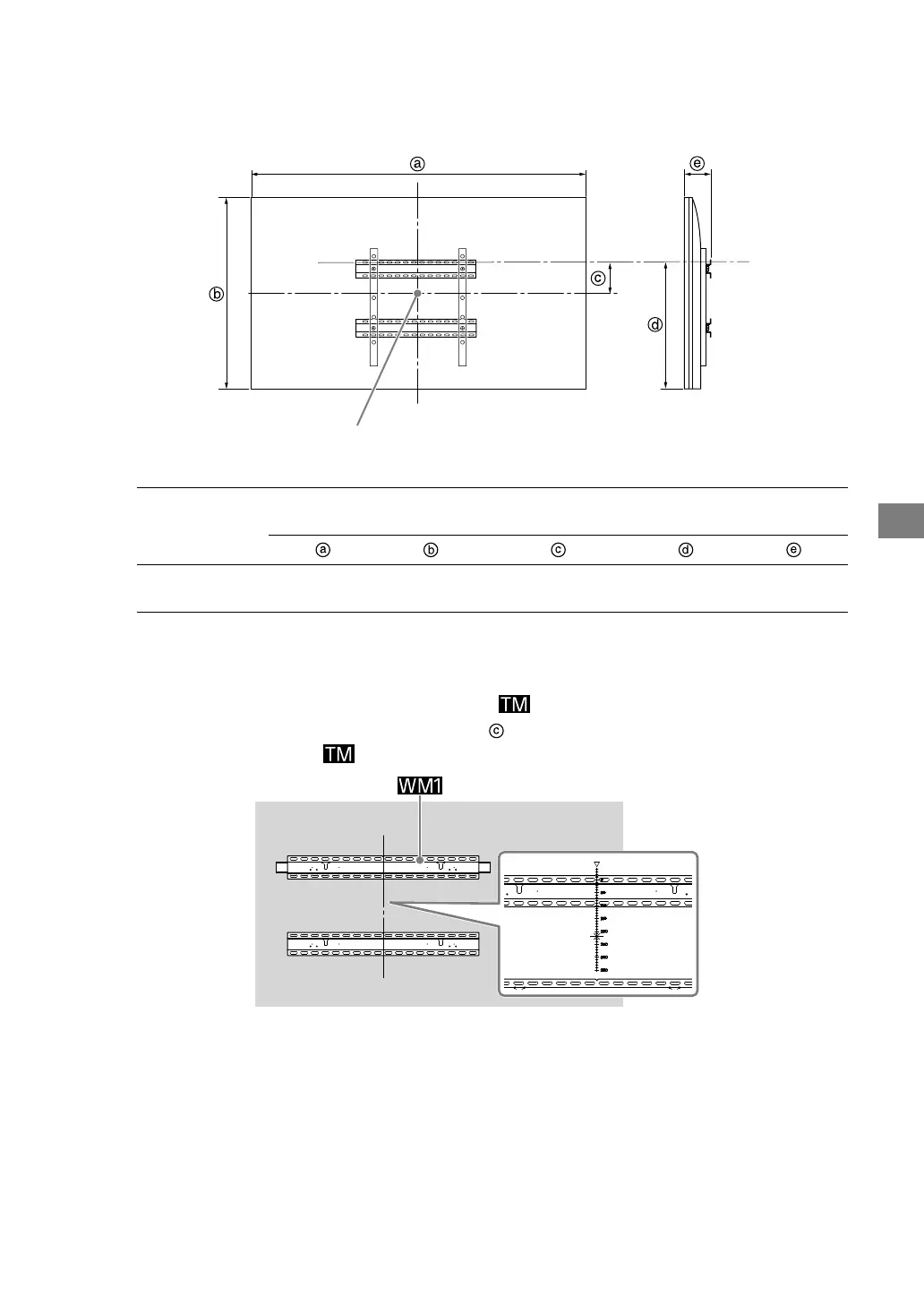
Refer to the following table on installing the TV to the wall. Refer to your TV’s Reference Guide
for the TV’s weight.
Screen center point
Unit: mm (inches)
Model Name
Display dimensions
Screen center
dimension
Length for mounting
XBR-98Z9G
KD-98Z9G
2,202
(86 /)
1,311
(51 /)
315
(12 /)
978
(38 /)
141
(5 /)
Note
•Figures in the table may differ slightly depending on the installation.
6 Make a mark on the Paper Template that indicates the centre of the
screen for your TV referring to spec
in the previous step.
Scale on Paper Template



 To Next Page