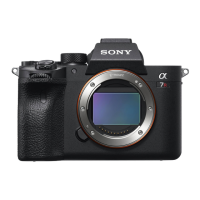
ILCE-7RM3
4-728-779-11(1)
GB
86
C:\4728779111\4728779111ILCE7RM3UC2\01GB-ILCE7RM3UC2\120OTH.indd
DTP data saved: 2017/09/04 16:39
PDF file created: 2017/09/08 13:52
Note
• Use the slot1 when you are using a UHS-II memory card. Also, select MENU
(Setup) [Rec. Media Settings] [Prioritize Rec. Media] [Slot 1].
• Memory Stick PRO Duo media cannot be used in the slot1.
• When an SDHC memory card is used to record an XAVC S movie over
extended periods of time, the recorded movies will be divided into files 4GB
in size. The divided files can be handled as a single file by importing them to a
computer using PlayMemories Home.
• When recording a movie on memory cards in both the slot1 and the slot2
with following camera settings, insert two memory cards with the same file
system. XAVC S movies cannot be recorded simultaneously when using a
combination of the exFAT file system and FAT32 file system.
– [
File Format] is set to [XAVC S 4K] or [XAVC S HD]
– [Recording Mode] under [Rec. Media Settings] is set to [Simult.(
)] or
[Simult.(
/ )]
Memory card File system
SDXC memory card
exFAT
Memory Stick PRO Duo (Mark2)
Memory Stick PRO-HG Duo
SDHC memory card
FAT32
• Charge the battery pack sufficiently before attempting to recover the
database files on the memory card.



 To Next Page
 Loading...