16
Settings and Adjustments
Using the Settings
Displays
Select [Setup] on the home menu when
you need to change the settings of the player.
The default settings are underlined.
1 Select [Setup] on the home menu
using </,.
2 Select the setup category icon using
M/m, and press ENTER.
[Network Update]
Select [OK] to update the player’s software
via the network.
z
• We recommend the network update every 2
months or so.
• For information about update functions, visit the
following website:
http://www.sony.com/bluraysupport/
[Screen Settings]
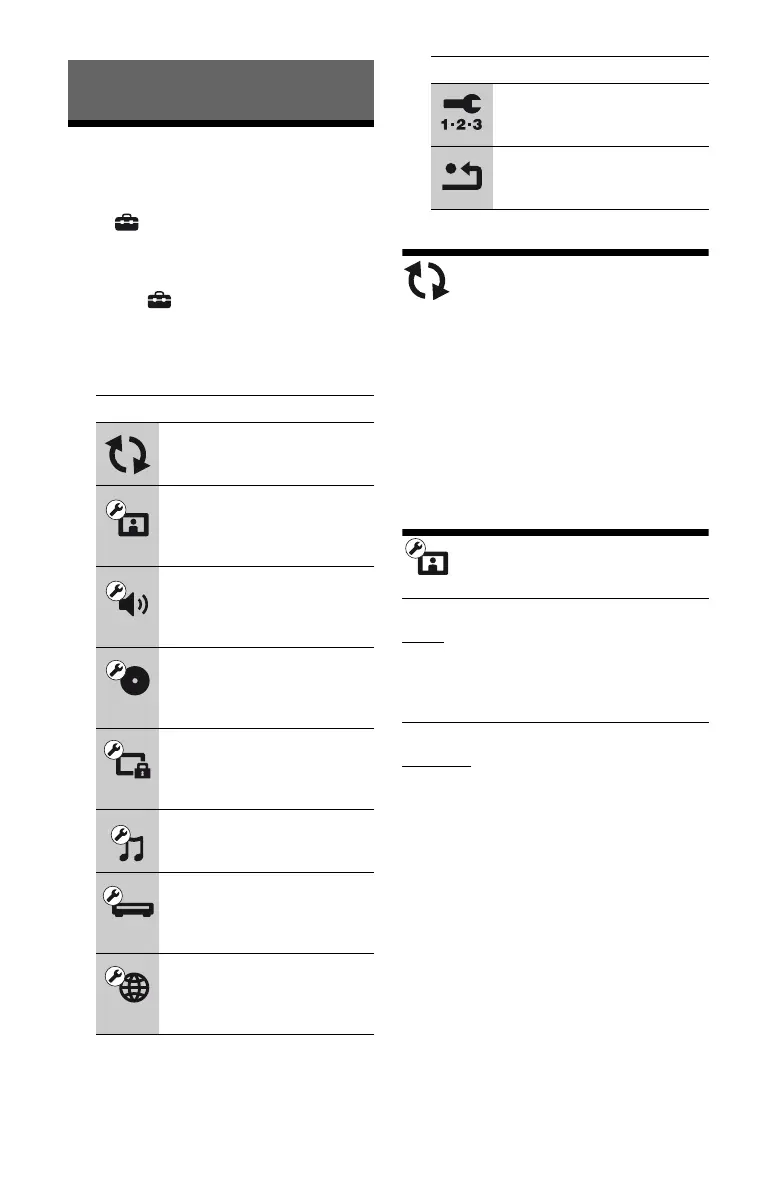
Icon Explanation
[Network Update] (page 16)
Updates the software of the
player.
[Screen Settings] (page 16)
Makes the video settings
according to the type of
connecting jacks.
[Audio Settings] (page 17)
Makes the audio settings
according to the type of
connecting jacks.
[BD/DVD Viewing Settings]
(page 18)
Makes detailed settings for BD/
DVD playback.
[Parental Control Settings]
(page 18)
Makes detailed settings for the
Parental Control function.
[Music Settings] (page 19)
Makes detailed settings for
Super Audio CD playback.
[System Settings]
(page 19)
Makes the player-related
settings.
[Network Settings]
(page 20)
Makes detailed settings for the
Internet and network.
[Easy Setup] (page 20)
Re-runs the Easy Setup to make
the basic settings.
[Resetting] (page 20)
Resets the player to the factory
settings.
x [TV Type]
[16:9]: Select this when connecting to a
wide-screen TV or a TV with a wide mode
function.
[4:3]: Select this when connecting to a 4:3
screen TV without a wide mode function.
x [Screen Format]
[Original]: Select this when connecting to a
TV with a wide mode function. Displays a
4:3 screen picture in 16:9 aspect ratio even
on a wide-screen TV.
[Fixed Aspect Ratio]: Changes the picture
size to fit the screen size with the original
picture aspect ratio.
Icon Explanation



 To Next Page