17
Settings and Adjustments
[Audio Settings]
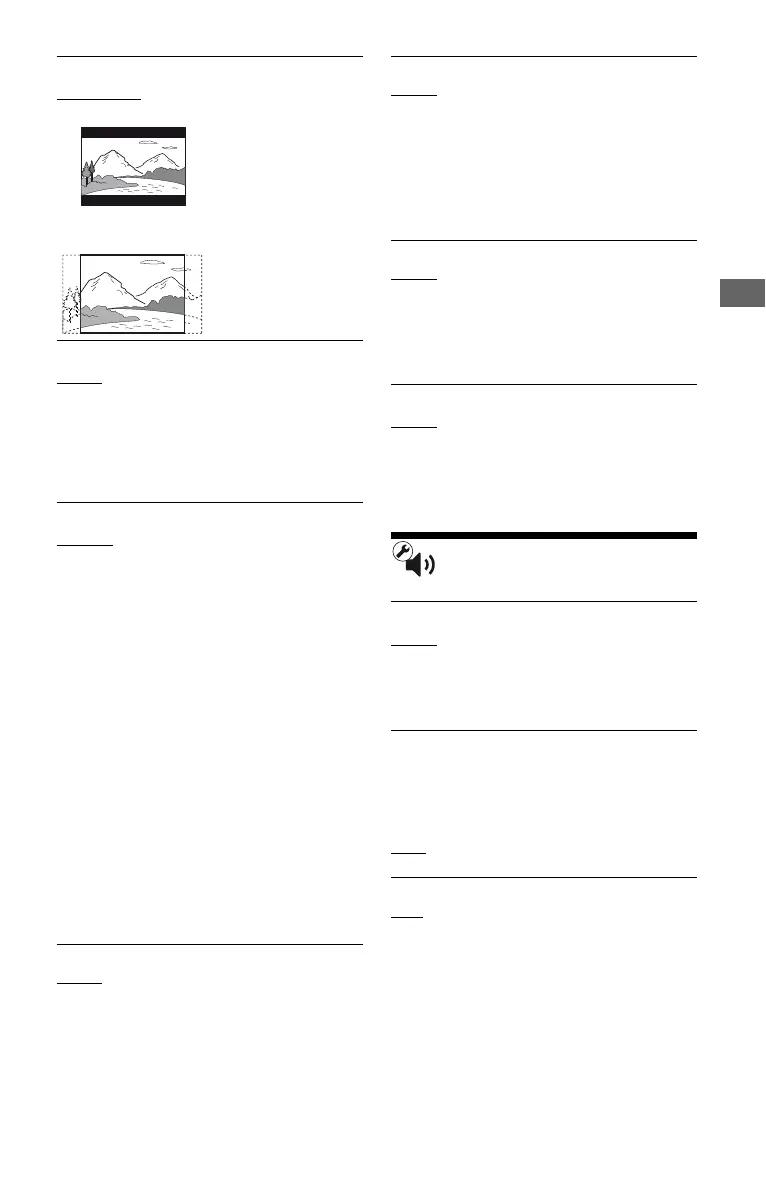
x [DVD Aspect Ratio]
[Letter Box]: Displays a wide picture with
black bands on the top and bottom.
[Pan & Scan]: Displays a full-height picture
on the entire screen, with trimmed sides.
x [Cinema Conversion Mode]
[Auto]: Normally select this. The player
automatically detects whether the material is
video-based or film-based, and switches to
the appropriate conversion method.
[Video]: The conversion method suited for
video-based material will always be selected
regardless of the material.
x [Output Video Format]
[HDMI]: Normally select [Auto].
Select [Original Resolution] to output the
resolution recorded on the disc. When the
resolution is lower than the SD resolution, it
is scaled up to the SD resolution.
[Component Video]: Select the resolution
that suits your TV.
[Video]: Automatically sets the lowest
resolution.
z
• When connecting the HDMI OUT jack and other
video output jacks at the same time, select
[Component Video].
• If no picture appears when setting [HDMI] or
[Component Video] resolution, try another
resolution setting.
• When connecting via the COMPONENT
VIDEO OUT jack and [Component Video] is
selected, BD-ROM playback of protected
content is only supported at 480i output
resolution (page 4).
x [BD/DVD-ROM 1080/24p Output]
[Auto]: Outputs 1920 × 1080p/24 Hz video
signals only when connecting a 1080/24p-
compatible TV using the HDMI OUT jack.
[Off]: Select this when your TV is not
compatible with 1080/24p video signals.
x [YCbCr/RGB (HDMI)]
[Auto]: Automatically detects the connected
TV type, and switches to the matching color
setting.
[YCbCr (4:2:2)]: Outputs YCbCr 4:2:2
video signals.
[YCbCr (4:4:4)]: Outputs YCbCr 4:4:4
video signals.
[RGB]: Outputs RGB video signals.
x [HDMI Deep Color Output]
[Auto]: Normally select this.
[16bit], [12bit], [10bit]: Outputs 16bit/12bit/
10bit video signals when the connected TV
is compatible with Deep Color.
[Off]: Select this when the picture is unstable
or colors appear unnatural.
x [Pause Mode]
[Auto]: Normally select this. Dynamic
moving pictures appear without blurring.
[Frame]: Displays static pictures at high
resolution.
x [Audio (HDMI)]
[Auto]: Normally select this. Outputs audio
signals according to the status of the
connected HDMI device.
[PCM]: Outputs PCM signals from the
HDMI OUT jack.
x [DSD Output Mode]
[On]: Outputs DSD signals from the HDMI
OUT jack when playing a Super Audio CD.
When [On] is selected, no signal is output
from other jacks.
[Off]
: Outputs PCM signals from the HDMI
OUT jack when playing a Super Audio CD.
x [BD Audio MIX Setting]
[On]: Outputs the audio obtained by mixing
the interactive and secondary audio to the
primary audio.
[Off]: Outputs the primary audio only. Select
this to output HD audio signals to an AV
amplifier (receiver).
,continued



 To Next Page