1-16
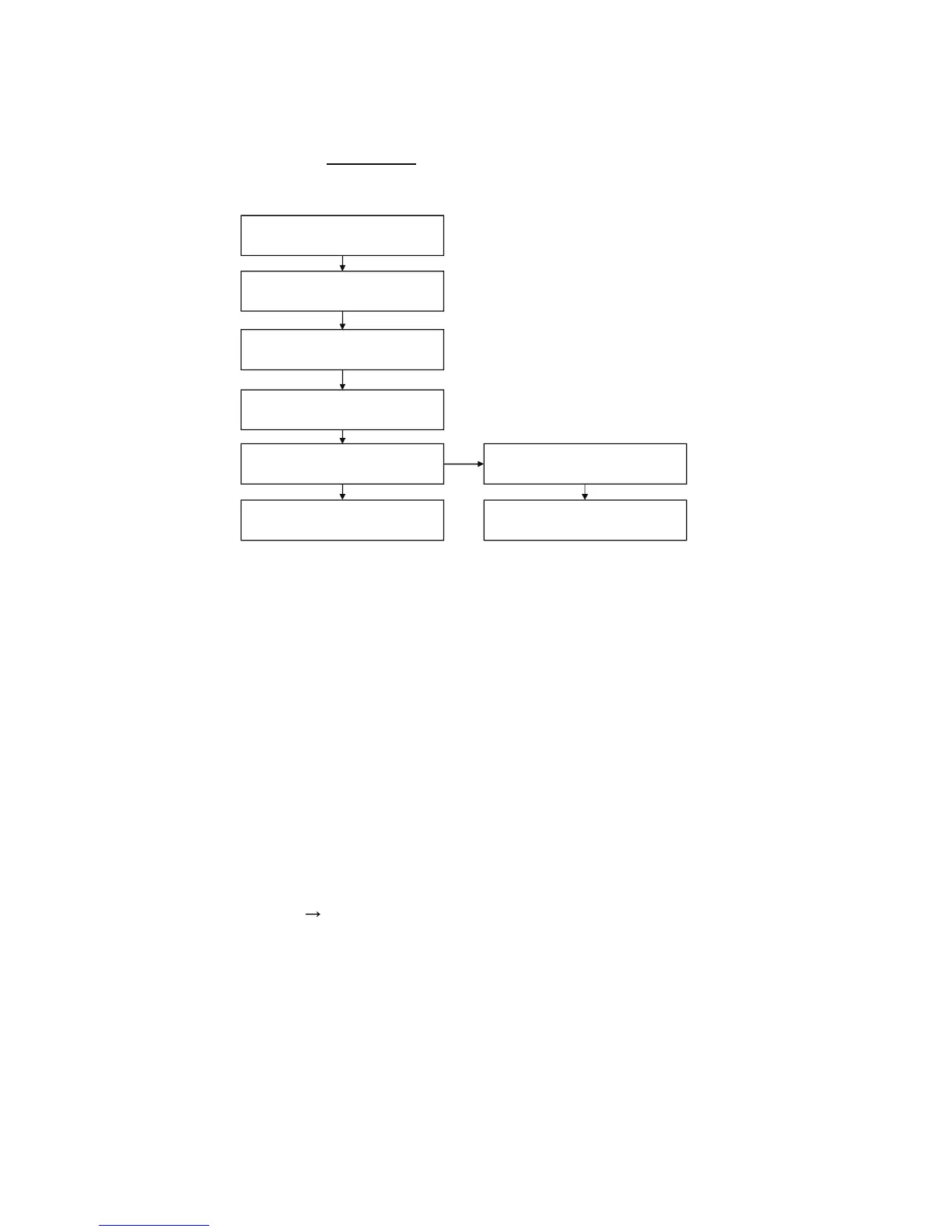
1-4-3. BU Check Flow [zz] ~
Before
BU Replacement ~
1-4-4. BU (Optical Block) Repair Guide
BDP 6.9G (B D P-S1 8 5 ) s
e
ries component structure is as same as conventional DVD Players.
However BD player requires precise read out functions and also secure contents Protection
system.
Since above requirement, it is necessary to set/adjust BU data to EEPROM.
The following cases need Adjustments;
(1)Replace BU (MB is original)
(2)Replace MB (BU is original)
(3)Replace both BU and MB
-,G Requirement
Digital camera (recommend with macro mode)
Barcode decoder (BDPRdec_ver2.0
) installed in -,G PC’s
USB memory
ESD work bench
3URFHGure (all cases)
Refer the diagram
Remarks:
The servo adjustment procedure will be carried out during OP data Writing.
There is no manual adjustment procedure. LD ON TIME history doesn’t carry over.
Do not touch any optical block parts, Turn Table and during replacing. BD Laser diode
is very sensitive!
Optical Block Unit (BU) IOP check flow (zz) ~ [Before BU Replacement]
Enter Service Mode
Press
<OPEN/CLOSE>., <PLAY>,<STOP>
and plug in AC Power
,nside *Service Mode Menu
Select [8] Drive
,nside *Drive
Select [7] OP Check Menu
,nside *OP Check Menu
Select [2] d,OP then press 'ENTER'
Specification d,OP
BD: 6mA
DVD, CD: 9mA
,OP out of specification need BU
replacement
Optical Block Unit (BU) replace
(Flowchart yy)
AC Power OFF
NO
YES
+
-
+
-
BDP-BX18/S185/S186



 To Next Page