Home
Sony
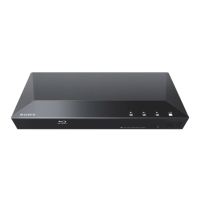
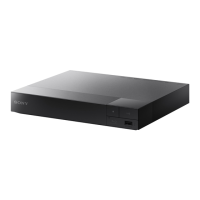
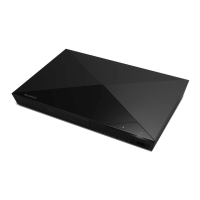
Blu-ray Player
BDP-S270
Page 15
Sony BDP-S270 - Page 15
35 pages
Manual
Save Page as PDF
To Next Page
To Next Page
To Previous Page
To Previous Page
Loading...
15
Hooku
ps and
Settings
To set th
e netwo
rk settings
Select “N
etw
ork Setti
ngs,” “Int
ernet
Settings
,” then “USB Wire
less Setup”
(page
2
6), an
d follo
w the on
-scr
een
instru
ctions to complete the setup.
14
16
Table of Contents
Main Page
Default Chapter
1
Operating Instructions
1
Warning
2
Precautions
4
Important Safety
6
Table of Contents
7
Guide to Parts and Controls
8
Front Panel
8
Rear Panel
8
Top Menu
9
Hookups and Settings
11
Step 1: Preparing the Player
11
Step 2: Connecting the Player
12
Connecting to Your TV
12
Connecting to Your AV Amplifier (Receiver)
13
Step 3: Easy Setup
14
Connecting to the Network
14
Wired Setup
14
Playback
16
Playing a Disc
16
Enjoying BONUSVIEW/BD-LIVE
16
Displaying the Play Information
17
Playing from a USB Device
17
Playing Via a Network
18
Available Options
18
Settings and Adjustments
20
Using the Settings Displays
20
Network Update
21
Screen Settings
21
Audio Settings
23
BD/DVD Viewing Settings
24
Parental Control Settings
24
System Settings
25
Network Settings
26
Easy Setup
26
Resetting
26
Additional Information
27
Troubleshooting
27
Usb Device
28
BRAVIA Internet Video
28
Network Connection
29
Specifications
30
Playable Discs
30
Playable Types of Files
31
About Wireless Lan Security
32
About the BRAVIA Sync Features (for HDMI Connections Only)
32
Copyrights and Trademarks
33
Language Code List
34
Parental Control/Area Code
34
Index
35
Related product manuals
Sony BDP-S280
31 pages
Sony BDP-S2100
44 pages
Sony BDP-S2500
40 pages
Sony BDP-S2200
44 pages
Sony BDP-S390
40 pages
Sony BDP-S590
46 pages
Sony BDP-S570
50 pages
Sony BDP-S580
117 pages
Sony BDP-S350
79 pages
Sony BDP-S185
56 pages
Sony BDP-S380
15 pages
Sony BDP-S480
35 pages


 To Next Page