20
Basic
Operations
Most of the BD playback operations are
common to DVD. This section covers BD/
DVD/CD playback in general, together with
the basic operation of the player.
For browsing recorded files on DATA
DVDs*, a separate library function is
available. See also page 32 for movie, 36 for
music, 40 for photo files.
For operations using the remote, a complete
list is located on page 24.
* DVD+RWs/DVD+Rs/DVD-RWs/DVD-Rs containing
MPEG-2 PS movie, MP3 audio, or JPEG image files.
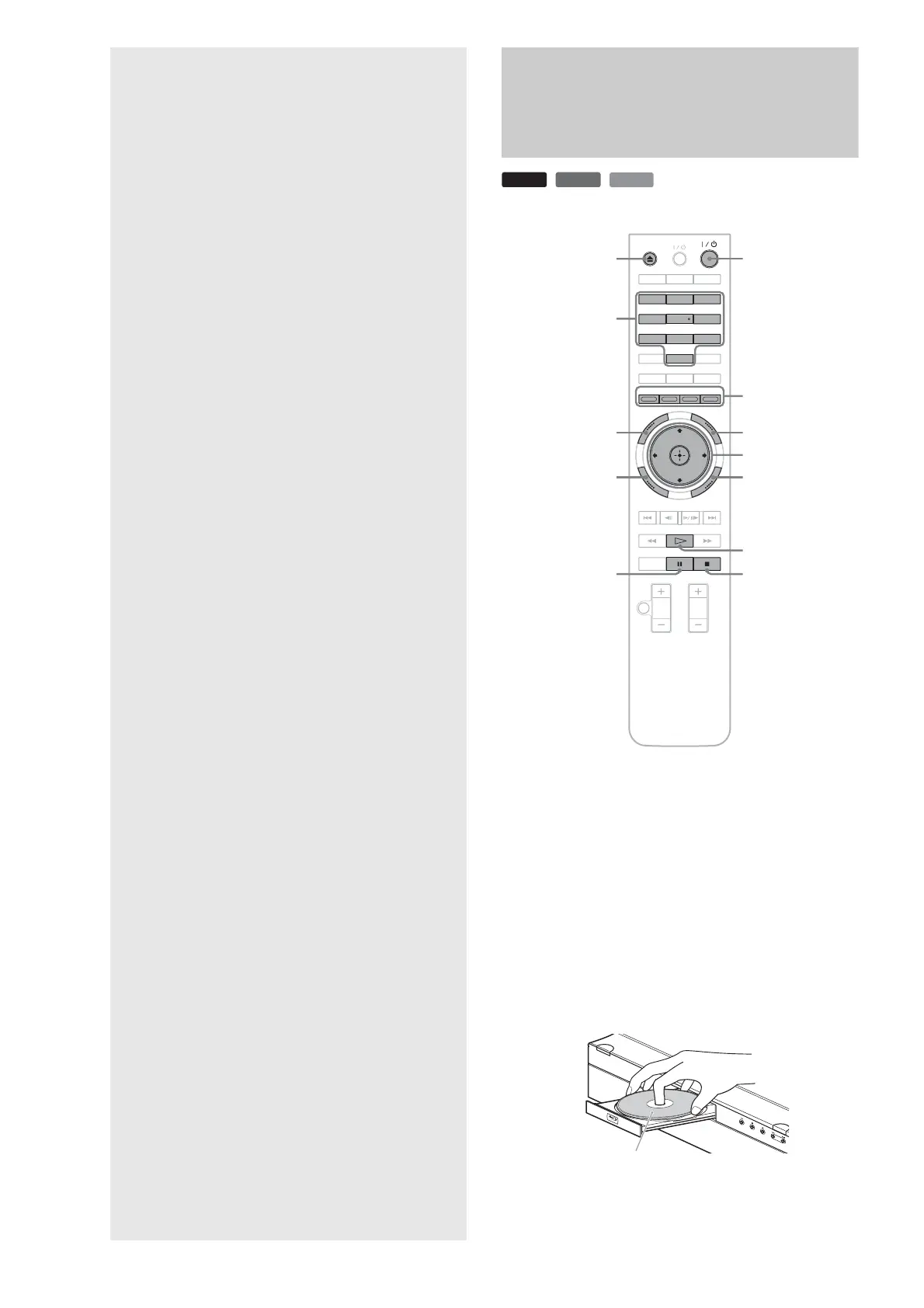
Playing a Disc
a Press \/1.
The player turns on after a moment.
b Switch the input selector on your TV so that
the signal from the player appears on your
TV screen.
c Press Z to open the disc tray.
d Place a disc on the disc tray with the playback
side facing down.
BD
DVD
CD
OPEN/
CLOSE
DIMMER
CLEAR
DISPLAY
TV/VIDEO
AUDIO SUBTITLE
ANGLE
SCAN
MUTING
PLAY MODE
PLAY SCAN
PREV
SLOW/STEP
NEXT
PAU S E
VOL CH
STOP
VIDEO
FORMAT
RED
GREEN
BLUE
YELLOW
TOP
MENU
SYSTEM
MENU
POP UP/
MENU
RETURN
TV
123
456
78
0
9
x
X
TOP MENU
POP UP/MENU
</M/m/,, ENTER
Number buttons
Color buttons
Z
\/1
SYSTEM MENU
RETURN
H
Playback side facing down
• Playing a Disc. . . . . . . . . . . . . . . . . . . . . . . . . 20
• Guide to Displays . . . . . . . . . . . . . . . . . . . . . . 22
• Guide to the Remote. . . . . . . . . . . . . . . . . . . . 24
• Checking the Disc Information . . . . . . . . . . . . 26
• Clarifying Low Volume Sounds (Audio DRC) . 27
• Adjusting the Pictures . . . . . . . . . . . . . . . . . . 28
• Locking a Disc . . . . . . . . . . . . . . . . . . . . . . . . 29



 To Next Page