59
Additional Information
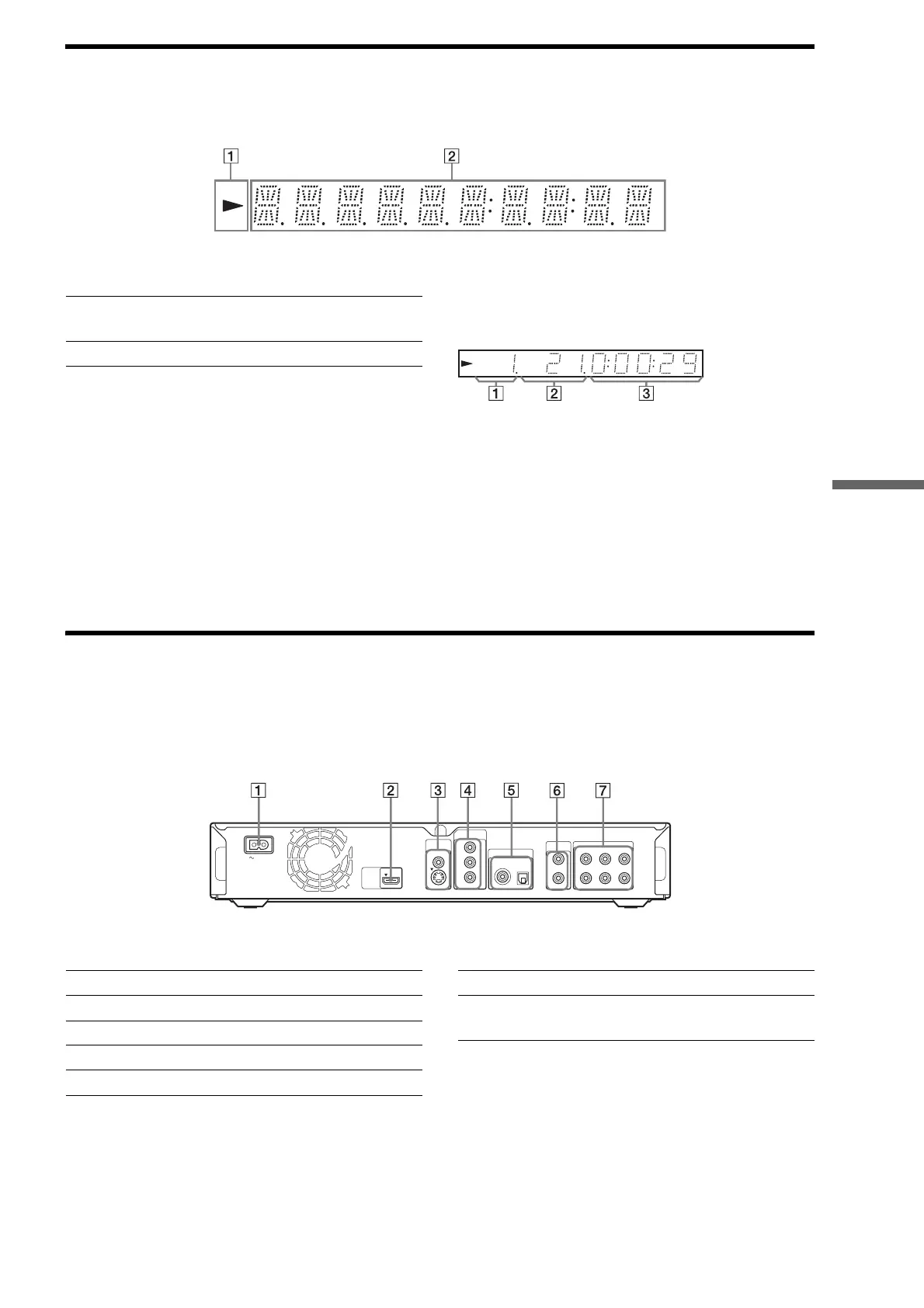
Front panel display
z Hint
You can change the brightness of the front panel display by pressing
DIMMER (page 24).
The playback information is displayed as follows.
Example: When playing a DVD VIDEO or a BD-ROM
A Current title number
B Current chapter number
Note that the chapter number is not displayed if the
title’s elapsed time exceeds 10 hours.
C Elapsed time of the title
Rear panel
For connections, see page 10 to 16.
A H
– Lights up during playback.
B Playback information
AC IN
VIDEO
OUT
COMPONENT
VIDEO OUT
DIGITAL OUT
PCM/DTS/DOLBY DIGITAL
5.1CH OUTPUT
VIDEO
Y
L
R
AUDIO
OUT
L
R
WOOFER
COAXIAL OPTICAL
FRONT REAR CENTER
P
B
PR
S VIDEO
HDMI
OUT
A AC IN terminal (16)
B HDMI OUT jack (11, 12, 15)
C VIDEO OUT (VIDEO/S VIDEO) jacks (10)
D COMPONENT VIDEO OUT (Y/P
B/PR) jacks (10)
E DIGITAL OUT (COAXIAL/OPTICAL) jacks (13, 14)
F AUDIO OUT (L/R) jacks (13, 14)
G 5.1CH OUTPUT (FRONT L/R, REAR L/R, CENTER,
WOOFER) jacks (14)



 To Next Page