33
US
BDV-E6100/BDV-E4100/BDV-E3100/BDV-E2100
4-446-733-11(1)
D:\NORM'S JOB\SONY HA\SO120029\BDV-
E6100_4100_3100_E2100\4446733111_US (U2)\050PLA.fm
masterpage: Right
Playback
You can play video/music/photo files on
other DLNA-certified equipment by
connecting them to your home network.
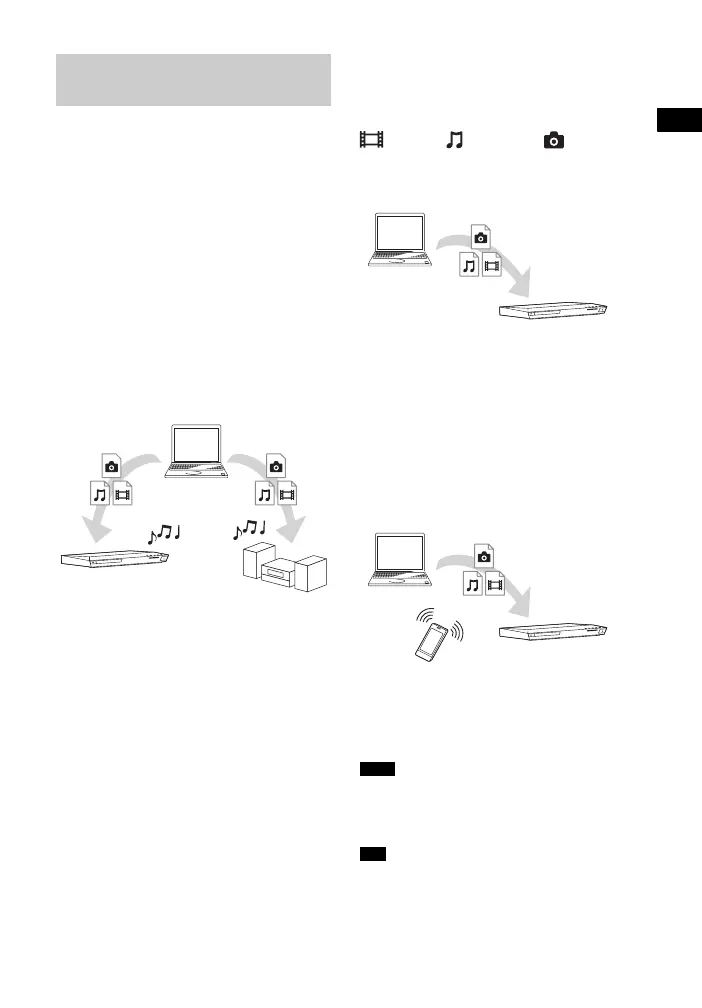
This unit can be used as a player and
renderer.
• Server: Stores and shares digital media
contents
• Player: Finds and plays digital media
content from the DMS
• Renderer: Receives and plays files from
the server, and can be operated by another
equipment (controller)
• Controller: Operates the renderer
equipment
Prepare for using the DLNA
function.
• Connect the system to a network
(page 21).
• Prepare other DLNA-certified
equipment. For details, refer to the
operating instructions of the equipment.
To play files stored on a
DLNA server via the system
(DLNA Player)
Select the DLNA server icon from
[Video], [Music], or [Photo] in
the home menu, then select the file that you
want to play.
To play remote files by
operating the system
(Renderer) via a DLNA
controller
You can operate the system with a
DLNA-certified controller (a mobile
phone, etc), when playing files stored on a
DLNA server.
For details on operation, refer to the
operating instructions of the DLNA
controller.
Do not operate the system with the supplied
remote control and a DLNA controller at the same
time.
The system is compatible with the “Play To”
function of Windows Media
®
Player 12 that
comes standard with Windows 7.
Playing files on a Home
Network (DLNA)
Player
Player
(This system)
Server
Note
Tip
Player
(This system)
Server
Controller
Renderer
(This system)
Server



 To Next Page