Sound Adjustment
35
US
x DVD-VR
The types of sound tracks recorded on a disc are
displayed.
Example:
• [ Stereo]
• [ Stereo (Audio1)]
• [ Stereo (Audio2)]
•[ Main]
•[ Sub]
• [ Main/Sub]
Note
• [ Stereo (Audio1)] and [ Stereo (Audio2)] do not
appear when only one audio stream is recorded on the
disc.
x CD/DATA CD (MP3 file)/DATA DVD (MP3
file)
•[ Stereo]: The standard stereo sound.
• [ 1/L]: The sound of the left channel
(monaural).
• [ 2/R]: The sound of the right channel
(monaural).
Enjoying Multiplex
Broadcast Sound
(DUAL MONO)
You can enjoy multiplex broadcast sound when
the system receives or plays a Dolby Digital
multiplex broadcast signal.
Note
• To receive the Dolby Digital signal, you need to
connect a TV or other component to the unit with a
digital coaxial or optical cord (pages 19, 20). If your
TV is compatible with the Audio Return Channel
function (page 45), you can receive a Dolby Digital
signal via an HDMI cable.
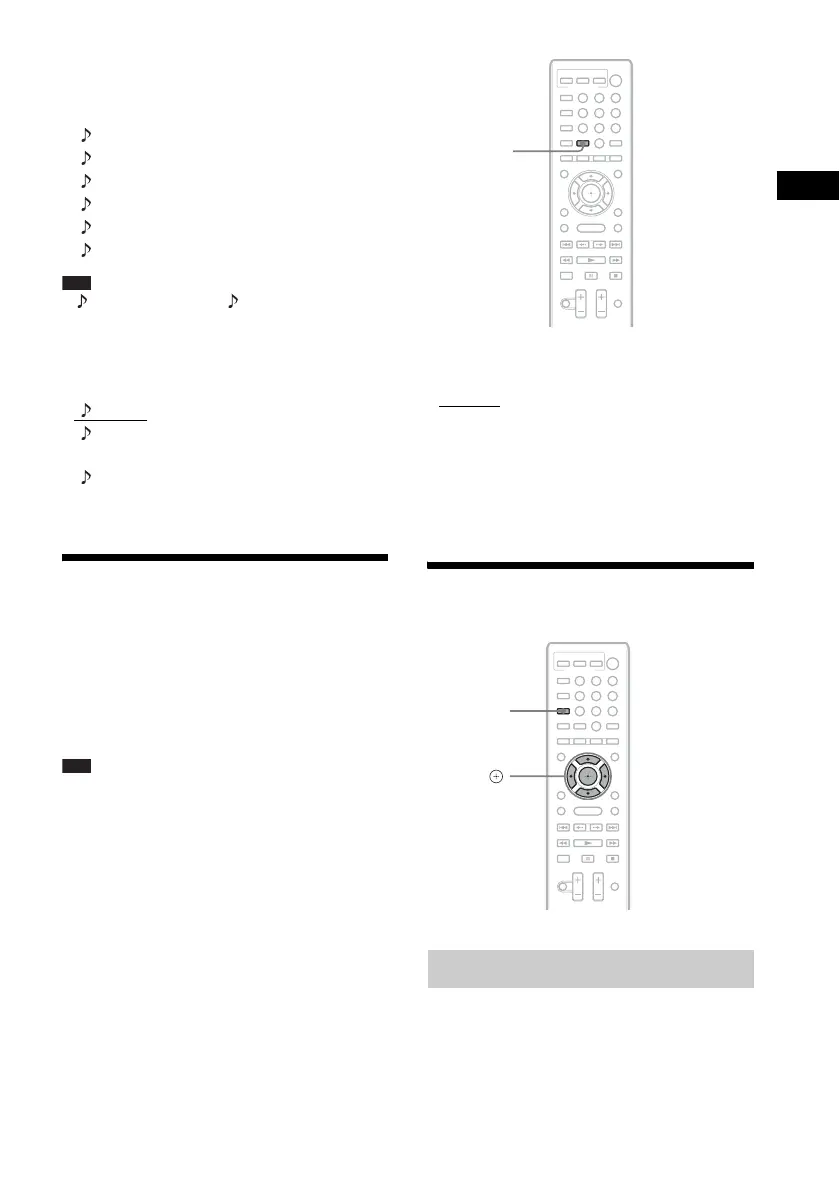
Press AUDIO repeatedly until the desired
signal appears in the front panel display.
•“MAIN”: Sound of the main language will be
output.
• “SUB”: Sound of the sub language will be
output.
• “MAIN/SUB”: Mixed sound of both the main
and sub languages will be output.
Using the Sound Effect
You can enjoy sound effects or dialog, as you
would in a movie theater, even at low volume. It
is useful for watching movies at night.
1 Press SYSTEM MENU.
Enjoying sound at low volume
8
0
97
564
231
AUDIO
8
0
97
564
231
C/X/x/c,
SYSTEM
MENU


 To Next Page