31
GB
Getting Started
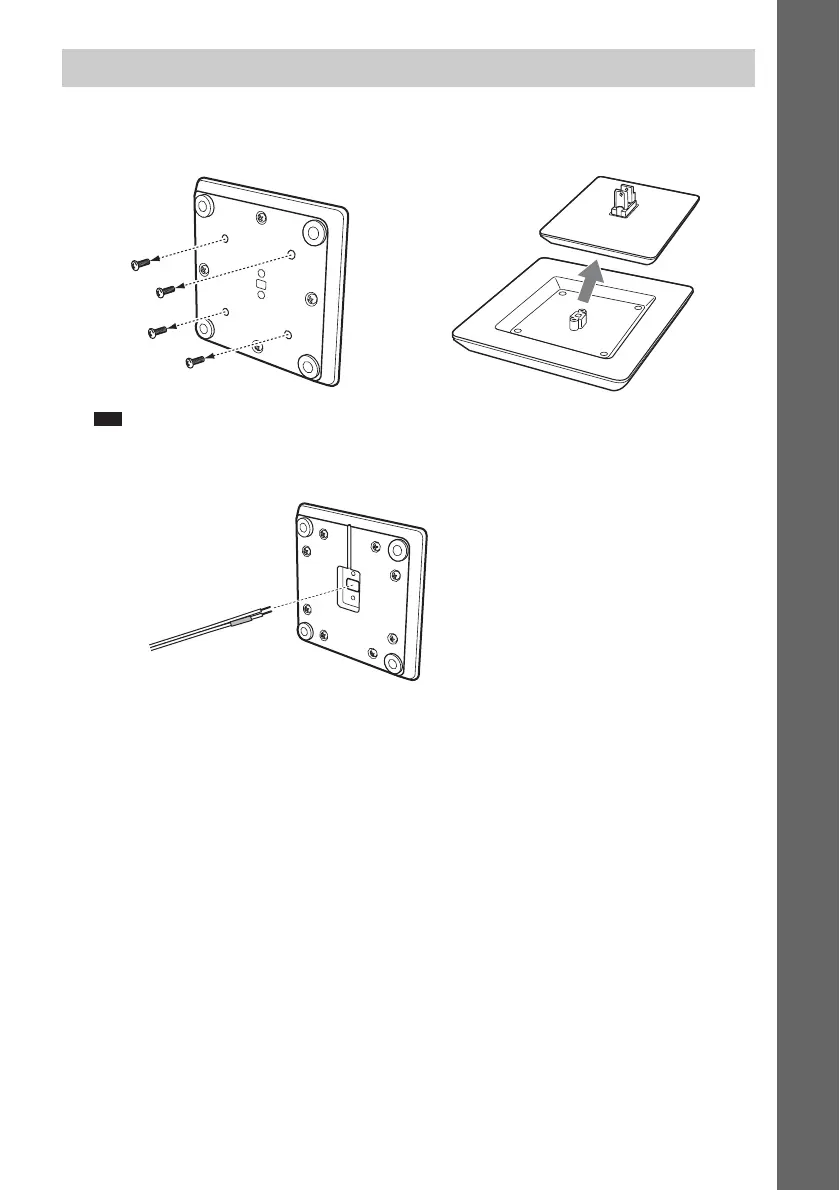
1 Unscrew the short screws from the bottom of the floor base and detach the desktop
stand from the floor base.
Note
• Set aside the removed screws so that you do not lose them.
2 Thread the speaker cord through the hole in the bottom of the desktop stand.
Assembling the front and surround speakers with the desktop stands
,
Desktop stand
Floor base
Short screws
Bottom of the floor base
Speaker cord
Bottom of the desktop stand


 To Next Page