34
GB
Getting Started
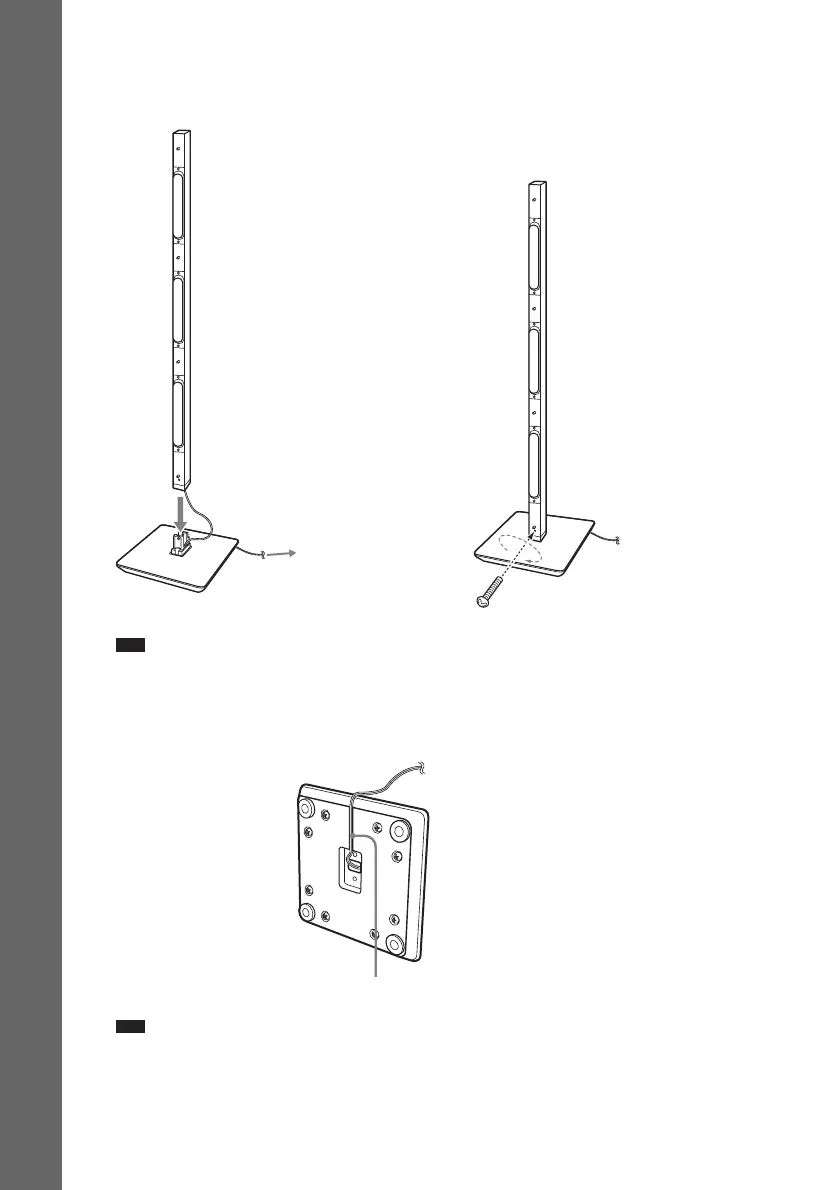
5 Attach the speaker to the desktop stand.
When attaching, match the orientation of the desktop stand and speaker.
Secure the speaker with the screw removed in Step 3.
Note
• When assembling, take care not to touch the speaker unit.
6 Take up the slack in the speaker cord by pulling from the bottom of the desktop stand
and secure the speaker cord by running it through the slot.
Note
• When assembling, take care not to touch the speaker unit.
,
Ex. Front speaker
Screw
Adjust the length of the cord.
Speaker cord
Bottom of the
desktop stand
Slot


 To Next Page