43
GB
Getting Started
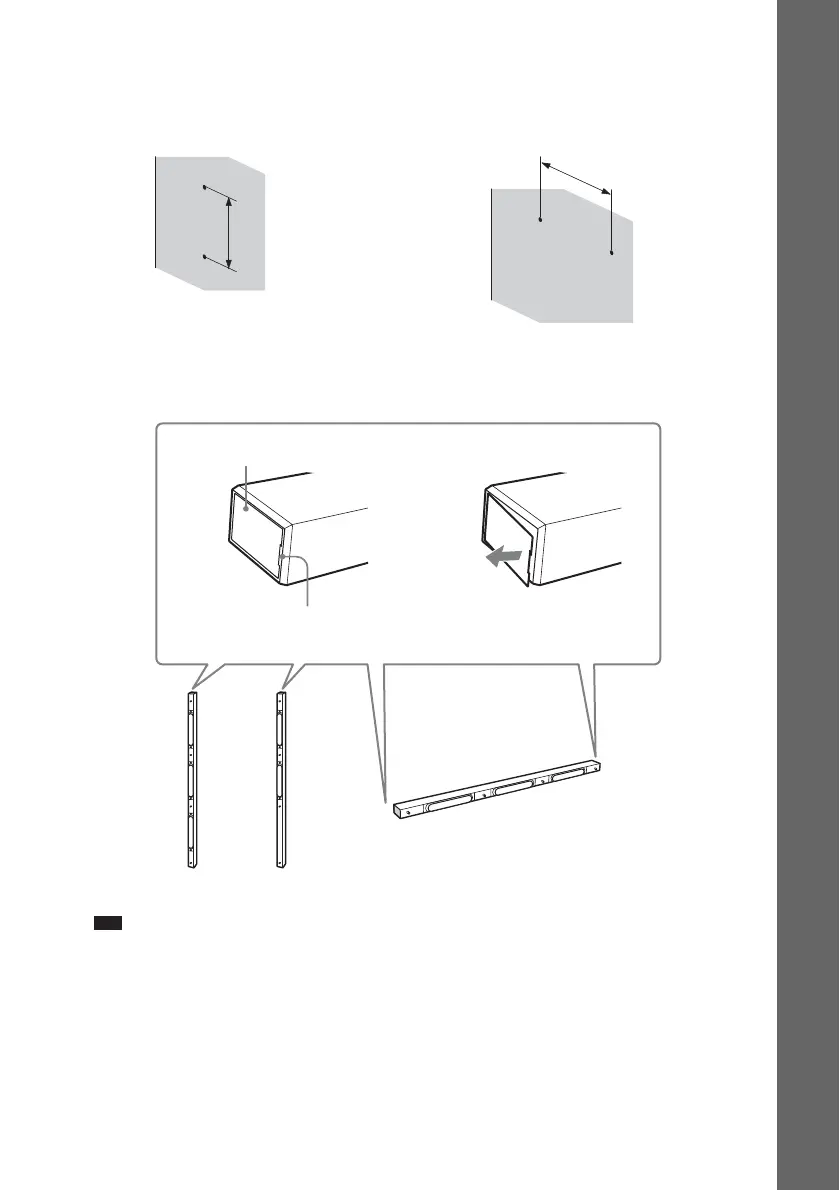
2 Decide the speaker position and mark the screw positions.
You need two screws (not supplied) for each bracket. The following indicates the narrower
positions of the two screws.
3 Remove the cover(s) from the speaker.
Pry up the cover by inserting a thin, flat object into the slit in the cover.
Note
• When assembling, take care not to touch the speaker unit.
For the front/surround speakers For the center speaker
565 mm
565 mm
Cover
Slit
Front speaker
Center speaker
Surround speaker


 To Next Page