42
US
Using the Setup Display
You can make various adjustments to items such
as picture and sound.
The default settings are underlined.
• Playback settings stored in the disc take priority over
the Setup Display settings and not all the functions
described may work.
1 Press HOME.
The home menu appears on the TV screen.
2 Press C/c to select [Setup].
3 Press X/x to select the setup category
icon to change, then press .
You can setup the following options.
[Network Update]
For information about update functions, refer to
the following website:
http://www.sony.com/blurayhtsupport/
During a software update, “UPDATING”
appears in the front panel display. After the
update completes, the main unit automatically
turns off. Please wait for the software update to
complete; do not turn the main unit on or off, or
operate the main unit or TV.
Settings and Adjustments
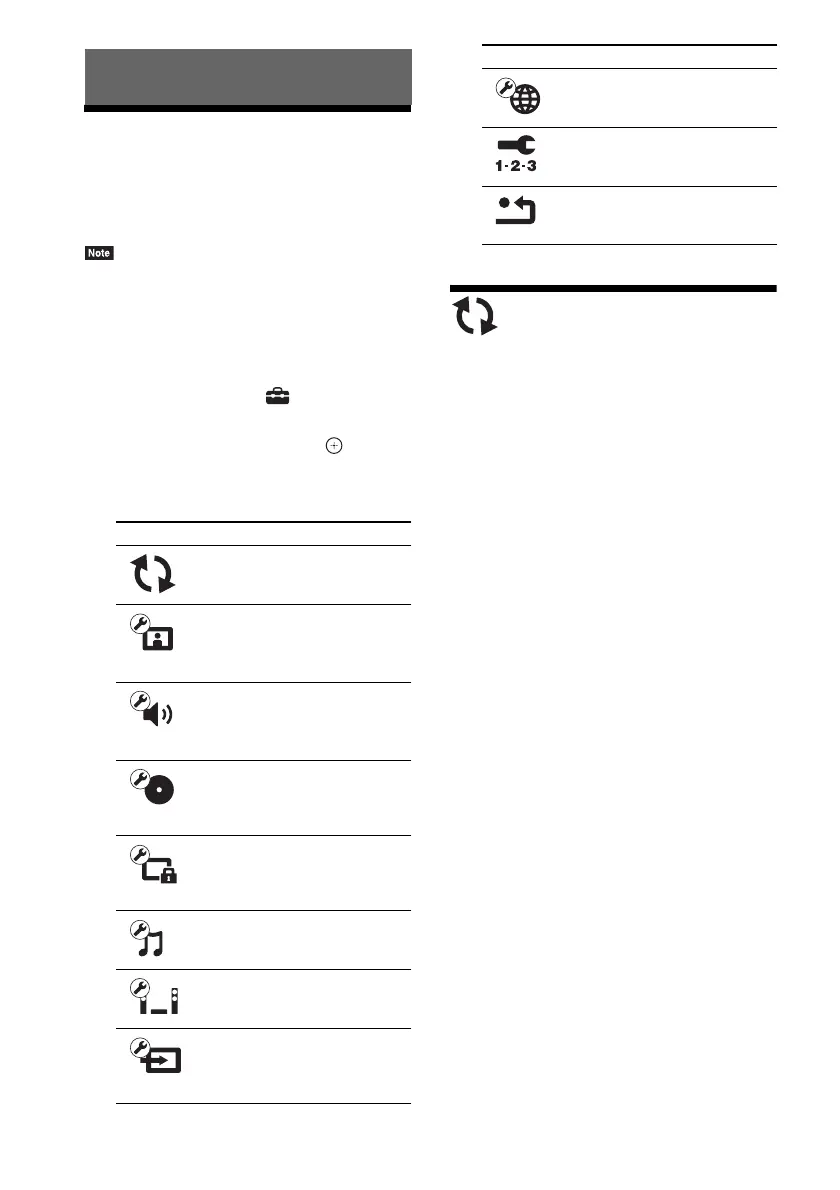
Icon Explanation
[Network Update] (page 42)
Updates the software of the
system.
[Screen Settings] (page 43)
Makes the screen settings
according to the type of
connecting jacks.
[Audio Settings] (page 44)
Makes the audio settings
according to the type of
connecting jacks.
[BD/DVD Viewing Settings]
(page 45)
Makes detailed settings for BD/
DVD playback.
[Parental Control Settings]
(page 45)
Makes detailed settings for the
Parental Control function.
[Music Settings] (page 46)
Makes detailed settings for
Super Audio CD playback.
[System Settings] (page 46)
Makes the system-related
settings.
[External Input Settings]
(page 47)
Sets the input skip setting for
each external input.
[Network Settings] (page 47)
Makes detailed settings for
Internet and network.
[Easy Setup] (page 48)
Re-runs the Easy Setup to make
the basic settings.
[Resetting] (page 48)
Resets the system to the factory
settings.
Icon Explanation


 To Next Page