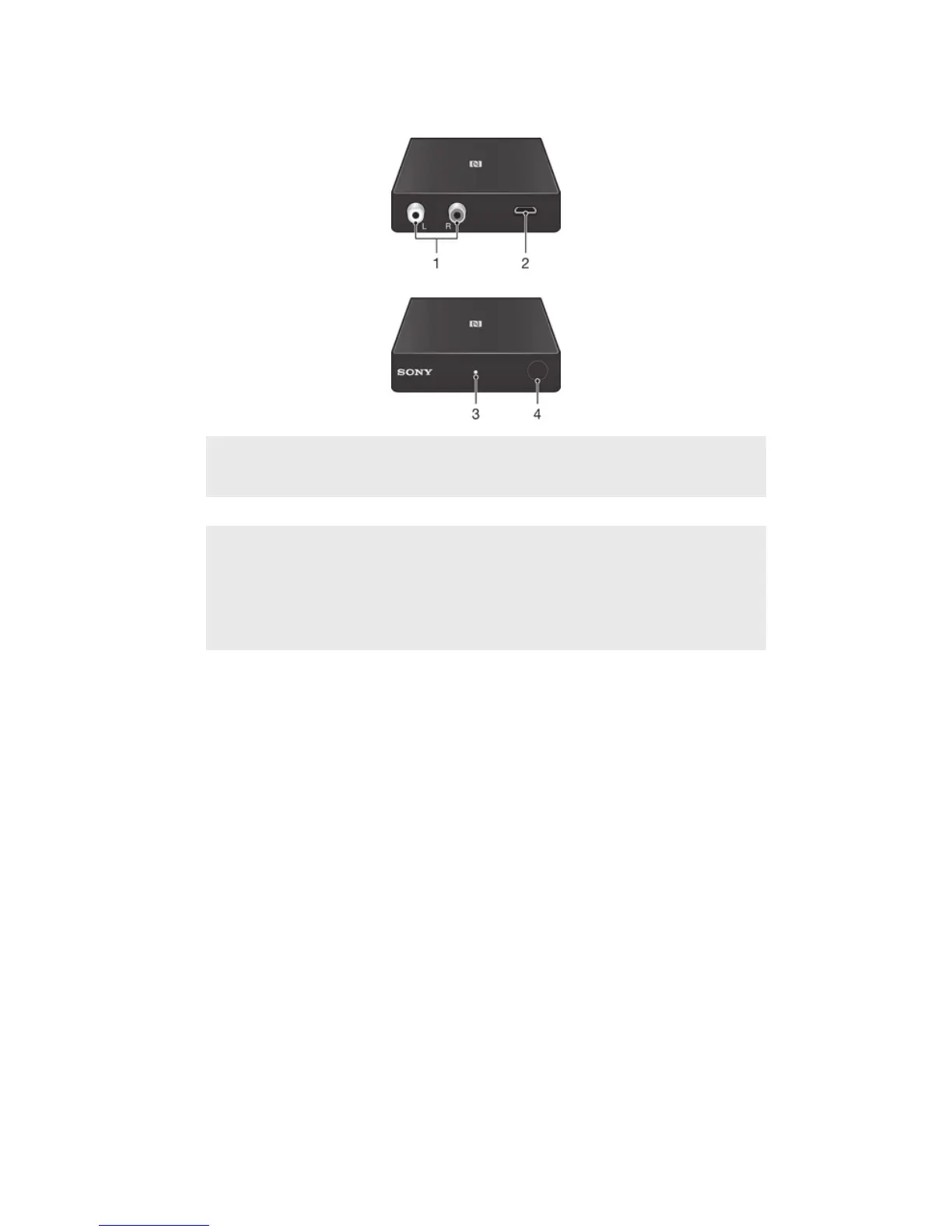
Accessory overview
1. Stereo
connectors (Left/
Right)
Insert stereo cables to connect the device to a stereo.
2. Micro USB port Insert charger cable to power on the device.
3. Notification light Flashing blue light indicates the device is visible to other
Bluetooth® devices or is being reconnected.
Stable blue light indicates the device is connected to your
phone.
Stable white light indicates the device is ready for
reconnection.
4. Pair/Connect
button
Long press to enter pairing mode and make the device visible
to other Bluetooth® devices.
Press to disconnect from the currently connected phone.
Press to reconnect to the most recently connected phone.
3
This is an Internet version of this publication. © Print only for private use.




 To Next Page