EasyManua.ls Logo

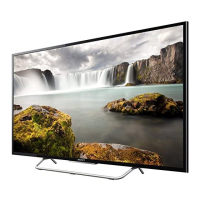
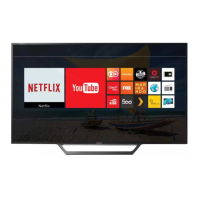
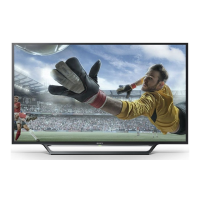
Sony BRAVIA KDL-48W700C - User Manual

Sony BRAVIA KDL-48W700C
213 pages
Print Icon
To Next Page IconTo Next Page
Loading...
i-Manual
Print
Font Size
Basic Operations
Watching TV
Enjoying
Movies/Music/Photos
Using Internet
Services and
Applications
Watching TV with
Friends Far and
Near
Using Other
Devices
Using BRAVIA
Sync Devices
Useful Functions
Connecting to the
Internet
Using Home
Network
Configuring
Various Settings
Troubleshooting
How to Use
Bookmarks
Top Page
KDL-48W700C/40W700C
List of Contents© 2015 Sony Corporation

Table of Contents

Other manuals for Sony BRAVIA KDL-48W700C

Questions and Answers

  • P
    Paul JonesAug 20, 2025
    What to do if my Sony BRAVIA KDL-48W700C TV remote control does not function?
    • M
      Michael PearsonAug 20, 2025
      If your Sony TV remote control isn't working, first replace the batteries. If that doesn't solve the issue, your TV might be in SYNC mode. To exit SYNC mode, press the SYNC MENU button, choose [TV Control], and then select either [Home (Menu)] or [Options] to regain control of your TV.
  • T
    thomasashleyAug 22, 2025
    What to do if my Sony BRAVIA KDL-48W700C has frozen audio or video, a blank screen, or doesn't respond to the remote?
    • E
      Edward SmithAug 22, 2025
      If your Sony TV is experiencing frozen audio or video, shows a blank screen, or isn't responding to the TV or remote control buttons, perform a simple reset. Unplug the AC power cord (mains lead) from the TV for two minutes, then plug it back in.
  • S
    Steven JonesAug 25, 2025
    How to reset Sony BRAVIA KDL-48W700C when the Illumination LED is flashing red?
    • M
      Michael CooleyAug 25, 2025
      If the Illumination LED on your Sony TV is flashing red, reset the TV by disconnecting the AC power cord (mains lead) from the TV for two minutes, and then turn the TV back on. If the issue persists, contact your dealer or Sony service center and provide the number of times the Illumination LED flashes red.
  • J
    Jack RobertsAug 26, 2025
    What to do if there is no picture and sound on my Sony LED TV?
    • Q
      qmitchellAug 26, 2025
      If your Sony LED TV screen is dark and there is no sound, first check the antenna or cable connection. If that's not the issue, ensure the TV is connected to AC power and press the power button on the TV or remote control.
  • L
    laura93Aug 27, 2025
    Why is my Sony LED TV remote control not working?
    • L
      Lisa VaughnAug 28, 2025
      If your Sony LED TV remote control isn't working, try replacing the batteries. If that doesn't solve the problem, your TV might be in SYNC mode. Press the SYNC MENU button, choose [TV Control], and then select [Home (Menu)] or [Options] to control the TV.
  • T
    taylorjonesAug 29, 2025
    Why is the illumination LED flashing red on my Sony LED TV?
    • A
      Andrew FullerAug 30, 2025
      If the illumination LED on your Sony LED TV is flashing red, try resetting the TV. Disconnect the AC power cord from the TV for two minutes, then turn the TV back on. If the problem persists, contact your dealer or a Sony service center and provide the number of times the LED flashes red.
  • W
    william57Aug 31, 2025
    What to do if there is no picture and no sound on my Sony TV?
    • M
      Melissa MooreAug 31, 2025
      If your Sony TV screen is dark and there is no sound, check the antenna (aerial)/cable connection. Also, ensure the TV is connected to the AC power (mains) and press the power button (?/?) on the TV or remote control.
  • R
    Ryan BlakeSep 2, 2025
    Why some programmes cannot be tuned on my Sony BRAVIA KDL-48W700C TV?
    • J
      jeremythomasSep 2, 2025
      If some programmes cannot be tuned on your Sony TV, check the antenna (aerial)/cable connection.
  • H
    Heather OwenSep 4, 2025
    What to do if I cannot find the required network name in network setup on my Sony BRAVIA KDL-48W700C TV?
    • C
      Christopher BallardSep 4, 2025
      If you cannot find the required network name in the network setup of your Sony TV, select [[Manual Entry]] and press the enter button to manually enter the network name.
  • T
    Tiffany BlanchardSep 6, 2025
    How to fix a frozen Sony LED TV?
    • J
      Julia CunninghamSep 6, 2025
      If your Sony LED TV is frozen with audio or video issues, a blank screen, or isn't responding to the TV or remote buttons, perform a simple reset. Unplug the AC power cord for two minutes, then plug it back in.

Summary

Basic Operations

How to Use Remote

Explains how to use the TV remote control and its buttons.

Watch Connected Device

Instructions for connecting external devices to the TV for content playback.

Watching TV

Selecting Channels

Methods for selecting TV channels using Discover, Home Menu, or number buttons.

Enjoying Movies;Music;Photos

Using Other Devices

Connecting External Devices

Guides for connecting BD/DVD players, cameras, PCs via HDMI, USB, etc.

Connecting Audio Systems

Instructions for connecting audio systems via HDMI, optical, or analog cables.

Using BRAVIA Sync Devices

Setting BRAVIA Sync

How to enable and activate BRAVIA Sync functionality for connected devices.

Useful Functions

Picture and Sound Settings

Selecting preset picture/sound modes and adjusting picture brightness automatically.

Connecting to the Internet

Network Connection Setup

Instructions for setting up wireless (Wi-Fi) and wired (LAN cable) internet connections.

Using Home Network

PC and Network Media Playback

Playing media files from PC, enabling renderer, and managing access.

Configuring Various Settings

Troubleshooting

Self Diagnostics and Power Issues

How to perform self-diagnostics and troubleshoot power-related symptoms.

Picture, Broadcast, and Sound Problems

Troubleshooting steps for picture quality, broadcast reception, and sound issues.

Connectivity and Network Issues

Resolving problems with connected devices, network connectivity, and applications.

Remote Control, Mirroring, and App Issues

Troubleshooting for remote control, screen mirroring, TV SideView app, and photo share problems.

Sony BRAVIA KDL-48W700C Specifications

General IconGeneral
Screen Size48 inches
Display TypeLED
Smart TVYes
Operating SystemAndroid TV
HDMI Ports4
USB Ports3
Wi-FiYes
Ethernet PortYes
BluetoothYes
3D TechnologyNo
Sound Output20 W
Resolution1920 x 1080

Related product manuals