~
~
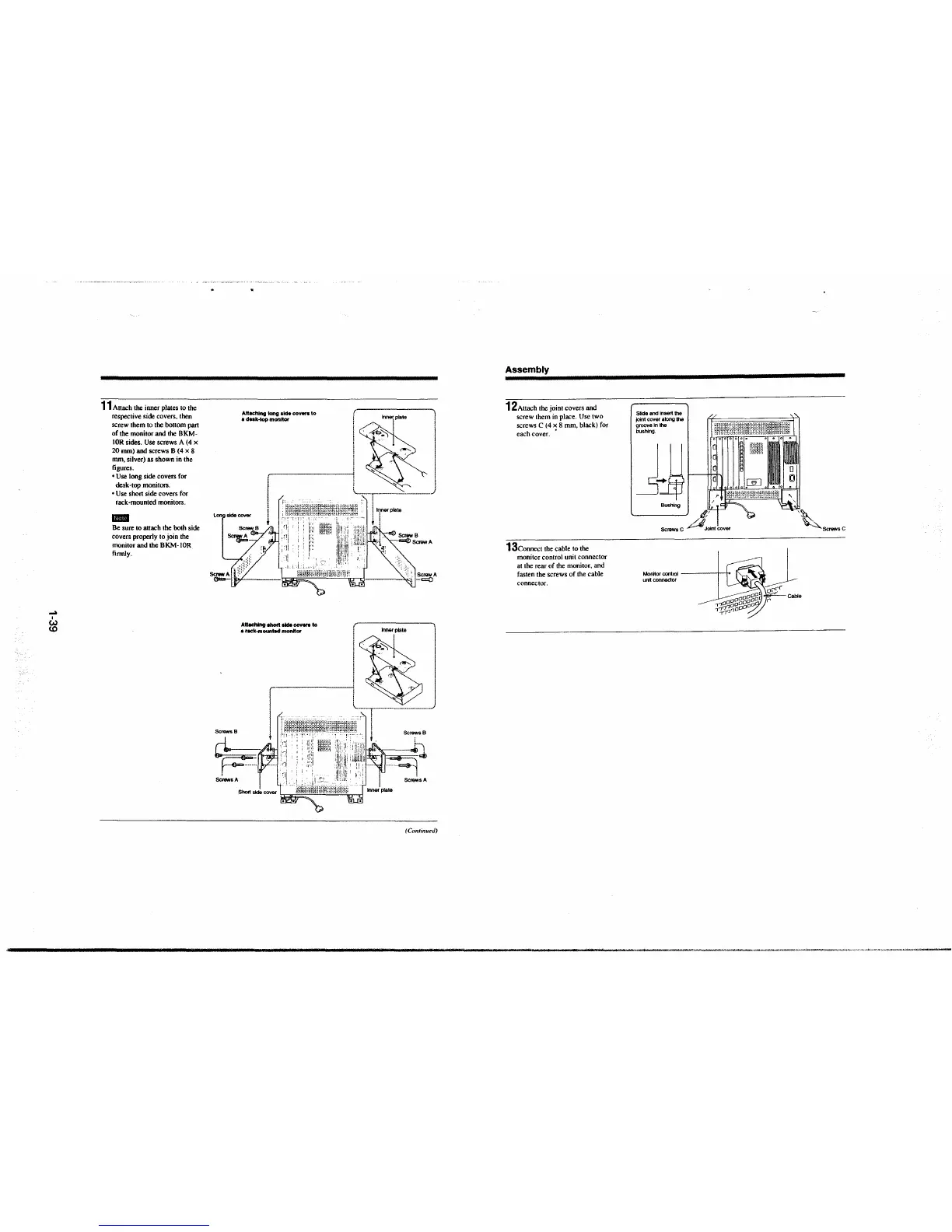
11 Attach the inner plates to the
respective side covers, then
screw them to the bottom pan
of the monitor and the BKM-
IOR sides. Use screws A (4 x
20 mm) and screws B (4 x 8
mm, silver) as shown in the
figures.
• Use long side covers for
desk-top monitors.
• Use short side covers for
rack-mounted monitors.
ID!'ll!I
Be sure to attach the both side
covers properly to join the
monitor
and the BKM-IOR
firmly.
Attaching long akfe covers to ( 1
• dnk-top monitor i lmer plate
' - I
,..............~~J
i
!
i lnnerplate
-=-
i I
SclvwsA
Attaching short
aide covera to
• rack-mounr.d monnor
t !
; I ScrewA
-=
Inner plate
I
(_ "<I/ J
-r--··--··-·-··---·····
f , Sc"7's B
··1·.i'i·~ .. 1
h.11 .. :1:ij.,-~'®
Screws A
(Continued)
Assembly
12 Attach the joint covers and
screw them in place. Use two
screws
C (4 x 8 mm, black) for
each cover. •
13connect the cable to the
monitor control unit connector
at the rear of the monitor, and
fasten the screws of the cable
connector.
Slide and insert the
}oint cover along lhe
groove In the
bushing.
jJJ rlmll!LJJ!'ll
Bushing
Screws C
Monitor control -----1--f+
unit connector







 To Next Page