....
I
~
t,)
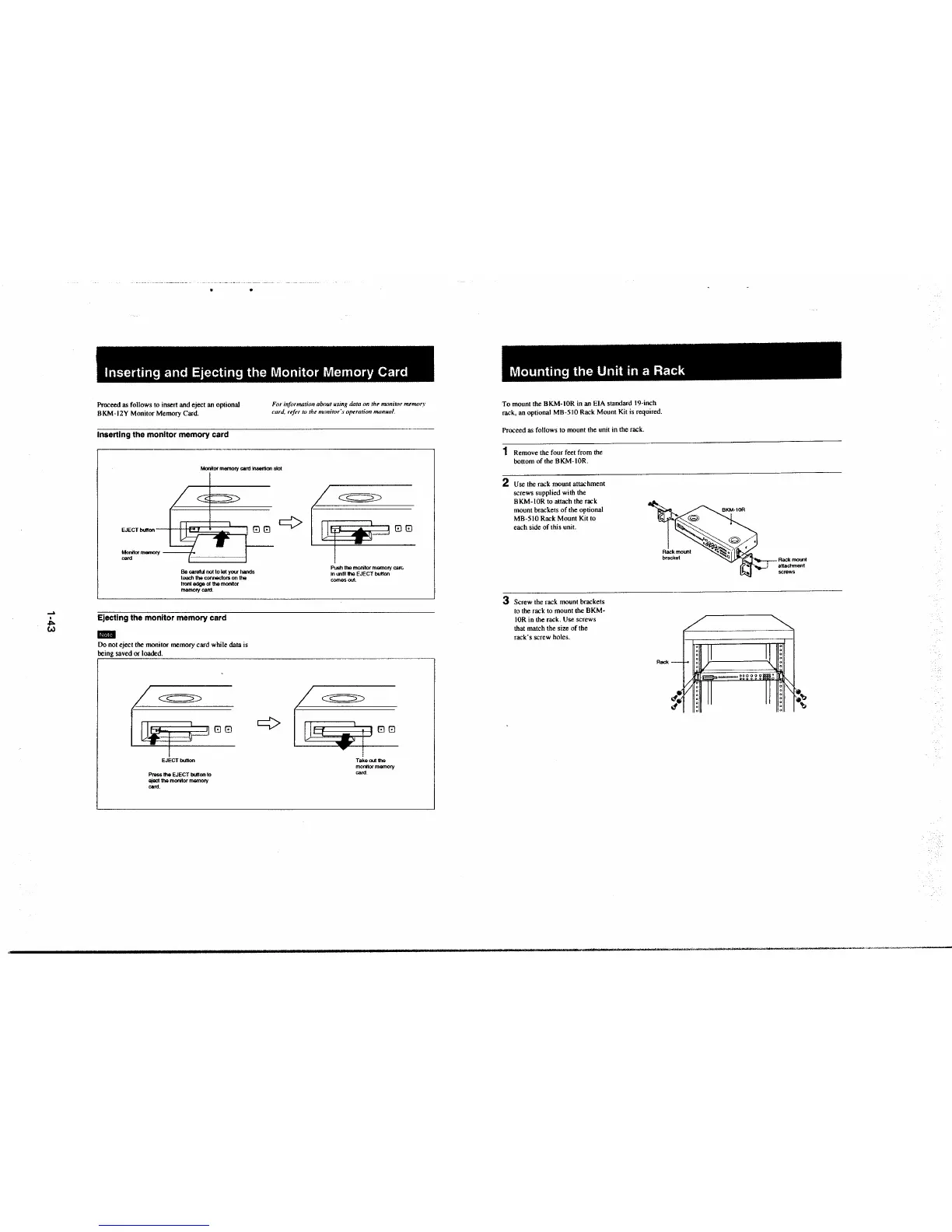
Inserting and Ejecting the Monitor Memory Card
Proceed as follows to insert and eject an optional
BKM-12Y Monitor Memory Card.
Inserting the monitor memory card
For inft>rmation about using data on the monitor menwr.r
card, refer to the monitor ·s opnation manual.
Monitor memory card insertion stat
EJECT button
88
¢
Monitor memory
card
Be careful not to let your hands
touch the connectors on the
lronl edge of the monitor
memory card.
Ejecting the monitor memory card
..
Do not eject the monitor memory card while data is
being saved or loaded .
~
EJECTbunon
Press the EJECT button to
etect the monitor memory
card.
00
¢
/~
0
80
Push the monitor memory care.
in ootil the EJECT button
comes out.
~
I
i
00
Takeout the
monitor memory
card
Mounting the Unit in a Rack
To mount the BKM-IOR in an EIA standard 19-inch
rack, an optional MB-5 IO Rack Mount Kit is required.
Proceed as follows to mount the unit in the rack.
1 Remove the four feet from the
bottom of the BKM-IOR.
2 Use the rack mount attachment
screws supplied with the
BKM-IOR to attach the rack
mount brackets of the optional
MB-5!0 Rack Mount Kit to
each side of this unit.
3 Screw the rack mount brackets
to the rack to mount the
BKM-
IOR in the rack. Use screws
that match the size of the
rack's screw holes.
Rack
Rackmooot
attachment
screws
~'b
.'b







 To Next Page