Mounting on Video Camera
AAAAyA<H.L0.idx>
12
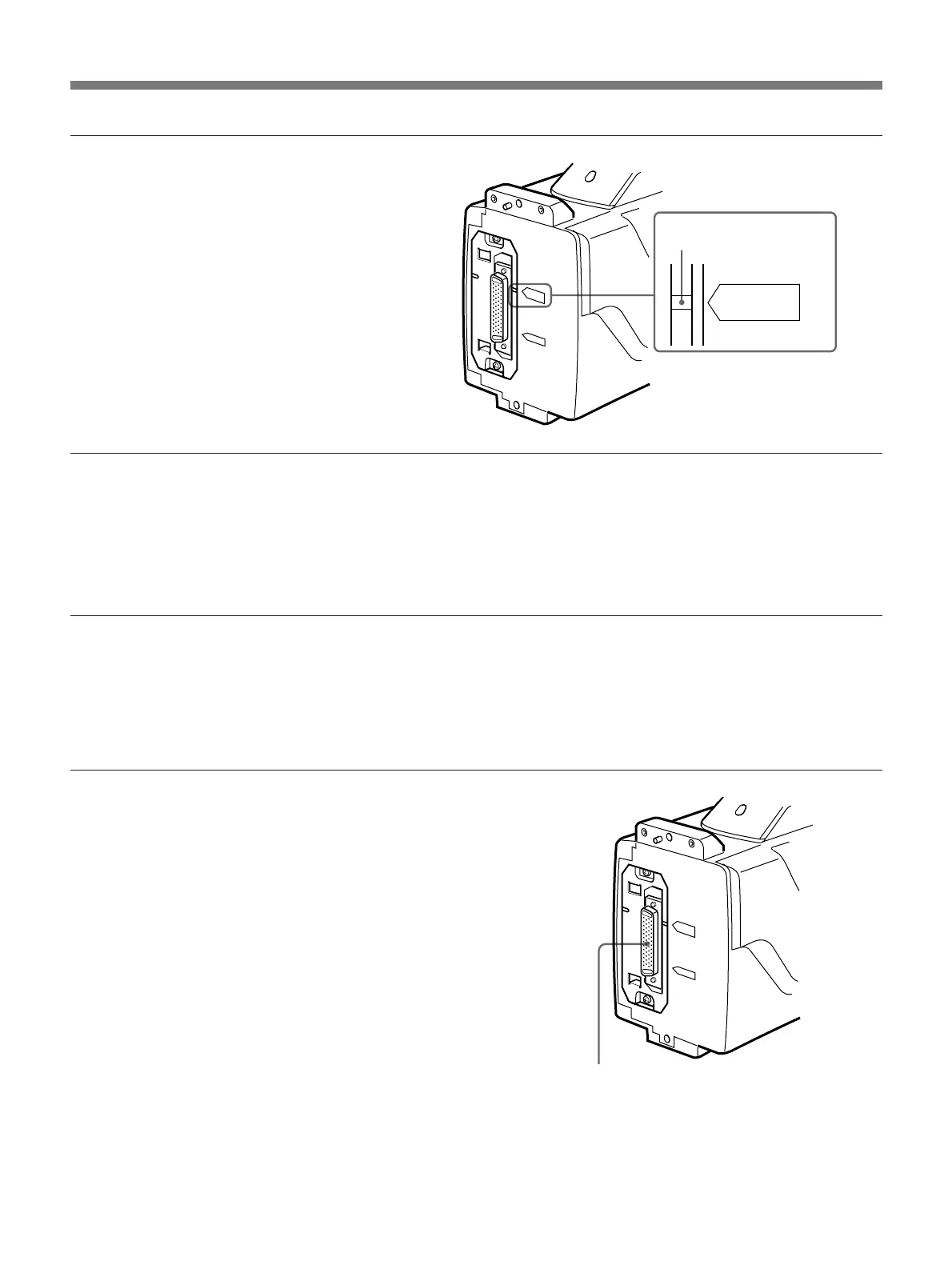
3 Attach the cover upside down.
Make sure that the match mark
lines up with “PRO 76P
DIGITAL” indication.
Match mark
Using the DXC-637 series camera
Replace the PRO 76-pin DIGITAL connector with the PRO 50-pin
connector. Press the left side of the PRO 76-pin DIGITAL connector until
the PRO 50-pin connector appears. Make sure that the match mark lines
up with “PRO 50P” indication.
Mounting on the camera
This section describes the procedure for mounting this unit on a DXC-
D30/D30P. Use the same procedure for mounting on a DXC-637 series
camera. (Replace the PRO 76-pin DIGITAL connector with the PRO 50-
pin connector.)
PRO76P
DIGITAL
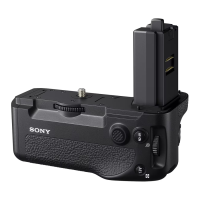
1 If necessary, replace the PRO
50-pin connector with the PRO
76-pin DIGITAL connector.
For details, see “Using the DXC-
D30/D30P” (page 11).
PRO 76-pin DIGITAL connector


 To Next Page