CCB-WD1
4-735-433-11(1)
GB
6
C:\4735433111\4735433111CCBWD1CEE\01GB-CCBWD1CEE\01GB.indd
DTP data saved: 2017/11/29 16:03
PDF file created: 2017/11/29 16:09
Connecting to a camera and a computer
Connect this product to a camera and a computer to operate the camera
from the computer.
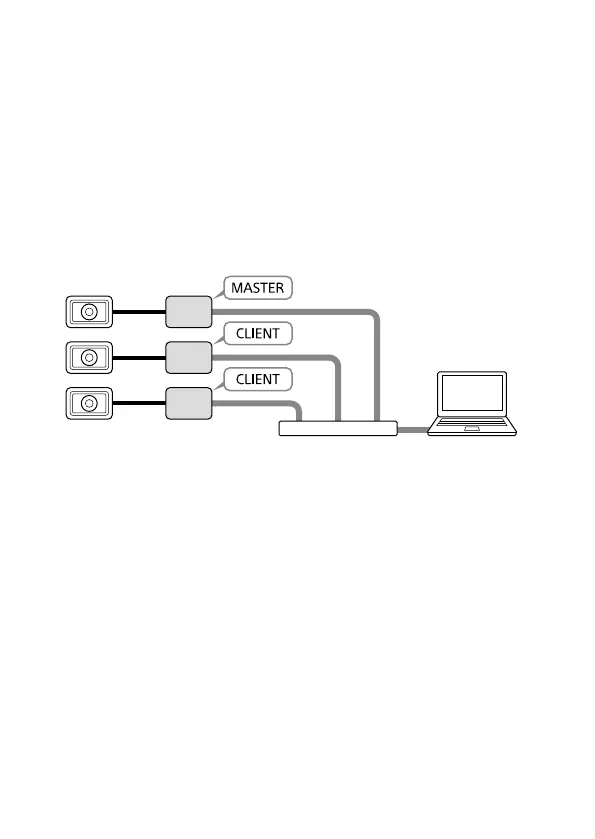
You can operate multiple cameras at once from a single computer by
connecting them as illustrated below.
Set the MASTER/CLIENT switch on one of the products (camera control
boxes) to “MASTER.” Then, set the MASTER/CLIENT switches on the others
to “CLIENT.”
Conceptual diagram
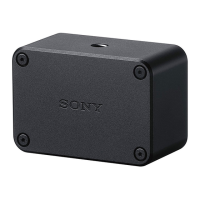
DSC-RX0 Camera control box
Switching hub Computer
Note
• You can connect one camera to this product. To use multiple cameras, you
must connect each camera to a separate camera control box.
• It is recommended that you use 1000BASE-T switching hubs and LAN cables
rated as category 5e or higher.










 To Next Page