CCB-WD1
4-735-433-11(1)
GB
7
C:\4735433111\4735433111CCBWD1CEE\01GB-CCBWD1CEE\01GB.indd
DTP data saved: 2017/11/29 16:03
PDF file created: 2017/11/29 16:09
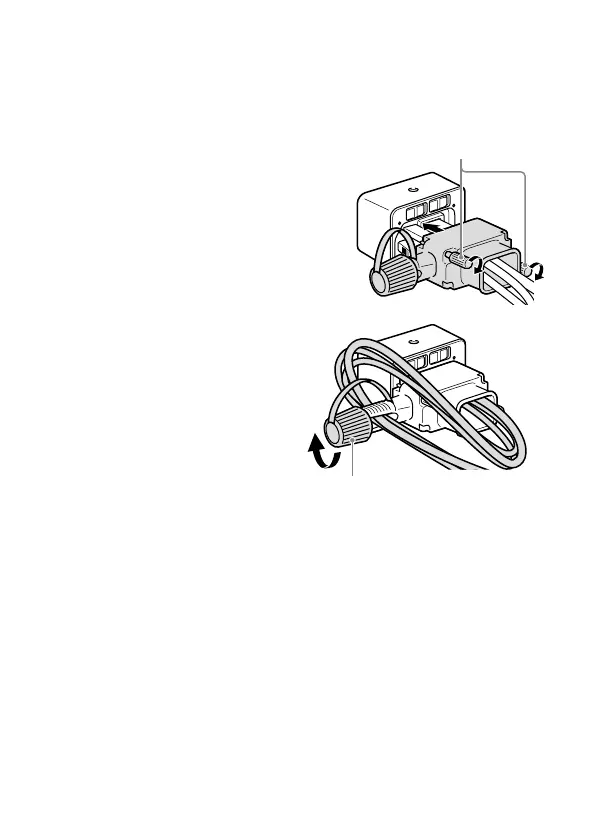
Cable protector
Use the cable protector to prevent the cables from being disconnected.
Run all the cables through the cable protector, and then connect the
cables to the product.
Attach the cable protector
to the product so that it
aligns with the shape of the
connector compartment,
and then secure the cable
protector by tightening the
two attachment screws.
Attachment screws
Secure the cables with the
fixing dial.
Fixing dial










 To Next Page