Playing using the Delete Bank
1 Insert or select the disc.
"FILE" and "DELETE" in the Custom File
indication light up in the display.
2 Press CONTINUE or SHUFFLE to select "ALL
DISCS" or "1 DISC".
3 Press [_- or one of the DISC1-5 buttons you want
to start playing.
Erasing the Delete Bank
1 Insert orselect the disc.
"FILE" and "DELETE" in the Custom File
indication light up in the display.
2 Press HLE.
"FILE" appears in the display.
3
Press ERASE while "FILE" appears in the display.
The Delete Bank is erased. "ERASE" apperas in the
display and "FILE" and "DELETE" in the Custom
File indication disappear.
Notes on CDs.
On handling CDs
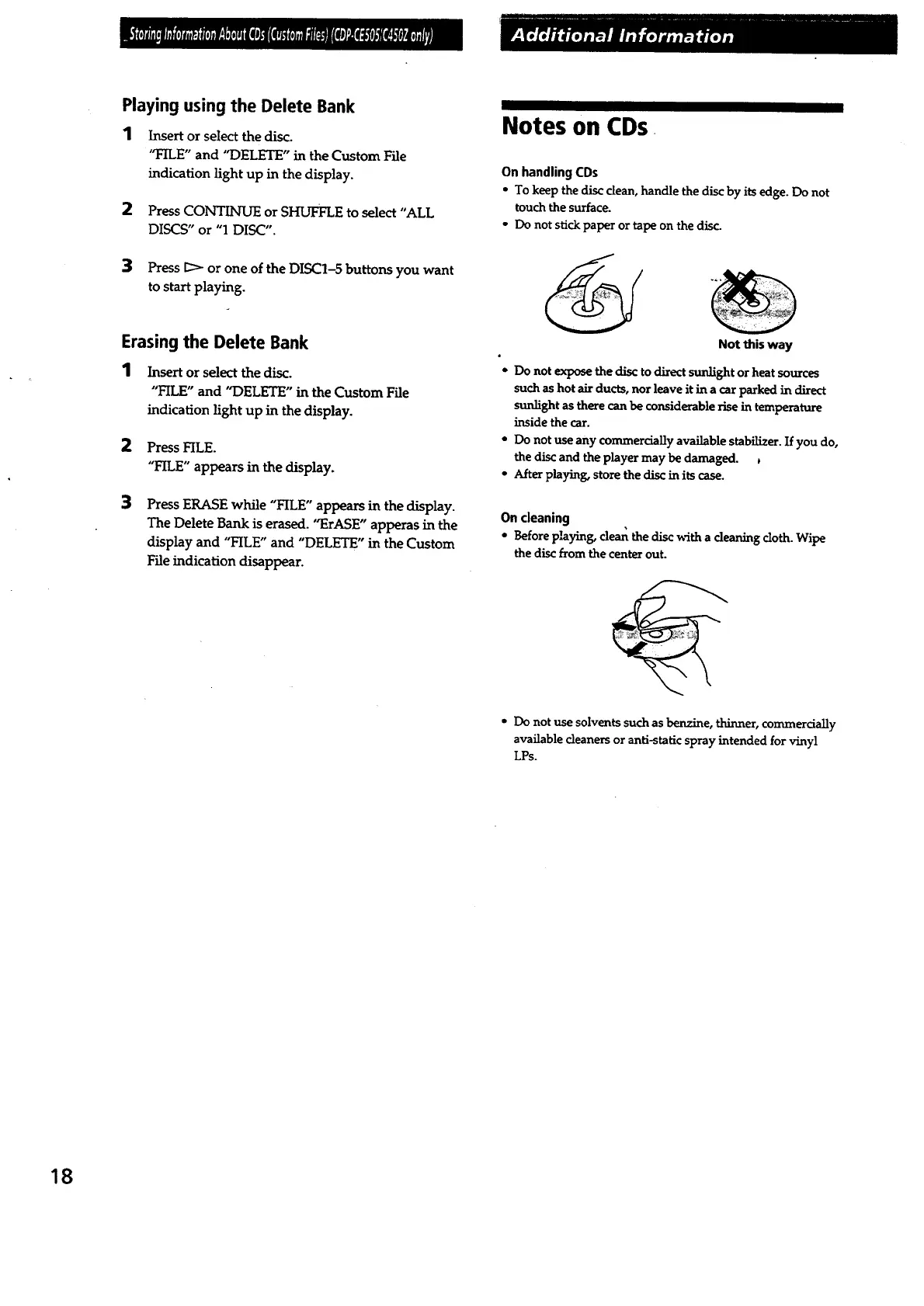
• To keep the disc clean, handle the disc by its edge. Do not
touch the surface.
• Do not stick paper or tape on the disc.
Not this way
• Do not expose the disc to direct sunlight or heat sources
such as hot air ducts, nor leave it in a car parked in direct
sunlight as there can be considerable rise in temperature
inside the car.
* Do not use any commercially available stabilizer. If you do,
the disc and the player may be damaged.
- Afterplaying,storethe disc in itscase.
On cleaning
° Before playing, clean the disc _-ith a cleaning cloth. Wipe
thediscfrom thecenterout.
° Do not use solvents such as benzine, thinner, commercially
available cleaners or anti-static spray intended for vinyl
LPs.
18



 To Next Page