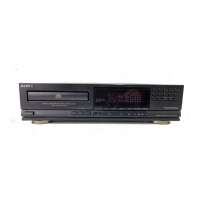
This document provides a comprehensive service manual for the Sony CDP-M72 Compact Disc Player, covering its functionality, operational features, and essential maintenance procedures. The CDP-M72 is designed for high-quality audio playback from compact discs, offering a range of features for an enhanced user experience.
Function Description
The CDP-M72 is a dedicated compact disc player, engineered to read and reproduce audio from standard compact discs. Its core function revolves around precise laser tracking and digital signal processing to deliver clear and accurate sound. The player incorporates a variety of control functions accessible via its front panel, allowing users to manage playback, program tracks, and adjust audio output.
Key operational features include:
- Basic Playback Controls: Standard functions such as Play, Pause, Stop, and Open/Close for the disc tray are readily available.
- Track Navigation: Users can skip forward or backward between tracks using the AMS (Automatic Music Sensor) buttons, or perform manual searches within a track.
- Programming and Customization: The player offers advanced programming capabilities, allowing users to create custom playback sequences. This includes:
- Program Play: Select and arrange tracks in a desired order.
- Shuffle Play: Play tracks in a random order.
- Repeat Play: Repeat a single track, a programmed sequence, or the entire disc.
- Audio Enhancement Features:
- A. SPACE (Auto Space): Automatically inserts a few seconds of silence between tracks during playback, useful for recording.
- Peak Search: Scans the disc to find the loudest passage, aiding in setting optimal recording levels.
- Fader: Provides a smooth fade-in or fade-out effect for audio, particularly useful when recording.
- Edit/Time Fade: Assists in editing and recording by providing timed fade functions.
- Display and Information: A prominent display window provides essential information, including track number, index, elapsed/remaining time, and indicators for various playback modes (Shuffle, Program, Repeat, AMS). Numeric buttons allow for direct track selection and programming.
- Digital Output: The player features a digital optical output connector, enabling connection to external digital-to-analog converters (DACs) or digital recording devices for high-fidelity audio transfer.
Usage Features
Operating the CDP-M72 is intuitive, with clearly labeled controls on the front panel. The disc tray opens and closes with the dedicated OPEN/CLOSE button, allowing for easy disc loading. Once a disc is loaded, playback can be initiated with the PLAY button. The numeric buttons facilitate direct access to specific tracks, while the AMS buttons allow for quick navigation.
For advanced users, the PROGRAM button enables the creation of custom track lists. The SHUFFLE and REPEAT buttons offer varied listening experiences. The A. SPACE, PEAK SEARCH, and FADER functions are particularly useful for those integrating the CD player into a recording setup, providing tools to optimize audio levels and transitions. The display window keeps the user informed about the current playback status and selected functions.
The remote commander (not detailed in the manual but implied by the SIRCS input) would offer convenient control from a distance, mirroring many of the front panel functions.
Maintenance Features
This service manual emphasizes specific procedures and warnings crucial for maintaining the CDP-M72, particularly concerning its laser assembly.
Protection of Eyes from Laser Beam During Servicing:
- The device uses a Class 1 laser product (GaAlAs material, 780nm wavelength, continuous emission, max. 44.6µW output).
- Caution: Using controls, adjustments, or procedures other than those specified in the manual may result in hazardous radiation exposure.
- During service, the Optical Pick-up Block should not be taken apart, and the APC (Automatic Power Control) circuit should not be adjusted. If there is a breakdown in the APC circuit or laser diode, the entire Optical Pick-up Block (including the APC board) must be replaced.
- When checking laser diode emission, observe from more than 30 cm away from the objective lens, as the beam is concentrated.
Handling the Optical Pick-up Block or Base Unit:
- The laser diode is susceptible to electrostatic breakdown due to potential differences from clothing or the human body.
- During repair, electrostatic discharge precautions must be observed, and the procedures provided with repair parts should be followed.
- The flexible board is delicate and requires careful handling.
Laser Diode and Focus Search Operation Check:
- To perform a basic check, turn the power switch on with no disc inserted and the disc table closed.
- Observe the objective lens to confirm that the laser beam spreads and the objective lens performs an up-and-down motion three times.
Electrical Block Checking:
The manual outlines detailed electrical checks for various components, including:
- RF Level Check: Involves connecting an oscilloscope to test points on the BD board (TP (RFO), TP (FEO), TP (VC)) to confirm the RF signal waveform and level.
- S Curve Check: Uses an oscilloscope to check the S curve waveform, which is critical for focus servo operation. This involves adjusting the focus search and observing the waveform symmetry and peak-to-peak voltage.
- E-F Balance Check: Connects an oscilloscope to test points (TP (ADJ) to ground and TP (TES) to TP (VC)) to confirm the E-F balance waveform, ensuring proper tracking servo operation.
- RF PLL Free-run Frequency Check: Connects a frequency counter to the PLCK test point on the main board to confirm the frequency reading is 4.3218MHz.
- Focus/Tracking Gain: Notes that this gain has a margin and does not require adjustment. If the optical pick-up block has been moved, it should be fixed to its mechanical center position.
Safety-Related Component Warning:
Components marked with a triangle or dotted line with a triangle on schematic diagrams and parts lists are critical for safe operation. These components must be replaced only with genuine Sony parts specified in the manual or supplements.
The manual also includes detailed diagrams for block schematics, semiconductor lead layouts, printed wiring boards, and exploded views, which are essential for identifying components and performing repairs. An electrical parts list provides part numbers and descriptions for all replaceable components.

 Need help?
 General

 To Next Page