Need help?
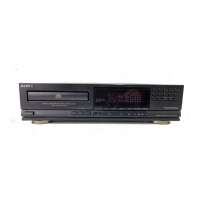
Do you have a question about the Sony CDP-M205 and is the answer not in the manual?
Key warnings to prevent fire, shock, and avoid hazardous situations.
Guidelines for safe power, placement, cleaning, volume, and operation.
Explains manual structure, model differences, and used icons for clarity.
Guide to checking items, inserting batteries, and connecting the player to an amplifier.
Instructions for setting the voltage selector and connecting the mains power lead.
How to interpret information shown on the player's display during playback.
Methods to find specific tracks, points, and set track repetition.
How to play tracks in random order or create a custom playback sequence.
Steps to change, add, erase, or check the sequence of programmed tracks.
Guide to recording programmed sequences onto cassette tape, including pauses.
Manually fading tracks and using Peak Search for optimal recording levels.
Essential guidelines for proper CD handling, storage, and cleaning.
Solutions for common player issues and detailed technical specifications.
 General
| Disc format | CD |
|---|---|
| Channels | 2 |
| Frequency Response | 2 Hz - 20 kHz |
| Dynamic range | 98 dB |
| Line output | 2V |
| Type | Compact Disc Player |
| Digital converter | 1-bit |
| Output | 2 V |
| Digital Output | Coaxial |
| Dimensions | 430 x 100 x 295mm |

 To Next Page