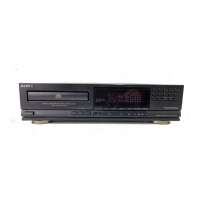
Basic Operations
6
EN
Turn on the amplifier and select the CD player position so that
you can listen to the sound from this player.
Press POWER to turn on the player.
Press § OPEN/CLOSE,
and place a disc on the
disc tray.
Press · (().
The disc tray closes and the player plays all the tracks once
(Continuous Play).
Adjust the volume on the amplifier.
To stop playback
Press p.
1
2
3
Playing a CD
• See pages 4 – 5 for the hookup
information.
To
Pause
Resume play after pause
Go to the next track
Go back to the preceding track
Stop play and remove the CD
Press
P
P or · (()
+
=
§ OPEN/CLOSE
4
If you turn on the player with
a CD in the tray
You can start playing
automatically from the
beginning of the CD. If you
connect a commercially
available timer, you can start
playing the CD at any time
you want.
If play doesn’t start from the
first track
Press CONTINUE.
234
With the label side up
POWER
SHUFFLE PROGRAMCONTINUE
REPEATTIME SEARCH
PEAK
OPEN/CLOSE


 To Next Page