EasyManua.ls Logo

Sony CDP-XA5ES - Loading and Controlling CD Playback

Sony CDP-XA5ES
93 pages
Print Icon
To Next Page IconTo Next Page
To Previous Page IconTo Previous Page
Loading...
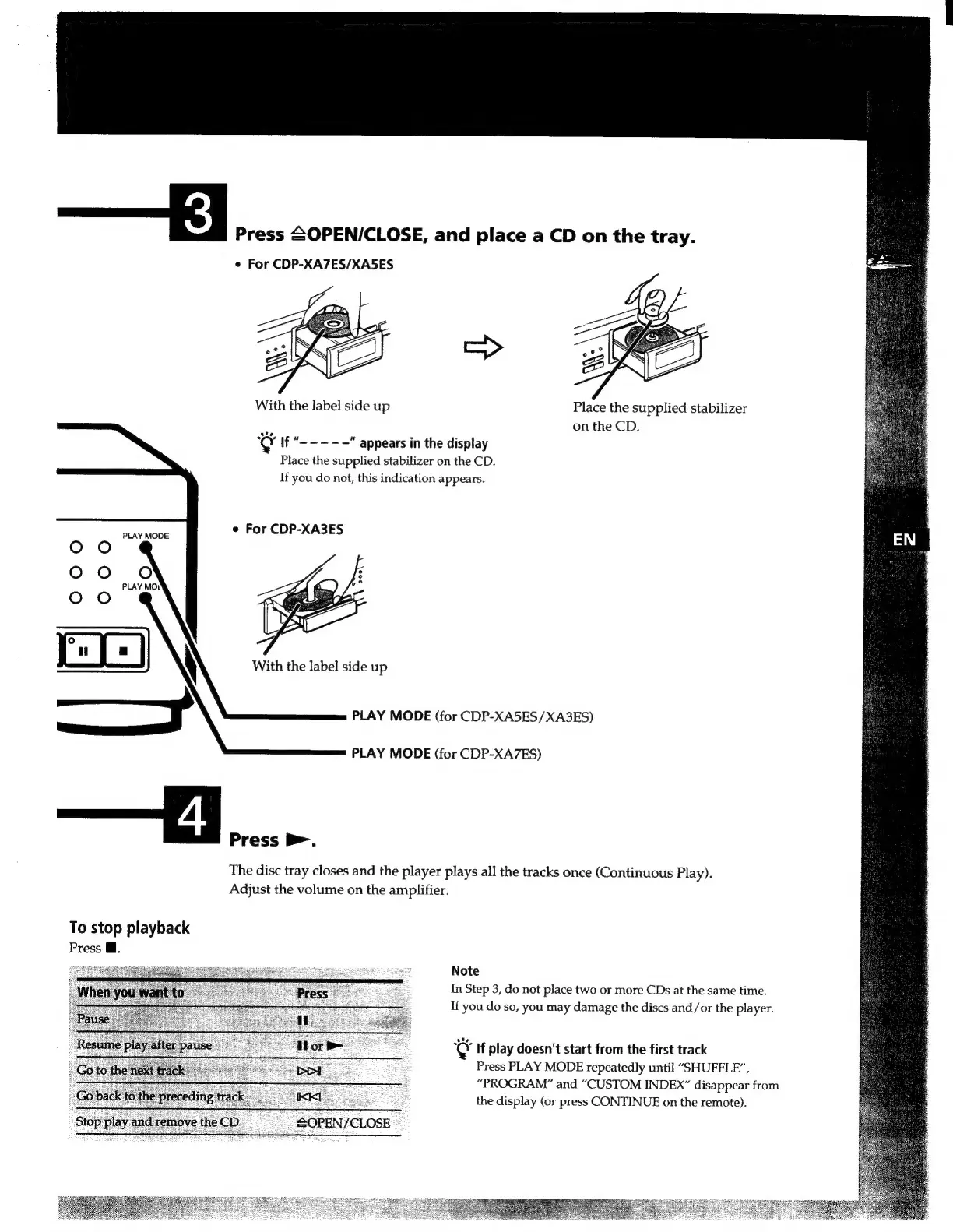
Press
£0PEN/CLOSE,
and
place
a
CD
on
the
tray.
e
For
CDP-XA7ES/XA5ES
Place
the
supplied
stabilizer
on
the
CD.
Q
If
“-----
"appears
in
the
display
Place
the
supplied
stabilizer
on
the
CD.
If
you
do
not,
this
indication
appears.
e
For
CDP-XA3ES
PLAY
MODE
PLAY
MODE
(for
CDP-XA5ES/XA3ES)
PLAY
MODE
(for
CDP-XA7ES)
==
—A...
The
disc
tray
closes
and
the
player
plays
all
the
tracks
once
(Continuous
Play).
Adjust
the
volume
on
the
amplifier.
To
stop
playback
Press
W.
Note
In
Step
3,
do
not
place
two
or
more
CDs
at
the
same
time.
If
you
do
so,
you
may
damage
the
discs
and/or
the
player.
If
play
doesn't
start
from
the
first
track
Press
PLAY
MODE
repeatedly
until
"SHUFFLE”,
“PROGRAM”
and
“CUSTOM
INDEX”
disappear
from
the
display
(or
press
CONTINUE
on
the
remote).

Related product manuals