EasyManua.ls Logo

Sony CDP-XA7ES - Time Fade Recording; Recording Tips; Adjusting Recording Level

Sony CDP-XA7ES
93 pages
Print Icon
To Next Page IconTo Next Page
To Previous Page IconTo Previous Page
Loading...
Recording
From
CDs
e,
To
Press
FADER
Start
play
fading
in
During
pause.
“FADE”
flashes
and
play
fades
in.
End
play
fading
out
When
you
want
to
start
fading
out.
F]
“FADE”
flashes.
The
play
fades
out
and
the
player
pauses.
Changing
the
fading
time
[7]
You
can
change
the
fading
time
from
2
to
10
seconds
before
fading
in
or
out.
If
you
don’t
change
it,
fading
lasts
for
5
seconds.
1
Press
FADER
before
you
start
playing.
“5
SEC”
appears
and
“FADE”
flashes
in
the
display.
2
Press
the
number
button
to
specify
the
fading
time.
Notes
e
The
fading
time
remains
even
when
you
turn
off
the
player.
+.
When
you
use
the
Custom
File
function
(page
18),
the
fading
time
is
memorized
for
each
disc.
Fading
out
at
the
specified
time
(Time
Fade)
You
cannot
use
this
function
when
your
player
is
CDP-XA7ES.
You
can
have
the
player
fade
out
automatically
by
specifying
the
playing
time.
Once
you
set
the
time
fade,
it
works
twice,
that
is,
the
play
fades
out
at
the
end
of
both
sides
of
a
tape.
1
Press
EDIT/TIME
FADE
three
times
before
you
start
playing.
“TIME
FADE”
and
“SIDE-A”
appear
in
the
display.
2
Press
KK
or
D
to
specify
the
playing
time.
Each
time
you
press
these
buttons,
the
display
changes
as
shown
below,
with
the
playing
time
of
one
side
following
each
indication.
+
HALF
++
C-46
++
C-54
++
C-60
++
C-74
«+
C-90
«+
- -
-
-
(23.00)
(27.00)
(30.00)
(37.00) (45.00)
‘|
When
you
select
“HALF”
The
player
sets
the
playing
time
to
a
half
of
the
total
playing
time.
3
Press
B
to
start
playing.
At
the
specified
time
the
play
fades
out
with
“FADE”
flashing
in
the
display
and
the
player
pauses.
“SIDE-B”
appears
in
the
display.
4
To
record
on
side
B,
reverse
the
tape
and
press
B
or
fl
on
the
player
to
resume
playing.
Again,
the
play
fades
out
at
the
specified
time.
To
cancel
Time
Fade
Press
EDIT/TIME
FADE,
or
press
<<
or
>>
while
playing
a
disc.
You
can
freely
specify
the
playing
time
See
"You
ran
freely
specify
the
tape
length”
on
page
16.
You
can
change
discs
during
Time
Fade
If
the
play
ends
before
the
specified
fade-out
time,
(for
example,
when
you
record
CD-singles
on
a
tape)
change
the
disc.
The
specified
fade-out
time
is
counted
only
during
playing.
You
can
fade
in
to
resume
playing
in
Step
4
[F]
After
you
reverse
the
tape,
press
FADER.
Useful
Tips
for
Recording
(7)
Using
these
functions
makes
recording
CDs
more
convenient.
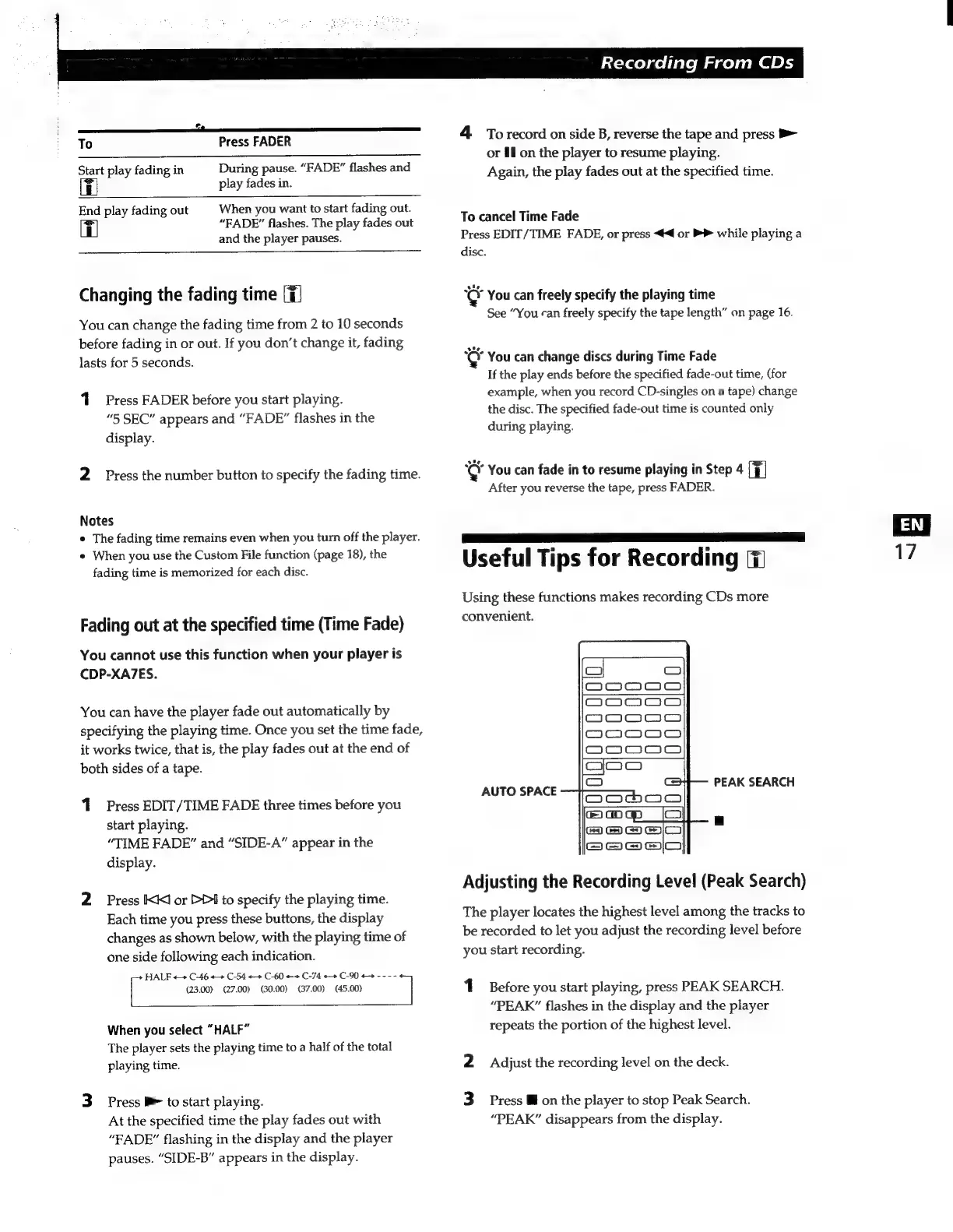
AUTO
SPACE
PEAK
SEARCH
Adjusting
the
Recording
Level
(Peak
Search)
The
player
locates
the
highest
level
among
the
tracks
to
be
recorded
to
let
you
adjust
the
recording
level
before
you
start
recording.
1
Before
you
start
playing,
press
PEAK
SEARCH.
“PEAK”
flashes
in
the
display
and
the
player
repeats
the
portion
of
the
highest
level.
2
Adjust
the
recording
level
on
the
deck.
3
Press
W
on
the
player
to
stop
Peak
Search.
“PEAK”
disappears
from
the
display.

Related product manuals