32
CDX-5V661/5V661A/5V661D/5V661S
Push key (execution key) assignment
Key Description Function
1 DISP –
Change the display mode number
2 DISP +
3 LED ALL LIT Light up all LED’s on the front panel
4 LED NORMAL Cancel LED All Lit mode on the front panel
5 PWM DATA – Adjust the data at cursor position
6 PWM DATA + Adjust the brightness of dimmer/indicator LED
7 PWM SEL – Select the data to be edited/displayed according to the display mode.
8 PWM SEL + For the data that corresponds to No., see the display mode list.
9 PWM CURSOR –
Select the data position to be entered
0 PWM CURSOR +
qa ––
qs ––
qd SETUP Activate the setup mode for the selected data
qf PWM ENTRY Enter the selected data
qg ––
qh ––
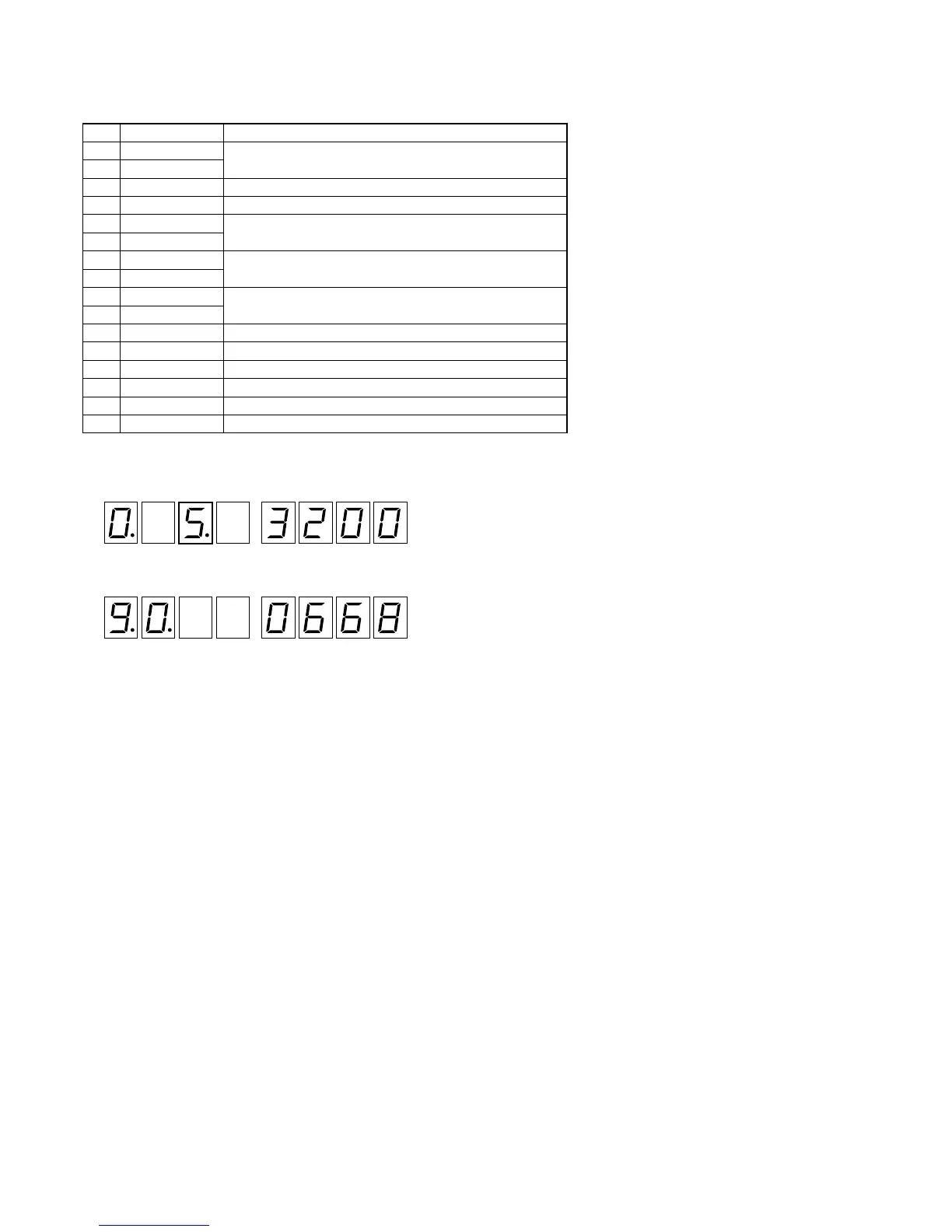
How to enter the LED Adjustment mode
1. Rotating the rotary switch, adjust the display (7 Seg LED) to “5” (third place).
After 2 or 3 seconds, the display will change to the execution mode.
2. The display mode number can be changed by pressing the 1 and 2 keys.
(See “Example” in step 2 in the Normal mode on page 22 and 23)
3. Press 3 key to perform the front panel LED All Lit operation.
4. Press 4 key to cancel the front panel LED All Lit operation (all OFF).
: Software version displa


 To Next Page