15
Tuning in a station through a
list
— List-up
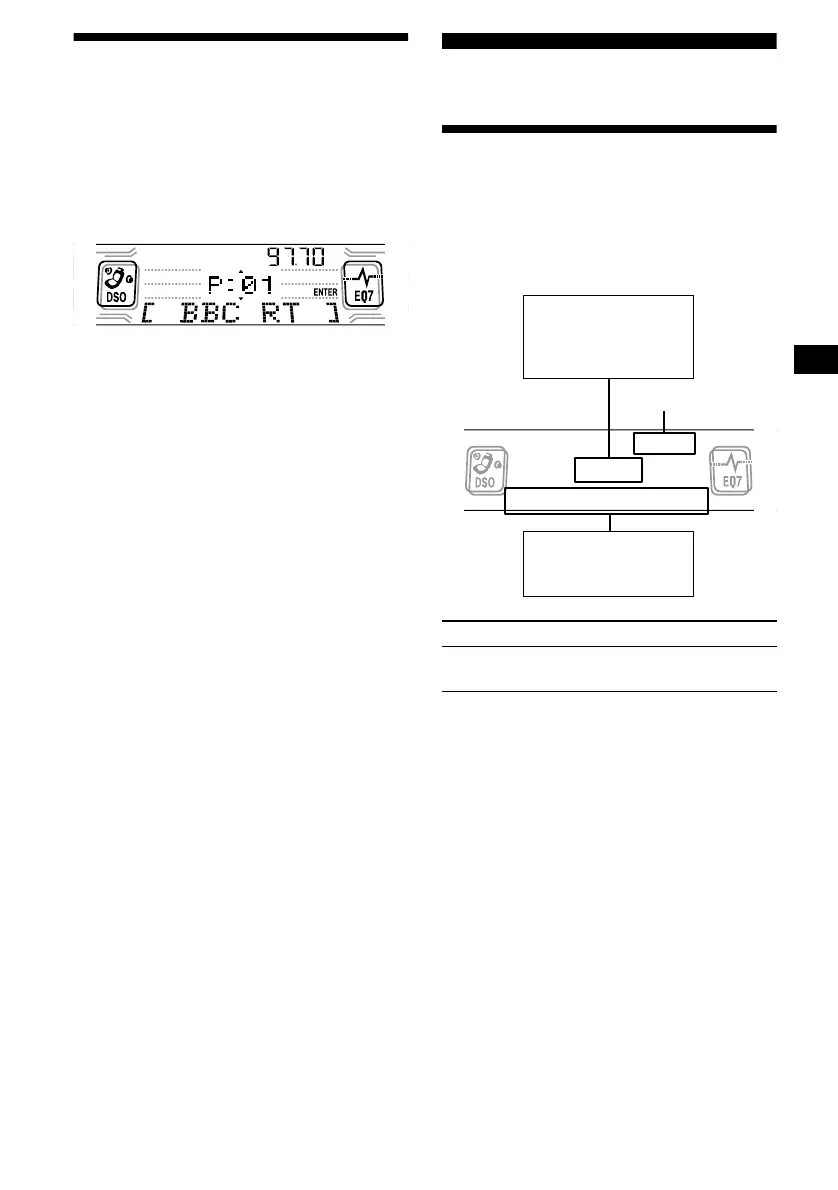
1 During radio reception, press (LIST)
momentarily.
The frequency or the name assigned to the
current station appears in the display.
2 Press either side of (DISC) repeatedly
until you find the desired station.
If no name is assigned to the selected station,
the frequency appears in the display.
3 Press (ENTER) to tune in the desired
station.
RDS
Overview of RDS
FM stations with Radio Data System (RDS)
service send inaudible digital information along
with the regular radio programme signal. For
example, one of the following will be displayed
upon receiving a station with RDS capability.
RDS services
RDS data offers you other conveniences, such as:
• Automatic retuning of a programme, helpful
during long-distance drives. — AF t page 16
• Receiving traffic announcements, even
when enjoying another programme/source. —
TA t page 17
• Selecting stations by the type of programme
it broadcasts. — PTY t page 18
• Automatic clock time setting. — CT t page
19
Notes
• Depending on the country or region, not all of the
RDS functions are available.
• RDS may not work properly if the signal strength is
weak or if the station you are tuned to is not
transmitting RDS data.
To Press
Switch display
item
(DSPL/PTY)
Displayable items
• Radio band
• Clock
• Function
Displayable items
• Station name
• Programme type
Frequency



 To Next Page