22
Replacing the services in preset
memories
Press either side of (DISC) to select “Over Wrt”
in step 4, then press (ENTER).
Tip
There is another way to preset the service (on
numbers 1 to 6).
After receiving the service, press the desired number
button ((1) to (6)) until a beep sounds.
Adding the services in preset
memories
Press either side of (DISC) to select “Insert” in
step 4, then press (ENTER).
Note
“Insert” does not appear if the maximum number of
services (40) is already preset in memory.
Erasing the services in preset
memories
Press either side of (DISC) to select “Delete” in
step 4, then press (ENTER).
Tuning in DAB programme
through a list
Follow the procedure below to tune in a DAB
programme manually.
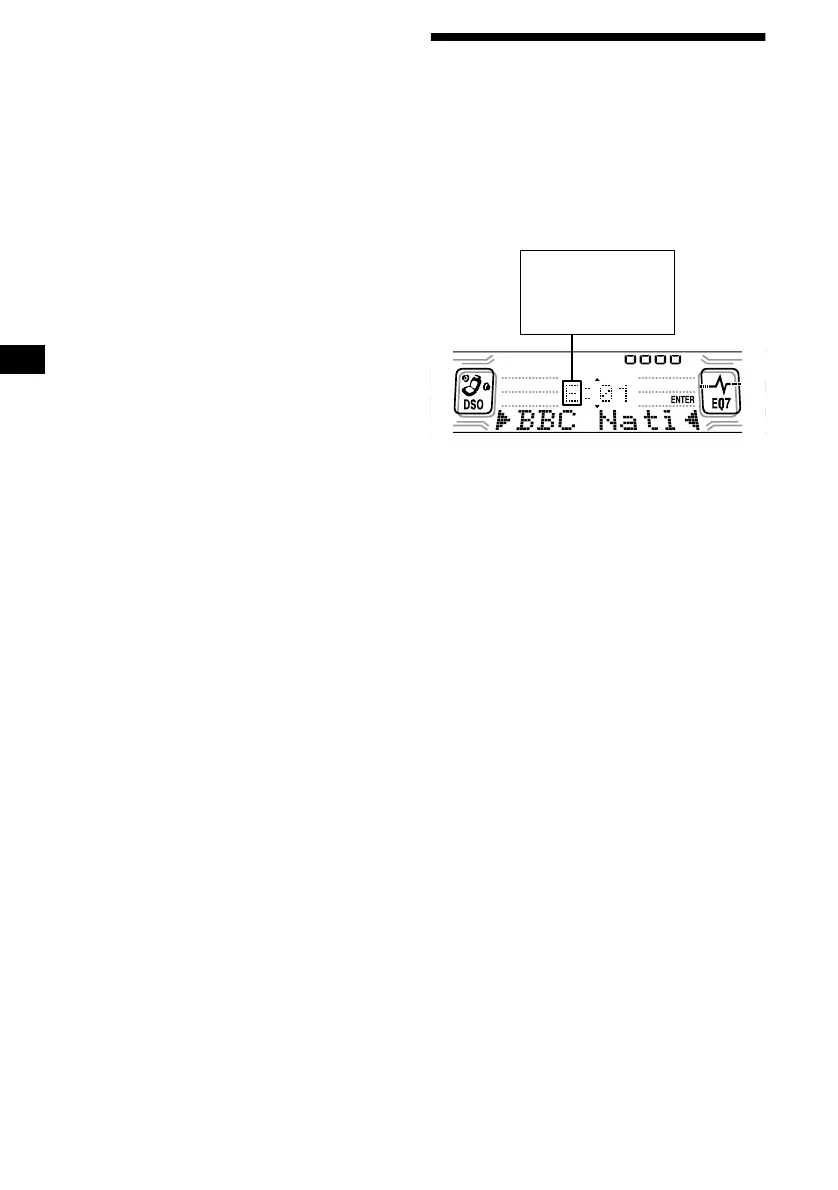
1 While listening to a DAB programme,
press (LIST) repeatedly until “E”
(ensemble list) appears.
All available ensembles will be listed.
2 Press either side of (DISC) until the
desired ensemble appears, then press
(ENTER).
The first service for the ensemble is selected
automatically.
3 Press (LIST) repeatedly until “S”
(service list) appears.
All services available for the ensemble will be
listed.
4 Press either side of (DISC) repeatedly
until the desired service appears, then
press (ENTER).
The first component for the service is selected
automatically.
5 Press (LIST) repeatedly until “C”
(component list) appears.
All components available for the service will
be listed.
6 Press either side of (DISC) until the
desired component appears, then
press (ENTER).
E: ensemble list
S: service list
C: component list
P: preset list



 To Next Page