25
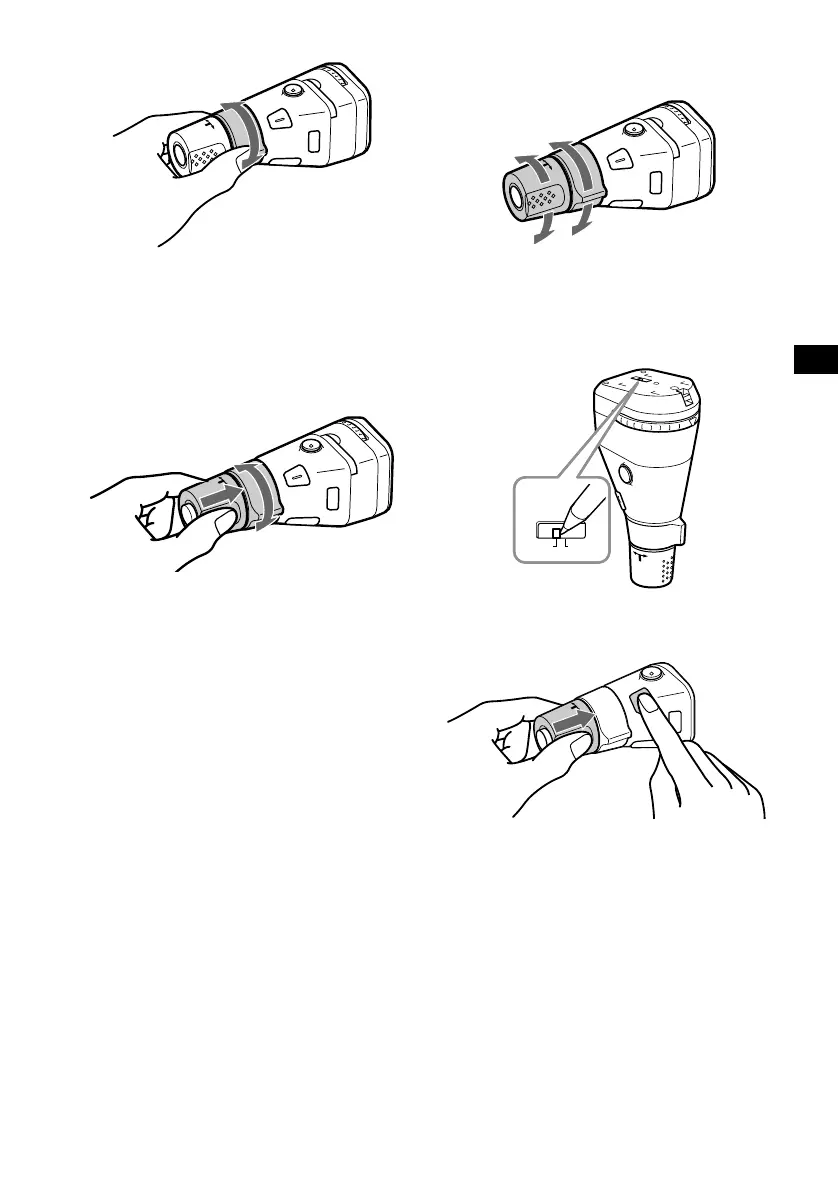
By rotating the control
Rotate and release to:
– Skip tracks.
– Tune in stations automatically.
Rotate, hold, and release to:
– Fast-forward/reverse a track.
– Find a station manually.
By pushing in and rotating the control
Push in and rotate the control to:
– Receive preset stations.
– Change the disc*.
* When an optional CD/MD unit is connected.
Changing the operative direction
The operative direction of controls is factory-set
as shown below.
If you need to mount the rotary commander on
the right hand side of the steering column, you
can reverse the operative direction.
RM-X5S
Set the Rev/Nor-select switch to “Rev.”
RM-X4S
Press (SOUND) for 2 seconds while
pushing the VOL control.
SEEK/AMS
control
S
O
U
R
C
E
PRESET/DISC
control
To increase
To decrease
Rev Nor



 To Next Page