EasyManua.ls Logo

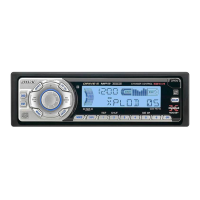
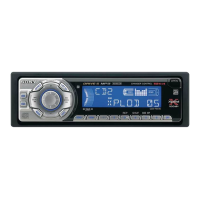
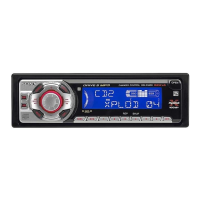
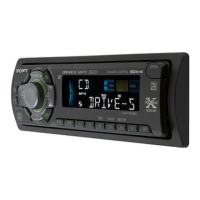
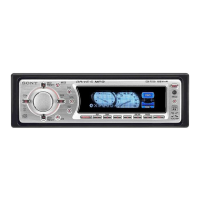
Sony CDX-f5710X - User Manual

Sony CDX-f5710X
56 pages
Print Icon
To Next Page IconTo Next Page
Loading...
Operating Instructions
Manual de instrucciones
CDX-F5710X
For installation and connections, see the supplied installation/connections manual.
Para obtener información sobre la instalación y las conexiones, consulte el manual
de instalación/conexiones suministrado.
© 2005 Sony Corporation
2-515-319-22 (1)
GB
ES
CT
FM
/
AM Compact Disc
Player
Autoestéreo para disco
compacto

Table of Contents

Other manuals for Sony CDX-f5710X

Questions and Answers

  • L
    lisa10Sep 8, 2025
    Why does my Sony CDX-f5710X make noise when I switch the ignition key?
    • T
      Tracy ThomasSep 9, 2025
      If your Sony Car Receiver makes noise when the ignition key is switched, check the leads to ensure they are correctly matched with the car’s accessory power connector.
  • C
    Christopher RodriguezAug 23, 2025
    Why won't my Sony CDX-f5710X play the disc?
    • D
      David DawsonAug 23, 2025
      If the disc does not playback on your Sony Car Receiver: * The disc may be defective or dirty. Clean or replace the disc. * The CD-Rs/CD-RWs may not be for audio use. Use audio-compatible CD-Rs/CD-RWs.
  • J
    Joshua ZhangAug 25, 2025
    What to do if the fuse blows in my Sony CDX-f5710X Car Receiver?
    • L
      lawrencejamesAug 25, 2025
      If the fuse in your Sony Car Receiver has blown, replace it with a new one.
  • N
    Natalie CowanAug 27, 2025
    How to troubleshoot no power to my Sony CDX-f5710X Car Receiver?
    • E
      Elizabeth ScottAug 27, 2025
      If your Sony Car Receiver is not receiving power, first check the connection to ensure it is secure. If the connection is good, inspect the fuse. Also, if the unit is turned off and the display disappears, it cannot be operated with the remote commander.
  • J
    Joel KingAug 27, 2025
    What to do if the display disappears on my Sony Car Receiver?
    • S
      Seth EvansAug 28, 2025
      If the display on your Sony Car Receiver disappears or does not appear, try the following: * If the dimmer is set to “DIM-ON”, adjust the dimmer setting. * If the contrast setting is not proper, adjust the contrast setting. * If the display disappears after pressing and holding (OFF), press and hold (OFF) again until the display reappears. * If the connectors are dirty, clean the connectors.
  • C
    Corey MaldonadoSep 22, 2025
    Why don't the display items scroll on my Sony CDX-f5710X Car Receiver?
    • T
      Todd BarrySep 22, 2025
      If the display items do not scroll on your Sony Car Receiver: * For discs with very many characters, those may not scroll. * If “A.SCRL” is set to off, set to “A.SCRL-ON” or press (SCRL) on the card remote commander.
  • J
    Jason FisherSep 16, 2025
    Why does my Sony CDX-f5710X play stereo FM in monaural?
    • N
      Nicole ArellanoSep 16, 2025
      If an FM programme broadcast in stereo is heard in monaural on your Sony Car Receiver, set “MONO” to “OFF.” This is because the unit is in monaural reception mode.
  • D
    David ThomasSep 18, 2025
    How do I stop interference during FM reception on my Sony Car Receiver?
    • J
      Jason TapiaSep 18, 2025
      If interference occurs during FM reception on your Sony Car Receiver, set to “IF AUTO.” if IF mode is set to “WIDE.”
  • J
    Janet JohnsonSep 7, 2025
    How to fix sound hampered by noises on Sony Car Receiver?
    • H
      Haley WilsonSep 7, 2025
      If the sound from your Sony Car Receiver is hampered by noises: * Check the power aerial connection. Connect a power aerial control lead (blue) or accessory power supply lead (red) to the power supply lead of a car’s aerial booster (only when your car has built-in FM/AM aerial in the rear/side glass). * Check the connection of the power aerial control lead if the auto aerial will not go up. * Check the frequency. * Set the DSO mode to “OFF” if the DSO mode is on.
  • L
    latoyazamoraSep 4, 2025
    What to do if operation buttons don't work on Sony Car Receiver?
    • J
      James MillerSep 4, 2025
      If the operation buttons on your Sony Car Receiver are not functioning, press the RESET button.

Sony CDX-f5710X Specifications

General IconGeneral
BrandSony
ModelCDX-f5710X
CategoryCar Receiver
LanguageEnglish

Related product manuals