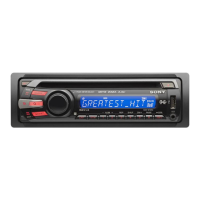
Need help?
Do you have a question about the Sony CDX-GT360MP and is the answer not in the manual?
Information on installation, modifications, and caution for eye hazard.
Special handling information for Perchlorate Material in California.
Details on SiriusXM subscriptions and Windows Media technology.
Guidance for operating the unit when the car ignition lacks an ACC position.
Instructions to disable the demonstration display when the unit is turned off.
Steps to set the 12-hour digital clock indication on the unit.
Procedures to remove and reattach the front panel for security and installation.
Identification and function of buttons and controls on the main unit.
Identification and function of buttons on the RM-X201 remote commander.
Methods for storing and retrieving radio stations, including automatic and manual tuning.
Safety advice for tuning stations while driving.
Explanation of Radio Data System (RDS) and its features like PTY.
Procedure to search for radio stations by program type.
How to use RDS CT data to automatically set the clock time.
Instructions for inserting and playing audio CDs and compatible formats.
Details on repeat play (track/album) and shuffle play modes.
Steps to adjust equalizer (EQ3), balance, fader, and subwoofer levels.
Guide to creating custom equalizer curves using the EQ3 settings.
Detailed list and explanation of adjustable system settings and their functions.
Connecting and using portable audio devices via the AUX input jack.
Instructions for connecting and using the optional SiriusXM satellite radio tuner.
Setting up and managing parental lock for SiriusXM channels.
Important advice regarding installation location, heat, vibration, and product care.
Procedure to follow if moisture condensation occurs inside the unit.
Guidelines for handling and compatibility of various types of discs.
List of disc types and formats that cannot be played by this unit.
Information on limitations and specifications for CD-R/CD-RW discs.
Explanation of the MP3 format, ID3 tags, and file naming conventions.
Explanation of the WMA format, WMA tags, and file naming conventions.
Guide to replacing the remote battery and cleaning unit connectors.
Details on audio power output, RMS, amplifier specs, and general unit parameters.
Specifications for FM and AM tuner sections, including tuning ranges and sensitivity.
Specifications for the CD player, including S/N ratio and frequency response.
Details on inputs, outputs, tone controls, power requirements, dimensions, and accessories.
Solutions for common issues like no power, no sound, or memory loss.
Troubleshooting steps for poor radio reception, noise, and tuning problems.
Solutions for problems like disc loading errors or playback failures.
Explanation of various error messages and their meanings.
Troubleshooting common errors and messages related to the SiriusXM tuner.
Guidance on seeking further assistance, including contact numbers and website.
Important safety precautions to follow during the installation process.
Examples of wiring connections and important notes on power and ground leads.
Schematic diagram illustrating the wiring connections for the unit.
Advice on choosing location, setting angle, and avoiding environmental factors.
Procedures for removing/attaching the front panel and mounting bracket.
Guidance on fuse replacement and operation without an ACC position.
Diagrams showing mounting procedures for Toyota and Nissan vehicles.
Details of the 1-year limited warranty for Sony products in Canada.
Instructions and benefits for registering your Sony product online.
Details of the Sony limited warranty for products purchased in the USA.
Instructions on how to get warranty service, including contact information.
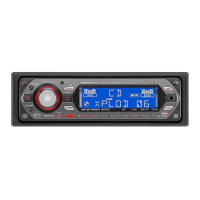
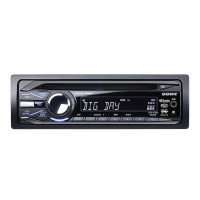
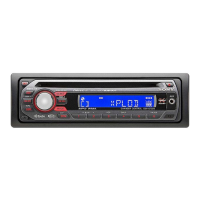
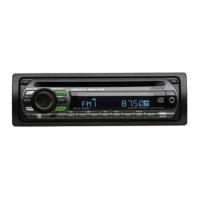
This document describes the Sony CDX-GT360MP/CDX-GT260MP FM/AM Compact Disc Player, a car audio system designed for playing CDs, receiving FM/AM radio, and connecting to auxiliary audio devices. The CDX-GT360MP model also supports SiriusXM satellite radio.
The Sony CDX-GT360MP/CDX-GT260MP is a car audio system that primarily functions as an FM/AM radio tuner and a Compact Disc player. It allows users to listen to radio broadcasts across FM1, FM2, FM3, AM1, and AM2 bands, and play various types of CDs, including CD-DA, CD-R, and CD-RW discs containing MP3/WMA files. The unit features a front-panel AUX input jack for connecting external portable audio devices, enabling playback through the car's speakers.
For the CDX-GT360MP model, there is an additional capability to connect an optional SiriusXM tuner, providing access to satellite radio services (subscriptions sold separately). This expands the entertainment options significantly, allowing users to browse and select channels by category.
The unit incorporates an equalizer (EQ3) with preset types like XPLOD, VOCAL, EDGE, CRUISE, SPACE, GRAVITY, and CUSTOM, or an OFF setting, allowing users to tailor the sound characteristics to their preference. The CUSTOM setting further allows for personalized adjustments of low, mid, and high frequencies. Other sound settings include BALANCE (adjusting left/right sound distribution), FADER (adjusting front/rear sound distribution), and SW LEVEL (subwoofer volume level, if a subwoofer is connected). An AUX VOL setting helps balance the volume level between different auxiliary audio sources.
Additional functions include a DIMMER to adjust display brightness, M.DISPLAY (Motion Display) for visual patterns and spectrum analyzer (CDX-GT360MP) or just motion patterns (CDX-GT260MP), and AUTO SCR (Auto Scroll) for automatically scrolling long display items. The unit also features LPF (Low Pass Filter) and HPF (High Pass Filter) to select speaker cut-off frequencies, and a LOUDNESS function to reinforce bass and treble at low volume levels. A BEEP sound can be activated or deactivated for button presses.
The system includes a clock display that can be manually adjusted or automatically set using CT (Clock Time) data from RDS transmissions. A DEMO mode provides a demonstration display when the unit is turned off, which can be canceled by the user.
Getting Started: To begin, users can cancel the demonstration (DEMO) mode by accessing the setup display and selecting "DEMO-OFF." The clock can be set to a 12-hour digital indication by navigating to "CLOCK-ADJ" in the setup menu and adjusting the hour and minute. The front panel is detachable for security purposes; it can be removed by pressing the release button and pulled off, and reattached by engaging the parts and pushing until it clicks. A caution alarm sounds if the ignition is turned off without detaching the front panel, provided the built-in amplifier is used.
Radio Operation: Stations can be stored and received either automatically or manually. Best Tuning Memory (BTM) allows for automatic storage of stations in order of frequency across FM1, FM2, FM3, AM1, and AM2 bands. Manual storage involves tuning to a desired station and holding a number button (1 to 6). Stored stations can then be easily accessed by selecting the band and pressing the corresponding number button. Automatic tuning is performed by pressing the SEEK +/- buttons, which scan for stations until one is received. Manual tuning can be achieved by pressing and holding SEEK +/- for approximate frequency, then repeatedly pressing for fine adjustment. The unit supports RDS (Radio Data System), displaying information from FM stations. Users can change display items by pressing DSPL. The CT (Clock Time) function can be activated to set the clock automatically from RDS data. PTY (Program Types) allows users to display the current program type and search for stations broadcasting specific program types like NEWS, SPORTS, ROCK, JAZZ, etc.
CD Playback: To play a CD, simply insert the disc (label side up) into the disc slot, and playback will start automatically. Discs can be ejected by pressing the eject button. The unit supports CD-DA, CD-R, and CD-RW discs, including those with MP3/WMA files. Displayed items during playback can be changed by pressing DSPL, with variations depending on the disc type and recording format. Tracks can be played in various modes: Repeat play (TRACK for single track, ALBUM for current album, OFF for normal order) and Shuffle play (SHUF ALBUM for random album order, SHUF DISC for random disc order, SHUF OFF for normal order). These modes are selected by repeatedly pressing the REP or SHUF buttons.
Sound Settings and Setup Menu: Sound characteristics are adjusted by pressing the select button, rotating the control dial to the desired menu item (e.g., EQ3 LOW, BALANCE, FADER, SW LEVEL, AUX VOL), pressing the dial, and then rotating to select the setting. The EQ3 (equalizer) can be customized by selecting "CUSTOM," then adjusting EQ3 LOW, EQ3 MID, and EQ3 HIGH levels in 1 dB steps. The setup menu allows adjustment of various items such as CLOCK-ADJ, CT, BEEP, CAUT ALM (Caution Alarm), AUX-A (AUX Audio activation), AUTO OFF (to automatically shut off the unit after a set time), REAR/SUB (switching audio output between power amplifier and subwoofer), DEMO, DIMMER, M.DISPLAY, AUTO SCR, LPF (Low Pass Filter), SW PHASE (Subwoofer Phase), HPF (High Pass Filter), LOUDNESS, and PARENTAL (for SiriusXM parental lock).
Using Optional Equipment: Portable audio devices can be connected to the AUX input jack. After connecting, users should turn off the portable device, turn down the unit's volume, start playback on the portable device at a moderate volume, set the usual listening volume on the unit, and then adjust the input level via the AUX VOL setting in the sound menu. For the CDX-GT360MP, an optional SiriusXM tuner can be connected. Channels can be selected using the SEEK +/- buttons. Categories can be browsed by pressing PTY/CAT and rotating the control dial. Parental control allows blocking channels, requiring a four-digit passcode (initial passcode "0000") to unblock. The passcode can also be changed. The SiriusXM Radio ID can be displayed by selecting channel "0" using SEEK +/-.
Remote Commander Battery Replacement: When the remote commander's battery becomes weak, its operating range decreases. The battery should be replaced with a new CR2025 lithium battery. Instructions include observing correct polarity and avoiding metallic tweezers to prevent short-circuits. A warning is provided regarding the risks of mistreating the battery (recharging, disassembling, or disposing of in fire).
Cleaning the Connectors: If the unit malfunctions, it may be due to dirty connectors between the unit and the front panel. Users are instructed to detach the front panel and clean the connectors with a cotton swab, taking care not to apply too much force to avoid damage. For safety, the ignition should be turned off and the key removed before cleaning. Users should avoid touching connectors directly with fingers or metal devices.
Moisture Condensation: If moisture condensation occurs inside the unit, the disc should be removed, and the unit allowed to dry for about an hour before proper operation can resume.
Maintaining High Sound Quality: Users are advised not to splash liquid onto the unit or discs to maintain sound quality.
Notes on Discs: Discs should not be exposed to direct sunlight, heat sources, or left in a parked car. Before playing, discs should be wiped clean from the center outwards with a cleaning cloth, avoiding solvents. The unit is designed for Compact Disc (CD) standard discs; DualDiscs and some copyright-protected music discs may not be playable. Specific notes are provided for CD-R/CD-RW discs, including maximum numbers of folders and files, displayable characters for names, and handling of multi-session discs. It also lists types of CD-R/CD-RW discs that cannot be played (poor quality, incompatible recording device, incorrectly finalized, or non-standard formats). For MP3 files, information on MPEG-1 Audio Layer-3 compression, ID3 tag versions, and file naming conventions is provided. A note warns that high-bit-rate MP3s (e.g., 320 kbps) may result in intermittent sound. For WMA files, information on Windows Media Audio compression, WMA tag characters, and file naming conventions is provided. It also lists unsupported WMA files (lossless compression, copyright-protected).
Troubleshooting: A comprehensive troubleshooting section helps users remedy common problems. It advises checking connections and operating procedures, and refers to the installation/connections manual for fuse and unit removal details. Common issues covered include:
If solutions do not resolve the issue, users are advised to consult their nearest Sony dealer. For CD playback trouble, bringing the problematic disc is recommended.
 General
| CD Playback | Yes |
|---|---|
| MP3 Playback | Yes |
| WMA Playback | Yes |
| USB Port | Yes |
| Radio Tuner | Yes |
| Display | LCD |
| CD-R Playback | Yes |
| CD-RW Playback | Yes |
| Equalizer | Yes |
| AUX in | Yes |
| Audio output channels | 4 |
| Product color | Black |
| Channels | 4 |
| Auxiliary Input | Yes |
| Bluetooth | No |
| Detachable Faceplate | Yes |
| EQ Settings | Yes |
| Preset EQ | Yes |
| Steering Wheel Control | No |
| RMS Power Output | 17 watts x 4 |
| Tuner Bands | AM/FM |
| Line outputs (RCA) | 2 |
| DIN size | 1 DIN |
| Power Output | 52 watts x 4 |

 To Next Page