[ID
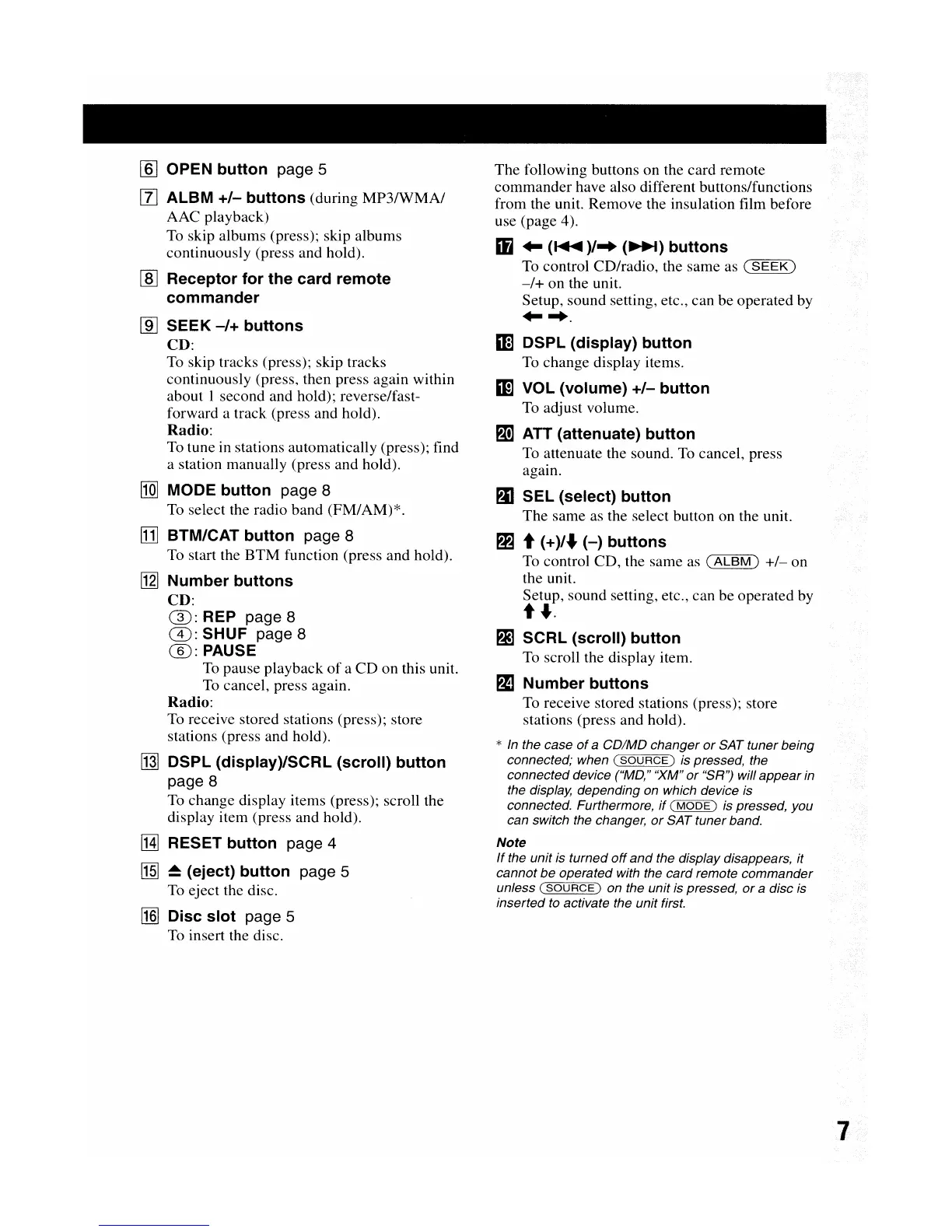
OPEN
button
page 5
[l]
AlBM
+/-
buttons
(during
MP3IWMA/
AAC playback)
To skip albums (press); skip albums
continuously (press and hold).
rnJ
Receptor
for
the
card
remote
commander
[ID
SEEK
-/+
buttons
CD:
To skip tracks (press); skip tracks
continuously (press, then press again within
about I second and hold); reverse/fast-
forward a track (press and hold).
Radio:
To tune in stations automatically (press); find
a station manually (press and hold).
[QJ
MODE
button
page 8
To select the radio band (FM/AM)*.
[J]
BTM/CAT
button
page 8
To start the
BTM
function (press and hold).
[jl]
Number
buttons
CD:
(]):
REP page 8
G):
SHUF page 8
@:PAUSE
To
pause playback
of
a
CD
on
this unit.
To cancel, press again.
Radio:
To receive stored stations (press); store
stations (press and hold).
~
DSPl
(display)/SCRl
(scroll)
button
page 8
To change display items (press); scroll the
display item (press and hold).
IHl
RESET
button
page 4
[1§]
~
(eject)
button
page 5
To eject the disc.
~
Disc
slot
page 5
To insert the disc.
The
following buttons on the card remote
commander
have also different buttons/functions
from the unit. Remove the insulation film before
use (page 4).
Ii
..
(
......
)/
..
(~)
buttons
To control CD/radio, the same as (
SEEK)
-/+
on
the unit.
Setup, sound setting, etc., can be operated by
.....
m
DSPl
(display)
button
To change display items.
mVOL
(volume)
+/-
button
To adjust volume.
PI!]
ATT (attenuate)
button
To attenuate the sound. To cancel, press
again.
PJI
SEl
(select)
button
The
same as the select button on the unit.
PE
t
(+)/.Jo
(-)
buttons
To control CD, the same as
(ALBM)
+/-
on
the unit.
Setup, sound setting, etc., can be operated by
t
.Jo.
g]
SCRl
(scroll)
button
To scroll the display item.
PJJ
Number
buttons
To receive stored stations (press); store
stations (press and hold).
*
In
the case
of
a
CD/MD
changer
or
SAT tuner being
connected; when
(SOURCE)
is pressed, the
connected device ("MD,"
'XM"
or
"SR'') will
appear
in
the display, depending on which device is
connected. Furthermore,
if
(
MODE)
is pressed, you
can switch the changer,
or
SAT tunerband.
Note
If
the unit is turned
off
and
the display disappears, it
cannot
be
operated with the
card
remote
commander
unless (
SOURCE)
on the unit is pressed,
or
a disc is
inserted to activate the unit first.


 To Next Page