For details on selecting a
CD/MD
changer, see
page
II.
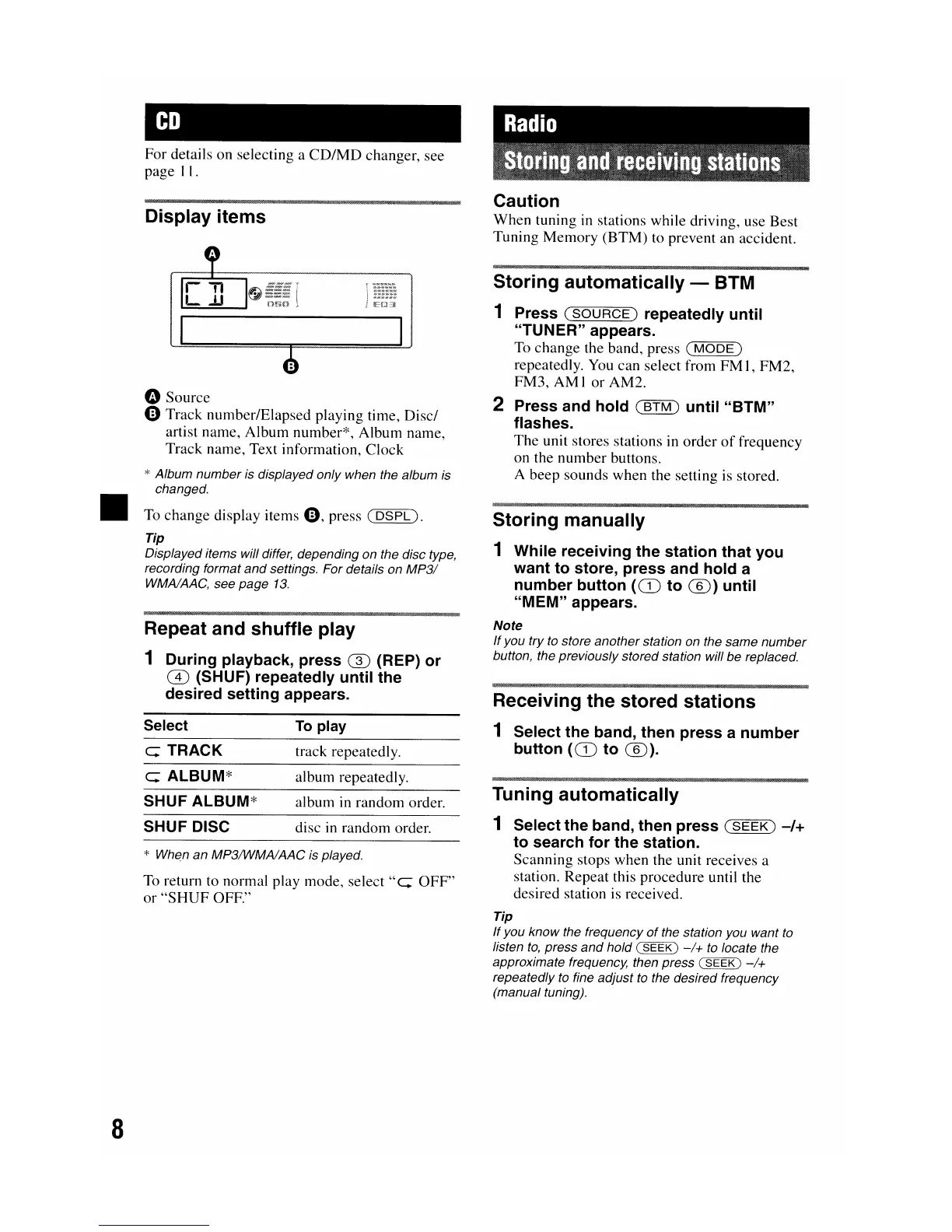
Display
items
Caution
When
tuning in stations while driving, use Best
Tuning
Memory
(BTM) to prevent an accident.
Repeat and
shuffle
play
1
During
playback,
press
(])
(REP)
or
CD
(SHUF)
repeatedly
until
the
desired
setting
appears.
Storing
manually
1
While
receiving
the
station
that
you
want
to
store,
press
and
hold
a
number
button
(CD
to
®)
until
"MEM"
appears.
Note
If
you try
to
store another station on the same number
button, the previously stored station will be replaced.
Receiving
the
stored
stations
1
Select
the
band,
then
press
a
number
button
(CD
to
®).
Storing
automatically
- BTM
1
Press
(SOURCE)
repeatedly
until
"TUNER"
appears.
To change the band, press
(MODE)
repeatedly. You can select from
FM
1,
FM2,
FM3, AM1
or
AM2.
2 Press
and
hold
(BTM)
until
"BTM"
flashes.
The unit stores stations in order
of
frequency
on the
number
buttons.
A beep sounds when the setting is stored.
track repeatedly.
To play
c: TRACK
Select
fi) Source
o Track number/Elapsed playing time, Disc/
artist name, Album number*, Album name,
Track name, Text information,
Clock
* Album number is displayed only when the album is
changed.
To change display items
0,
press
(DSPL).
Tip
Displayed items will differ, depending on the disc type,
recording format
and
settings. For details on
MP3/
WMAlAAC, see page
13.
•
*
Whe,n
an MP3IWMAlAAC is played.
To return to normal play mode,
select"
c:
OFF"
or
"SHUF
OFF."
c:
ALBUM*
SHUF
ALBUM*
SHUF DISC
album repeatedly.
album in random order.
disc in random order.
Tuning
automatically
1
Select
the
band,
then
press
(SEEK)
-/+
to
search
for
the
station.
Scanning stops when the unit receives a
station. Repeat this procedure until the
desired station is received.
Tip
If
you know the frequency
of
the station you want
to
listen
to,
press
and
hold (
SEEK)
-/+
to
locate the
approximate frequency, then press (
SEEK)
-/+
repeatedly
to
fine adjust
to
the desired frequency
(manual tuning).
8


 To Next Page