Using optional
equipment
By
connecting an optional portable audio
device to the AUX input jack (stereo mini
jack)
on
the unit and then simply selecting
the source, you can listen
on
your speakers.
Connecting
the
portable
audio
device
1
Turn
off
the
portable
audio
device.
2
Turn
down
the
volume
on
the
unit.
3
Connect
the
portable
audio
device
to
the
unit
with
a
connecting
cord
(not
supplied)*.
*
Be
sure to use a straight type plug.
Adjusting
the
volume
level
Be
sure to adjust the volume for each
connected audio device before playback.
1
Turn
down
the
volume
on
the
unit.
2 Press
(SOURCE/OFF)
repeatedly
until
"AUX" appears.
3
Start
playback
of
the
portable
audio
device
at
a
moderate
volume.
4 Set
your
usual
listening
volume
on
the
unit.
5
Adjust
the
input
level (page 13).
Location
of
controls
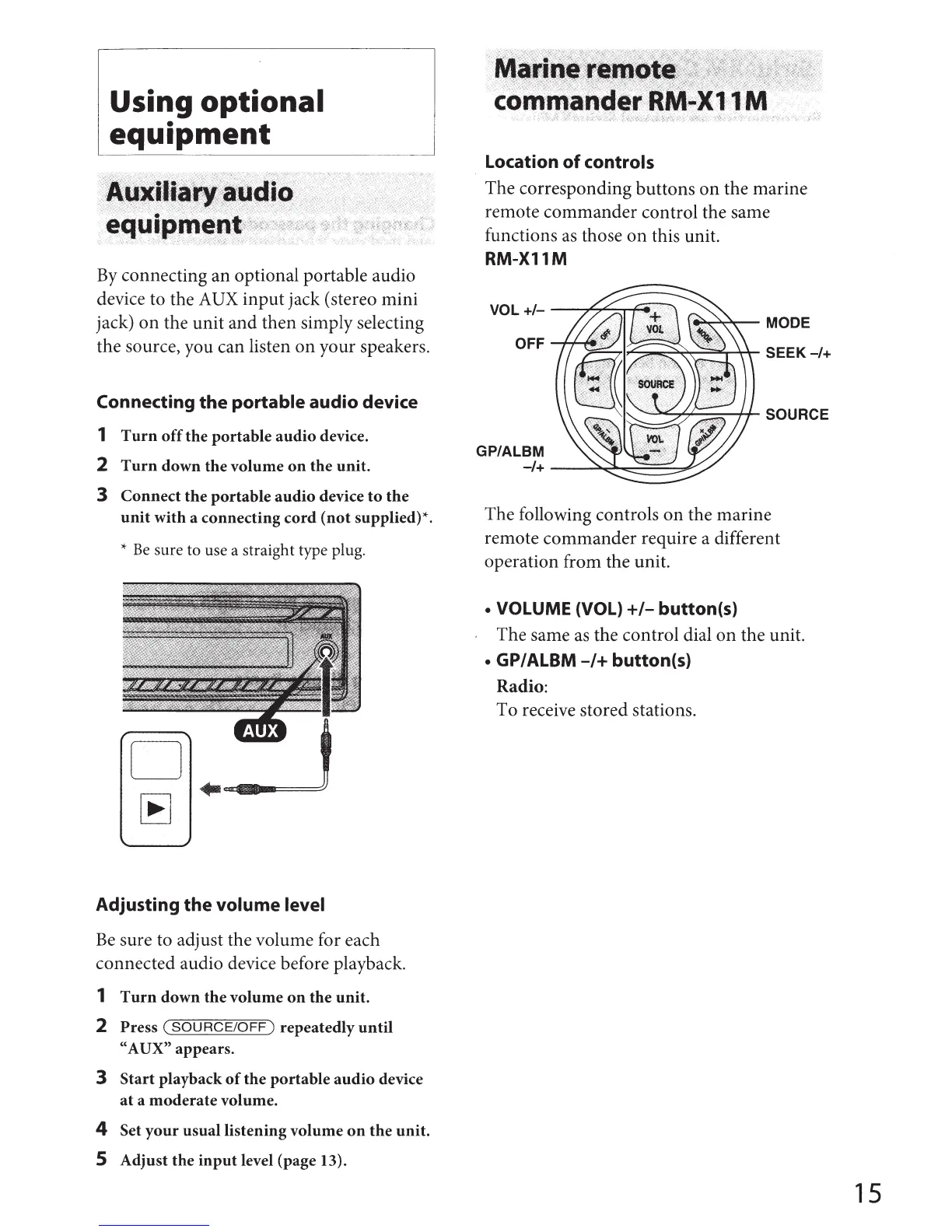
The corresponding buttons
on
the marine
remote commander control the same
functions
as
those
on
this unit.
RM-X11M
OFF
GP/ALBM
~~MODE
~~~1""'-'r-~
SEEK-/+
-1+
--~~::::::::==~
The following controls
on
the marine
remote commander require a different
operation from the unit.
• VOLUME (VOL)
+/-
button(s)
The same
as
the control dial
on
the unit.
• GP/ALBM
-/+
button(s)
Radio:
To receive stored stations.
15



 To Next Page