23
Adjusting the sound
characteristics
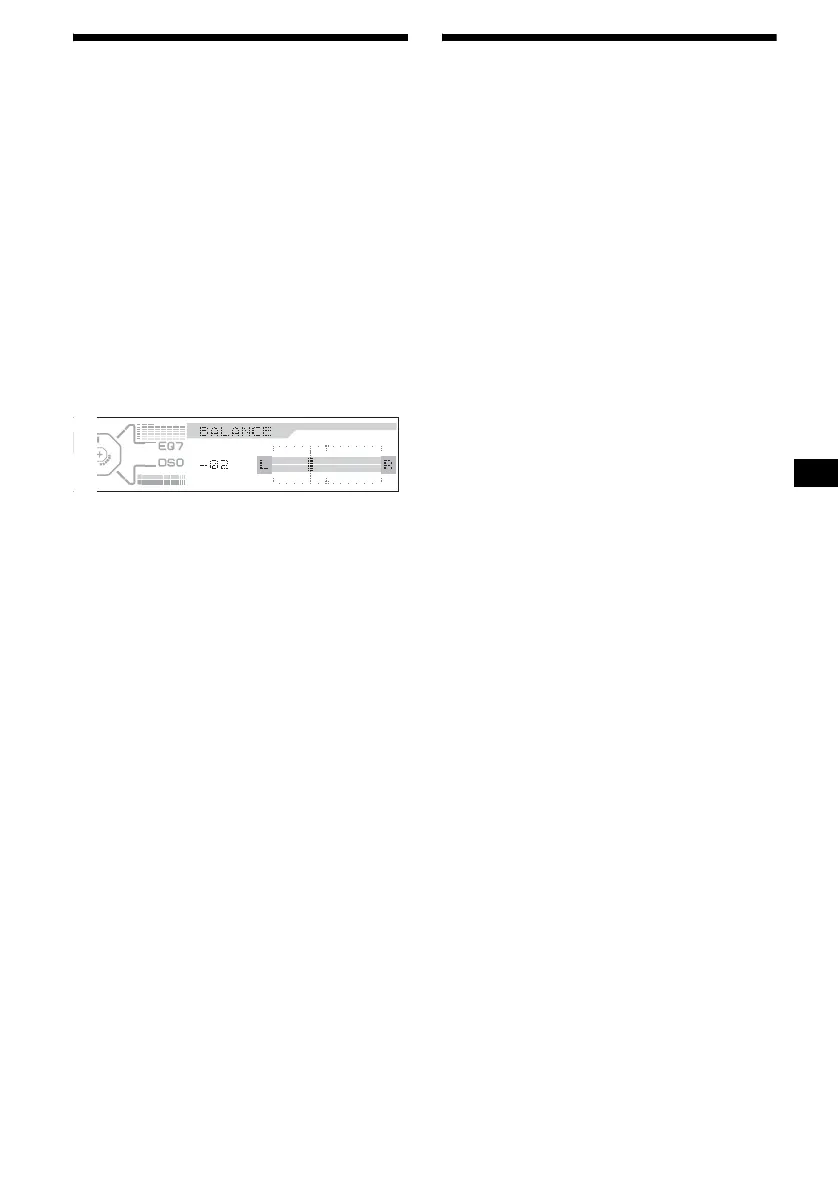
You can adjust the bass, treble, balance, fader,
and subwoofer volume.
1 Press (SOUND) repeatedly to select
the desired item.
Each time you press (SOUND), the item
changes as follows:
BASS (bass) t TREBLE (treble)
t BALANCE (left-right) t
FADER (front-rear)
t
SUB (subwoofer volume)
2 Adjust the level of a selected item by
pressing < or ,.
When adjusting with the rotary commander,
press (SOUND) and rotate the VOL control.
After 3 seconds, the display returns to the
normal play mode.
Note
Adjust within 3 seconds after selecting the item.
Quickly attenuating the
sound
(With the rotary commander or the card
remote commander)
Press (ATT).
“ATT on” appears in the display momentarily.
To restore the previous volume level, press
(ATT) again.
Tip
When the interface cable of a car telephone is
connected to the ATT lead, the unit decreases the
volume automatically when a telephone call comes in
(Telephone ATT function).


 To Next Page