5
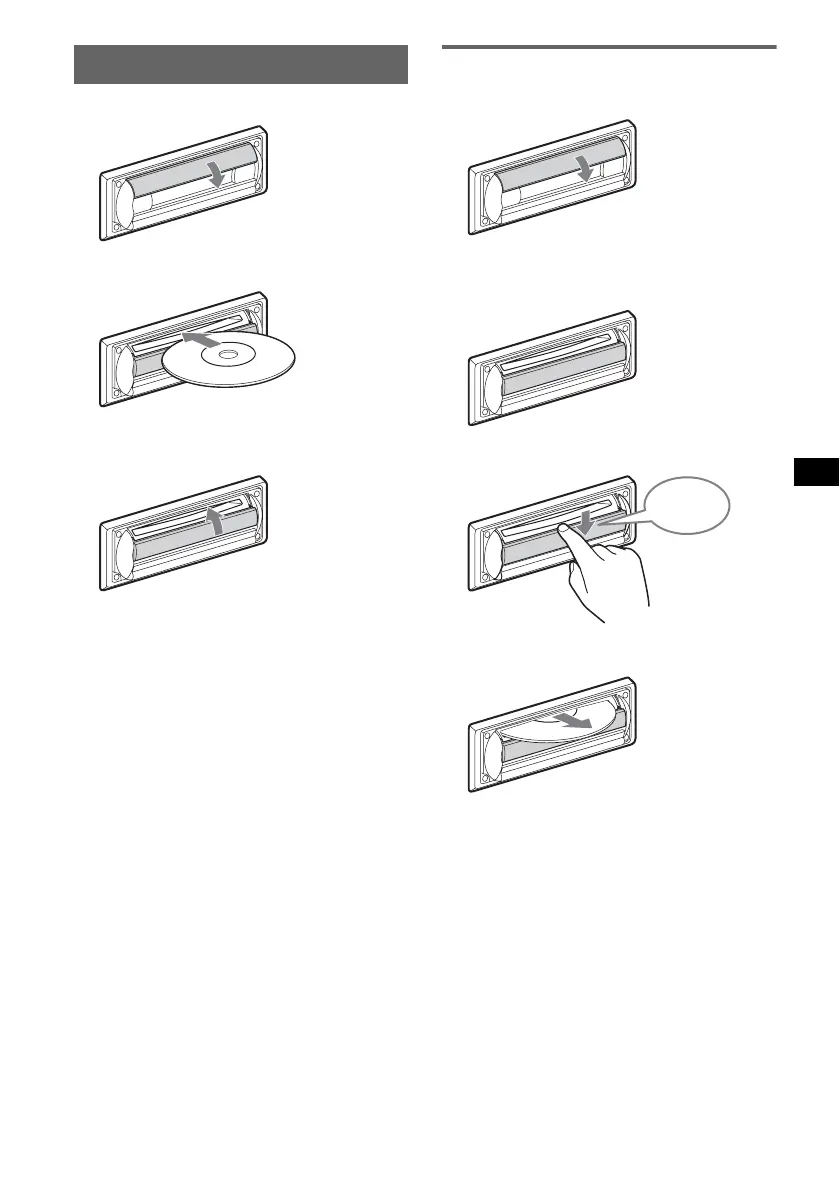
Inserting the disc in the unit
1 Open the shutter.
2 Insert the disc label side up.
Playback starts.
3 Close the shutter.
Ejecting the disc
1 Open the shutter.
2 Push down the shutter until it clicks.
The disc is ejected.
Notes
• While inserting or ejecting the disc, do not close the
shutter. The disc may be caught and damaged.
• The disc may be ejected if you open the shutter
forcefully.
Tip
The disc can be played with the shutter open or
closed.
x
x
Click



 To Next Page