EasyManua.ls Logo

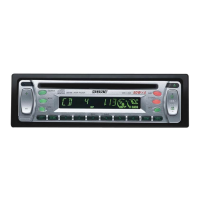
Sony CDX-L350 - User Manual

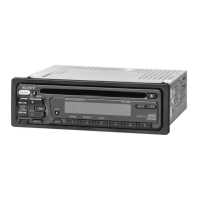
Sony CDX-L350
5 pages
Print Icon
To Next Page IconTo Next Page
Loading...
Operating Instructions
Sony Corporation 2001 Printed in Korea
FM/AM
Compact Disc
Player
CDX-L350
For installation and connections, see the supplied installation/connections
manual.
Owners Record
The model and serial numbers are located on the bottom of the unit.
Record the serial number in the space provided below.
Refer to these numbers whenever you call upon your Sony dealer regarding this
product.
Model No. CDX-L350 Serial No.
Welcome !
Thank you for purchasing this Sony Compact
Disc Player. You can enjoy its various features
even more with:
Supplied controller accessory
Card remote commander RM-X115
Warning
This equipment has been tested and found to
comply with the limits for a Class B digital
device, pursuant to Part 15 of the FCC Rules.
These limits are designed to provide reasonable
protection against harmful interference in a
residential installation. This equipment
generates, uses, and can radiate radio frequency
energy and, if not installed and used in
accordance with the instructions, may cause
harmful interference to radio communications.
However, there is no guarantee that interference
will not occur in a particular installation. If this
equipment does cause harmful interference to
radio or television reception, which can be
determined by turning the equipment off and
on, the user is encouraged to try to correct the
interference by one or more of the following
measures:
Reorient or relocate the receiving antenna.
Increase the separation between the
equipment and receiver.
Connect the equipment into an outlet on a
circuit different from that to which the
receiver is connected.
Consult the dealer or an experienced radio/
TV technician for help.
You are cautioned that any changes or
modifications not expressly approved in this
manual could void your authority to operate
this equipment.
CAUTION
The use of optical instruments with this product
will increase eye hazard.
Get ting Started
Resetting the unit
Before operating the unit for the first time or
after replacing the car battery, you must reset
the unit.
Press the RESET button with a pointed object,
such as a ball-point pen.
Note
Pressing the RESET but ton w ill erase t he clock
set ting and some st ored cont ents.
RESET button
Specificat ions
AUDIO POWER SPECIFICATIONS
POWER OUTPUT AND TOTAL HARMONIC DISTORTION
23 watts per channel minimum continuous average power into
4 ohms, 4 channels driven from 20 Hz to 20 kHz with no more than
5 % total harmonic distortion.
CD player sect ion
Signal-to-noise ratio 90 dB
Frequency response 10 – 20,000 Hz
Wow and flutter Below measurable limit
Laser Diode Properties
Material GaAlAs
Wavelength 780 nm
Emission Duration Continuous
Laser output power Less than 44.6 µW*
* This output is the value measured at a dist ance of
200 mm f rom the objective lens surface on t he
Opt ical Pick-up Block.
Tuner section
FM
Tuning range 87.5 – 107.9 MHz
Antenna terminal External antenna connector
Intermediate frequency 10.7 MHz
Usable sensitivity 11 dBf
Selectivity 75 dB at 400 kHz
Signal-to-noise ratio 65 dB (stereo),
68 dB (mono)
Harmonic distortion at 1 kHz
0.7 % (stereo),
0.5 % (mono)
Separation 33 dB at 1 kHz
Frequency response 30 – 15,000 Hz
AM
Tuning range 530 – 1,710 kHz
Antenna terminal External antenna connector
Intermediate frequency 10.7 MHz/450 kHz
Sensitivity 30 µV
Pow er amplifier section
Outputs Speaker outputs
(sure seal connectors)
Speaker impedance 4 – 8 ohms
Maximum power output 50 W × 4 (at 4 ohms)
General
Outputs Audio output
Power amplifier control
Power antenna relay control
Tone controls Bass ±10 dB at 20 Hz
Treble ±10 dB at 20 kHz
Power requirements 12 V DC car battery
(negative earth)
Dimensions Approx.
178
×
50
×
176
mm
(7
1
/8 × 2 × 7 in.)
(w/h/d)
Mounting dimensions Approx. 182 × 53 × 161 mm
(7
1
/4 × 2
1
/8 × 6
3
/8 in.)
(w/h/d)
Mass Approx. 1.2 kg (2 lb. 10 oz.)
Supplied accessory Parts for installation and
connections (1 set)
Front panel case (1)
Card remote commander
RM-X115
Design and specifications are subject t o change
wit hout not ice.
3-227-643-11 (1)
Sett ing the clock
The clock uses a 12-hour digital indication.
Example: To set the clock to 10:08
1 Press (DSPL) for 2 seconds.
The hour indication flashes.
1 Press either side of the volume +/
button to set the hour.
2 Press (SEL).
The minute indication flashes.
3 Press either side of the volume +/
button to set the minute.
2 Press (DSPL).
The clock starts. After the clock setting is
completed, the display returns to normal
play mode.
Detaching t he front panel
You can detach the front panel of this unit to
protect the unit from being stolen.
Caut ion alarm
If you turn the ignition switch to the OFF
position without removing the front panel, the
caution alarm will beep for a few seconds.
1 Press (OFF)*.
CD playback or radio reception stops (the
key illumination and display remain on).
* If your car has no ACC position on t he ignit ion
sw itch, be sure to t urn t he unit of f by pressing
(OFF) for 2 seconds t o avoid car bat t ery drain.
2 Press (RELEASE), then pull it off towards
you.
Notes
If you det ach t he panel while the unit is st ill
turned on, the pow er will turn of f aut omatically to
prevent t he speakers from being damaged.
Do not drop or put excessive pressure on t he front
panel and its display w indow.
Do not subject the f ront panel t o heat /high
temperat ure or moist ure. Avoid leaving it in
parked cars or on dashboards/rear trays.
Tip
When carrying the front panel wit h you, use t he
supplied f ront panel case.
(OFF)
(RELEASE)
At t aching t he front panel
Attach part A of the front panel to part B of the
unit as illustrated and push the left side into
position until it clicks.
Note
Do not put anyt hing on t he inner surf ace of the
front panel.
A
B
Downloaded from: https://www.usersmanualguide.com/


Other manuals for Sony CDX-L350

Question and Answer IconNeed help?

Do you have a question about the Sony CDX-L350 and is the answer not in the manual?

Summary

Specifications

Audio Power Specifications

Details power output and total harmonic distortion for the audio system.

CD Player Section Specifications

Technical specifications for the CD player functionality.

Tuner Section Specifications

Technical specifications for the FM and AM radio tuner.

Power Amplifier Section Specifications

Technical specifications for the power amplifier.

General Specifications

General technical details including outputs, tone controls, and dimensions.

Getting Started and Basic Operations

Resetting the Unit

Procedure to reset the unit, typically after battery replacement.

Front Panel Handling

Instructions for attaching and detaching the removable front panel.

Setting the Clock

Guide to setting the 12-hour digital clock display.

Additional Information and Maintenance

Precautions and Usage Tips

General precautions for operation, moisture, and sound quality.

Disc Handling and CD-R Notes

Guidelines for handling discs and compatibility with CD-R media.

Maintenance Procedures

Instructions for replacing the fuse and the lithium battery.

Removing the Unit from Installation

Steps for safely removing the main unit from its mounting.

Controls and Operation

Location of Controls

Identifies buttons and features on the main unit and remote commander.

Radio Operation

Instructions for tuning, storing stations, and using Best Tuning Memory.

CD Player Operation

Guide to playing discs, track selection, and playback modes.

Other Functions

Adjusting sound characteristics, attenuating sound, and canceling beep.

Advanced Operation and Troubleshooting

Storing Specific Radio Stations

Manual process for presetting desired radio stations.

Receiving Stored Radio Stations

How to recall and listen to previously stored radio stations.

Radio Tuning Troubleshooting

Solutions for issues with preset tuning and poor FM stereo reception.

Sound Position and Bass Adjustment

Customizing sound with My Best Sound Position and D-Bass.

Troubleshooting Common Issues

Diagnosing and resolving problems with sound, display, and power.

Error Display Codes

Explanation of error codes (E-04, E-99) and their solutions.

Summary

Specifications

Audio Power Specifications

Details power output and total harmonic distortion for the audio system.

CD Player Section Specifications

Technical specifications for the CD player functionality.

Tuner Section Specifications

Technical specifications for the FM and AM radio tuner.

Power Amplifier Section Specifications

Technical specifications for the power amplifier.

General Specifications

General technical details including outputs, tone controls, and dimensions.

Getting Started and Basic Operations

Resetting the Unit

Procedure to reset the unit, typically after battery replacement.

Front Panel Handling

Instructions for attaching and detaching the removable front panel.

Setting the Clock

Guide to setting the 12-hour digital clock display.

Additional Information and Maintenance

Precautions and Usage Tips

General precautions for operation, moisture, and sound quality.

Disc Handling and CD-R Notes

Guidelines for handling discs and compatibility with CD-R media.

Maintenance Procedures

Instructions for replacing the fuse and the lithium battery.

Removing the Unit from Installation

Steps for safely removing the main unit from its mounting.

Controls and Operation

Location of Controls

Identifies buttons and features on the main unit and remote commander.

Radio Operation

Instructions for tuning, storing stations, and using Best Tuning Memory.

CD Player Operation

Guide to playing discs, track selection, and playback modes.

Other Functions

Adjusting sound characteristics, attenuating sound, and canceling beep.

Advanced Operation and Troubleshooting

Storing Specific Radio Stations

Manual process for presetting desired radio stations.

Receiving Stored Radio Stations

How to recall and listen to previously stored radio stations.

Radio Tuning Troubleshooting

Solutions for issues with preset tuning and poor FM stereo reception.

Sound Position and Bass Adjustment

Customizing sound with My Best Sound Position and D-Bass.

Troubleshooting Common Issues

Diagnosing and resolving problems with sound, display, and power.

Error Display Codes

Explanation of error codes (E-04, E-99) and their solutions.

Overview

This document describes the Sony CDX-L350 FM/AM Compact Disc Player, a car audio system designed to provide FM/AM radio reception and CD playback capabilities.

Function Description

The Sony CDX-L350 serves as a comprehensive in-car entertainment system, integrating a CD player, FM/AM tuner, and a power amplifier. Its primary functions include playing audio CDs, receiving FM and AM radio broadcasts, and amplifying audio signals to car speakers. The unit features a detachable front panel for security against theft, a digital clock display, and various sound adjustment options. It also includes a "Best Tuning Memory" (BTM) function for automatically storing strong radio stations and "My Best Sound Position" (MBP) presets for optimizing the sound environment. The "D-BASS" feature enhances low-frequency sound for a more powerful bass experience. The system can be controlled directly from the unit's front panel or via the supplied RM-X115 card remote commander.

Important Technical Specifications

Audio Power Specifications:

  • Power Output and Total Harmonic Distortion: 23 watts per channel minimum continuous average power into 4 ohms, 4 channels driven from 20 Hz to 20 kHz with no more than 5% total harmonic distortion.
  • Maximum Power Output: 50 W x 4 (at 4 ohms).
  • Speaker Impedance: 4-8 ohms.
  • Tone Controls: Bass ±10 dB at 20 Hz, Treble ±10 dB at 20 kHz.

CD Player Section:

  • Signal-to-noise ratio: 90 dB.
  • Frequency response: 10-20,000 Hz.
  • Wow and flutter: Below measurable limit.
  • Laser Diode Properties:
    • Material: GaAlAs.
    • Wavelength: 780 nm.
    • Emission Duration: Continuous.
    • Laser output power: Less than 44.6 μW (measured at 200 mm from the objective lens surface on the Optical Pick-up Block).
  • CD-R Compatibility: Plays CD-Rs designed for audio use (marked with "COMPACT DISC DIGITAL AUDIO Recordable"). Does not play unfinalized CD-Rs or CD-Rs not designed for audio use.

Tuner Section (FM):

  • Tuning range: 87.5-107.9 MHz.
  • Antenna terminal: External antenna connector.
  • Intermediate frequency: 10.7 MHz.
  • Usable sensitivity: 11 dBf.
  • Selectivity: 75 dB at 400 kHz.
  • Signal-to-noise ratio: 65 dB (stereo), 68 dB (mono).
  • Harmonic distortion at 1 kHz: 0.7% (stereo), 0.5% (mono).
  • Separation: 33 dB at 1 kHz.
  • Frequency response: 30-15,000 Hz.

Tuner Section (AM):

  • Tuning range: 530-1,710 kHz.
  • Antenna terminal: External antenna connector.
  • Intermediate frequency: 10.7 MHz/450 kHz.
  • Sensitivity: 30 μV.

General:

  • Power requirements: 12 V DC car battery (negative earth).
  • Dimensions (w/h/d): Approx. 178×50×176mm (7 1/8×2×7 in.).
  • Mounting dimensions (w/h/d): Approx. 182 × 53 × 161 mm (7 1/4×2 1/8×6 3/8 in.).
  • Mass: Approx. 1.2 kg (2 lb. 10 oz.).
  • Supplied accessories: Parts for installation and connections (1 set), Front panel case (1), Card remote commander RM-X115.

Usage Features

Getting Started:

  • Resetting the unit: Essential after initial installation or car battery replacement. Achieved by pressing the RESET button with a pointed object, which also erases clock settings and some stored contents.
  • Attaching/Detaching the front panel: The front panel can be attached by aligning and pushing it until it clicks. It can be detached by pressing the RELEASE button and pulling it off, providing security against theft. A caution alarm beeps if the ignition is turned off without removing the front panel.
  • Setting the clock: The clock uses a 12-hour digital display. It is set by pressing DSPL for 2 seconds, then using the volume +/- buttons to adjust hours and minutes, confirmed by pressing SEL.

Radio Features:

  • Storing stations automatically (BTM): Pressing BTM for 2 seconds automatically scans and stores the strongest stations within the selected band (FM1, FM2, FM3, AM1, AM2) in order of their frequency.
  • Manual preset tuning: Stations can be manually stored on specific number buttons (1-6) after tuning to the desired frequency.
  • Receiving stored stations: Select the radio source and band, then press the corresponding number button for the stored station.
  • Automatic tuning/Local Seek Mode: Pressing SEEK/AMS searches for stations. In Local Seek Mode ("LCL" indicator), only stations with strong signals are tuned, useful in areas with frequent weak signals.
  • Monaural Mode: Improves reception for weak FM stereo signals by converting them to monaural, indicated by "MONO" on the display.

CD Player Features:

  • Playing a disc: Insert a disc labeled side up, and playback starts automatically. If a disc is already inserted, select "CD" as the source.
  • Basic playback controls: Stop playback, eject disc, skip tracks (SEEK/AMS), fast-forward/reverse (hold SEEK/AMS).
  • Repeat Play: Repeats the current track when the "REP" indicator appears.
  • Shuffle Play: Plays tracks on the current disc in random order when the "SHUF" indicator appears.

Other Functions:

  • Adjusting sound characteristics: Bass, treble, balance, and fader levels can be adjusted independently for each source using the SEL button and volume +/- buttons.
  • Quickly attenuating sound: Pressing ATT instantly mutes the sound; press again to restore the previous volume level.
  • Canceling beep sound: Pressing 6 while holding SEL down disables the unit's beep sound.

Maintenance Features

General Precautions:

  • Temperature: Allow the unit to cool if the car was parked in direct sunlight. Avoid exposing discs to heat/high temperatures.
  • Moisture condensation: If moisture condensation occurs (e.g., on rainy days), remove the disc and wait for about an hour for it to evaporate.
  • Sound quality: Avoid spilling liquids on the unit or discs.

Disc Handling:

  • Cleanliness: Handle discs by their edges. Store discs in cases or magazines when not in use.
  • Labels/Adhesives: Do not attach labels or use discs with sticky ink/residue, as this can cause malfunctions or damage.
  • Cleaning: Clean discs with a commercially available cleaning cloth, wiping from the center outwards. Do not use solvents like benzine, thinner, or antistatic sprays.
  • Disc Types: Do not use special-shaped discs (heart-shaped, octagonal) or 8cm (3in.) CDs.

Unit Maintenance:

  • Fuse replacement: Use a fuse matching the original amperage rating (10 A). If a fuse blows again after replacement, consult a Sony dealer.
  • Lithium battery replacement: The card remote commander uses a CR2025 lithium battery. Replace it when the remote's range shortens (approx. 1 year lifespan). Ensure correct polarity and avoid metallic tweezers. Keep batteries out of reach of children.
  • Cleaning connectors: If connectors between the unit and front panel become dirty, detach the front panel and clean them with a cotton swab dipped in alcohol. Avoid excessive force or touching with fingers/metal.

Troubleshooting:

  • No sound: Check volume, ATT function, fader control.
  • Memory erased: Reset button pressed, power cord/battery disconnected.
  • No beep sound: Optional power amplifier connected, or beep sound canceled.
  • Display issues: Clean connectors, check if OFF button was held for 2 seconds.
  • CD playback issues: Dirty/defective disc, unfinalized CD-R, incorrect disc insertion, high ambient temperature.
  • Radio reception issues: Weak broadcast signal, incorrect preset, local seek mode "ON," antenna connection problems, monaural reception mode.
  • Error displays: "E-04" (dirty/upside down CD), "E-99" (unit malfunction, press RESET).

Sony CDX-L350 Specifications

General IconGeneral
BrandSony
ModelCDX-L350
CategoryCar Receiver
LanguageEnglish

Related product manuals