12
CDX-R6550
2-348-439-21 (1)
H:\Data Disk\2348439211\234843921CDXR6550EUR\01GB02CD-EUR.fm masterpage:Left
*1 When the unit is turned off.
*2 When the unit is turned on.
*3 When FM is received.
*4 When the audio output is set to “SUB.”
Using optional equipment
CD/MD changer
Selecting the changer
1 Press (SOURCE) repeatedly until “CD” or
“MD” appears.
2 Press (MODE) repeatedly until the desired
changer appears.
Playback starts.
Skipping groups and discs
1 During playback, press (1)/(2) (GP/DISC)
–/+.
Repeat and shuffle play
1 During playback, press (3) (REP) or (4)
(SHUF) repeatedly until the desired setting
appears.
*1 When one or more CD/MD changers are
connected.
*2 When one or more CD changers, or two or more
MD changers are connected.
To return to normal play mode, select “REP-
OFF” or “SHUF-OFF.”
Tip
“SHUF-ALL” will not shuffle tracks between CD units
and MD changers.
Labelling a disc
When you play a disc in a CD changer with the
CUSTOM FILE function, you can label each
disc with a custom name up to 8 characters (Disc
Memo).
If you label a disc, the name appears on the list.
1 While playing a disc that you want to
label, press and hold (LIST).
2 Press the volume +/– button
repeatedly until the desired character
appears.
The character changes as follows.
A y B y C ... y 0 y 1 y 2 ... y +
y – y
... y (blank space) y A
To move the digital indication, press (SEL).
Repeat this operation until the entire name is
entered.
3 Press and hold (LIST).
The labelling is complete and the display
returns to normal play mode.
To display the name, press (DSPL) during
playback.
Tips
• To correct or erase a character, overwrite or enter
“
.”
• The Disc Memo always takes priority over any
prerecorded title.
• You can label a disc on the unit if a changer with the
CUSTOM FILE function is connected.
• “REP-TRACK” and all shuffle play are suspended
until the labelling is complete.
A.SCRL (Auto Scroll)
To scroll long displayed items automatically
when the group/track is changed.
– “ON”: to scroll.
–“OFF” (
z): to not scroll.
REG*
3
(Regional)
To set “ON” (
z) or “OFF” (page 9).
LPF*
4
(Low Pass Filter)
To select the cut-off frequency “78HZ,”
“125HZ” or “OFF” (
z).
To skip Press (1)/(2)
group and release (hold for a
moment).
group
continuously
within 2 seconds of first
releasing.
discs repeatedly.
discs
continuously
then, press again within 2
seconds and hold.
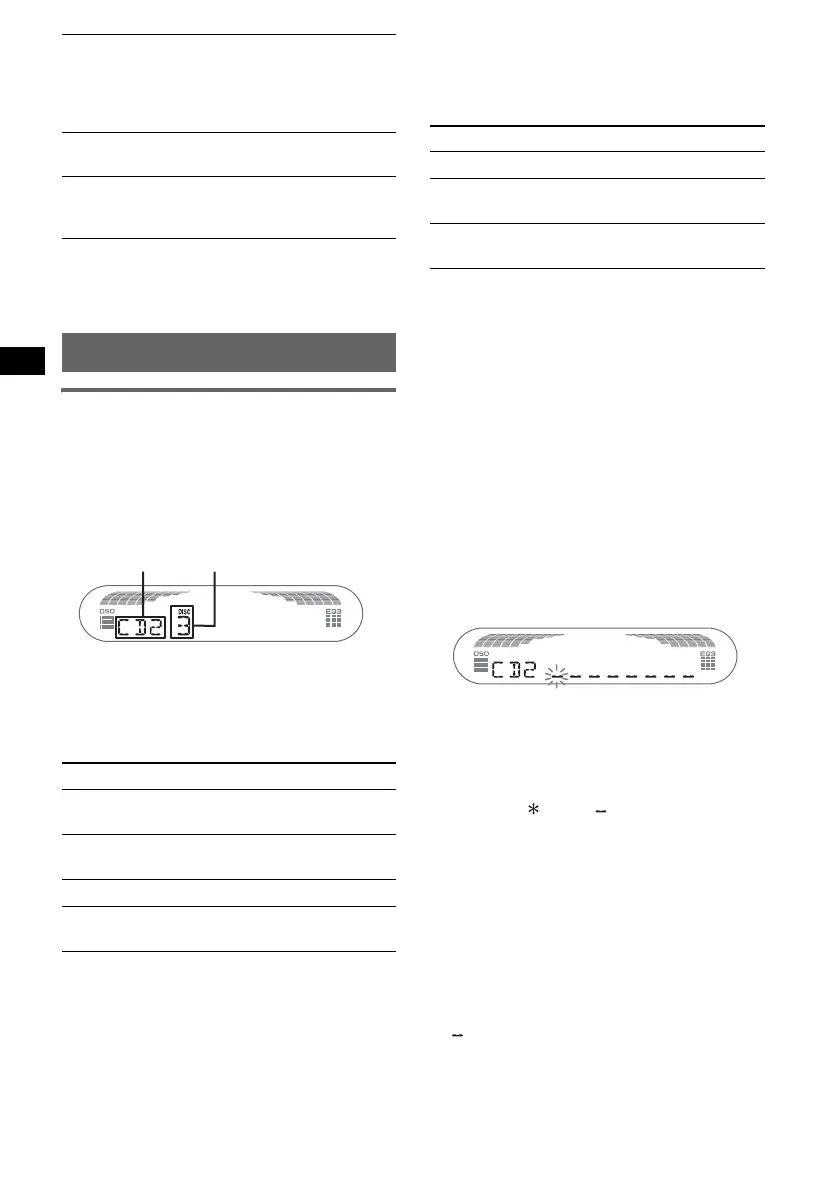
Unit number Disc number
Select To play
REP-DISC*
1
disc repeatedly.
SHUF-
CHGR*
1
tracks in the changer in random
order.
SHUF-ALL*
2
tracks in all units in random
order.
00GB+00COV-EUR.book Page 12 Monday, November 8, 2004 1:50 PM



 To Next Page