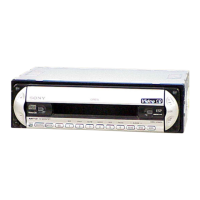
3
00GB+00COV-ETOC.fm masterpage:Right
CDX-V5800
2-109-483-11 (1)
Table of Contents
Location of controls . . . . . . . . . . . . . . . . . . . 4
Precautions . . . . . . . . . . . . . . . . . . . . . . . . . . 6
Notes on discs . . . . . . . . . . . . . . . . . . . . . . . . 7
About MP3 files . . . . . . . . . . . . . . . . . . . . . . 8
Getting Started
Resetting the unit. . . . . . . . . . . . . . . . . . . . . 10
Detaching the front panel . . . . . . . . . . . . . . 10
Setting the clock . . . . . . . . . . . . . . . . . . . . . 11
CD
Listening to a disc . . . . . . . . . . . . . . . . . . . . 12
Watching a Video CD . . . . . . . . . . . . . . . . . 13
Display items. . . . . . . . . . . . . . . . . . . . . . . . 14
Playing tracks repeatedly
— Repeat Play . . . . . . . . . . . . . . . . . . . . 15
Playing tracks in random order
— Shuffle Play . . . . . . . . . . . . . . . . . . . . 15
Radio
Storing stations automatically
— Best Tuning Memory (BTM) . . . . . . 15
Receiving the stored stations . . . . . . . . . . . 16
Storing only the desired stations. . . . . . . . . 16
Other Functions
Adjusting the sound characteristics . . . . . . 17
Quickly attenuating the sound . . . . . . . . . . 17
Changing the sound and display
settings . . . . . . . . . . . . . . . . . . . . . . . . . . 17
Setting the equalizer (EQ3). . . . . . . . . . . . . 18
Setting the Dynamic Soundstage Organizer
(DSO) . . . . . . . . . . . . . . . . . . . . . . . . . . . 19
Connecting auxiliary audio
equipment. . . . . . . . . . . . . . . . . . . . . . . . 19
Using the On-Screen Display . . . . . . . . . . . 20
Additional Information
Maintenance . . . . . . . . . . . . . . . . . . . . . . . . 21
Removing the unit. . . . . . . . . . . . . . . . . . . . 22
Specifications . . . . . . . . . . . . . . . . . . . . . . . 23
Troubleshooting . . . . . . . . . . . . . . . . . . . . . 24
Error displays/Messages . . . . . . . . . . . . . . . 25


 To Next Page