EasyManua.ls Logo

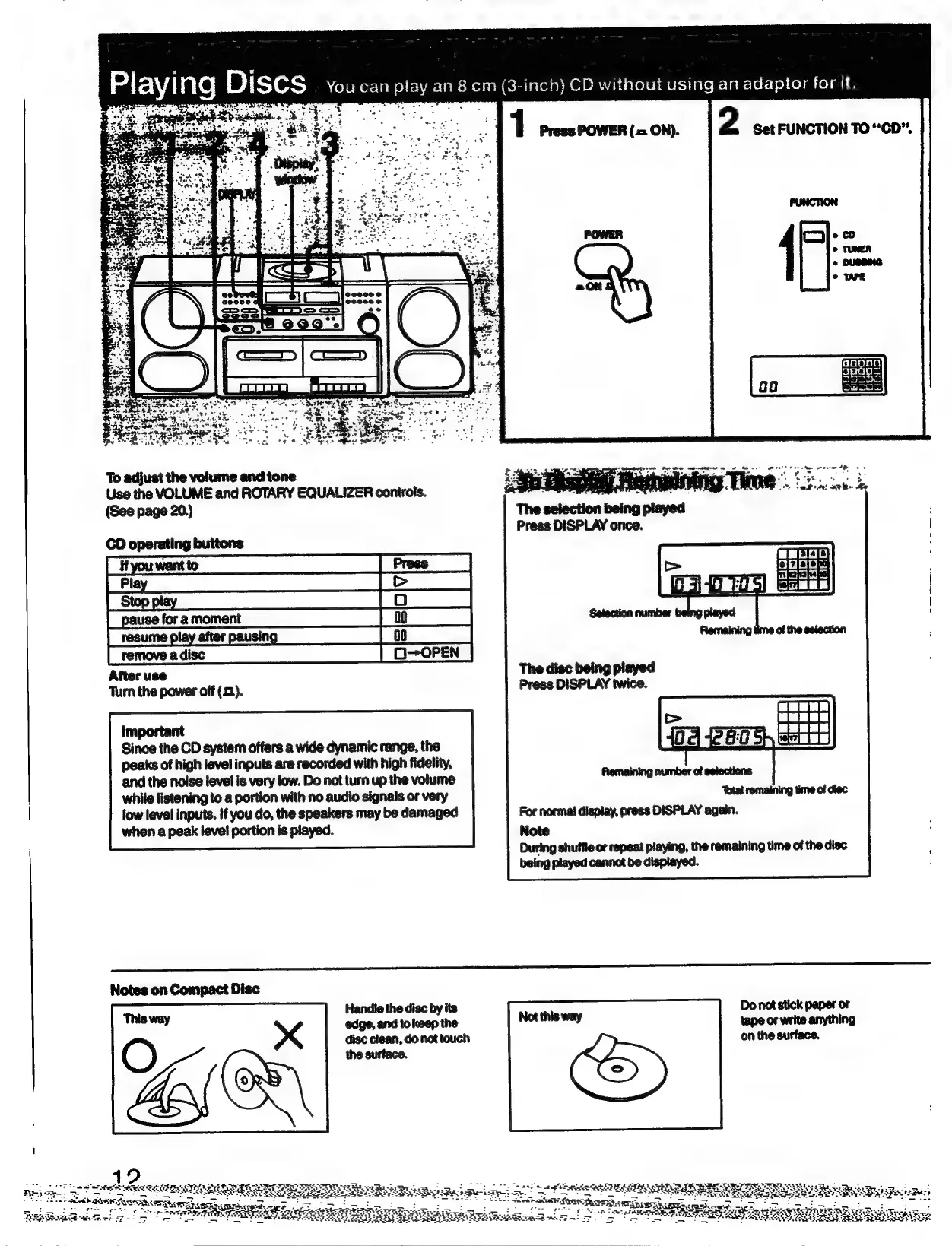
Sony CFD-765 - Playing Discs

Sony CFD-765
40 pages
Print Icon
To Next Page IconTo Next Page
To Previous Page IconTo Previous Page
Loading...
Playing
Discs
You
can
play
an
8
cm
(3-inch)
CD
without
using
an
adaptor
for
it.
1
Press
POWER
(.-
ON).
2
Set
FUNCTION
TO
“CD”.
To
adjust
the
volume
and
tone
ces
Use
the
VOLUME
and
ROTARY
EQUALIZER
controls.
———
Bete!
eit
hy
(See
page
20.)
The
selection
being
played
Press
DISPLAY
once.
CD
operating
buttons
cee
pause
for
a
moment
oC
resume
play
after
pausing
ro
0
;ACCCCCCCC
O--OPEN
After
use
The
disc
being
piayed
Turn
the
power
off
(1m).
Press
DISPLAY
twice.
important
Since
the
CD
system
offers
a
wide
dynamic
range,
the
peaks
of
high
level
inputs
are
recorded
with
high
fidelity,
and
the
noise
level
is
very
low.
Do
not
turn
up
the
volume
while
listening
to
a
portion
with
no
audio
signals
or
very
tow
level
inputs.
If
you
do,
the
speakers
may
be
damaged
when
a
peak
level
portion
is
played.
For
normal
display,
press
DISPLAY
again.
Note
During
shuffle
or
repeat
playing,
the
remaining
time
of
the
disc
being
played
cannot
be
displayed.
Notes
on
Compact
Disc
Handie
the
disc
by
its
Do
not
stick
paper
or
edge,
and
to
keep
the
tape
or
write
anything
disc
clean,
do
not
touch
on
the
surface.
the
surface.
RS
IL
ST
Danette
ne
PAR
nh
AH
SOCAL
A
aa
aari
no
Sat
SOTA
wri
setuerigas
Set
cia
Ace
*
=
[StS
a
Ls
RTT
aD

Related product manuals