EasyManua.ls Logo

Sony CFD-765 - Page 19

Sony CFD-765
40 pages
Print Icon
To Next Page IconTo Next Page
To Previous Page IconTo Previous Page
Loading...
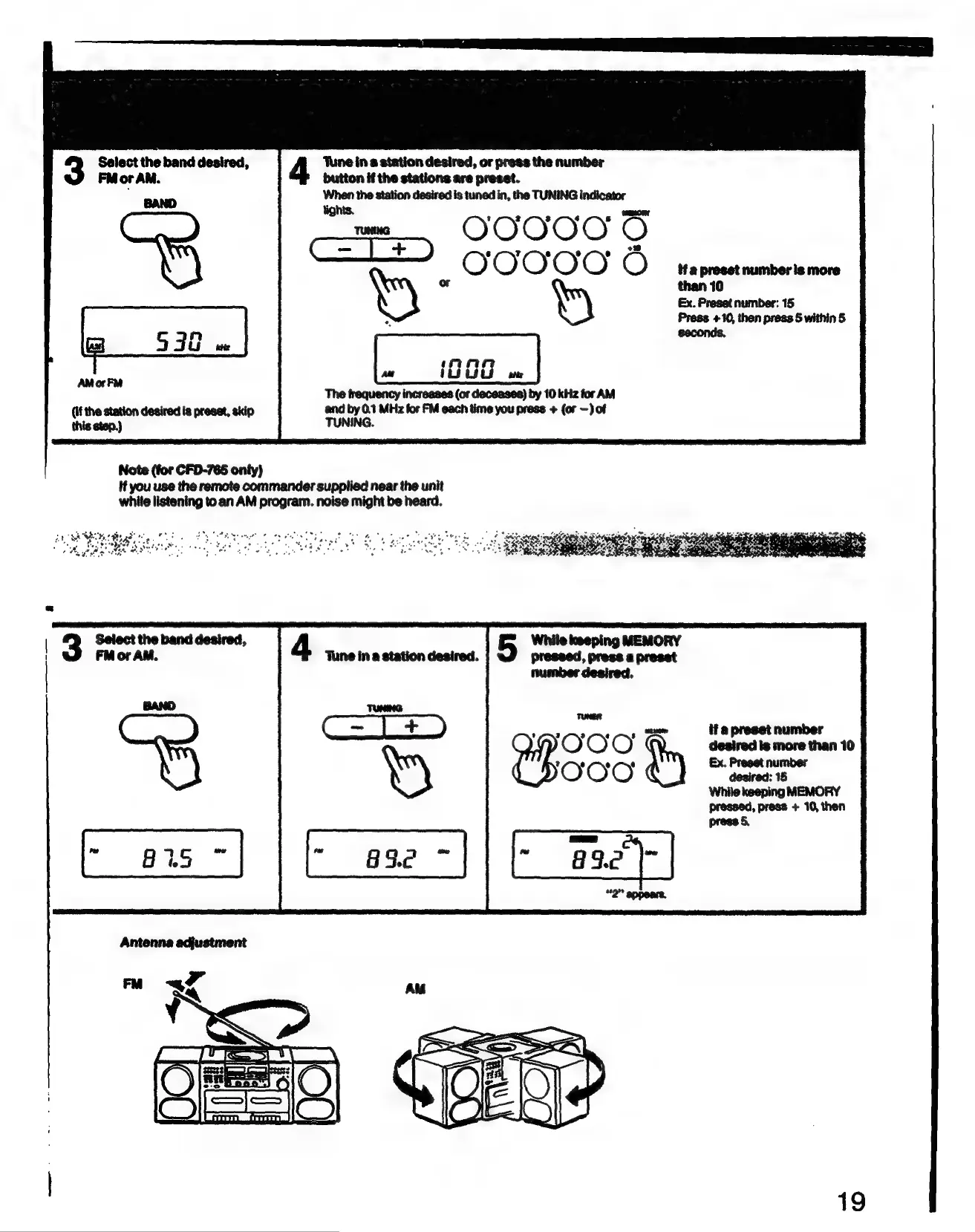
Select
the
band
desired,
‘Tune
in
a
station
desired,
or
press
the
number
FM
or
AM.
button
if
the
stations
are
preset.
;
When
the
station
desired
is
tuned
in,
the
TUNING
indicator
OOOOO
ne)
BAND
tights.
nace
——
——
Press
+10,
then
press
5
within
5
n
seconds.
an}
5
3G
ithe
w
{i960
AM
orFM
*
The
frequency
increases
(or
deceases)
by
10
kHz
for
AM
(if
the
station desired
is
preset,
skip
and
by
0.1
MHz
for
FM
each
time
you
press
+
{or
—)
of
this
etep.)
TUNING.
Note
(for
CFD-765
only)
if
you
use
the
remote
commander
supplied
near
the
unit
while
listening
to
an
AM
program.
noise
might
be
heard.
Sethe
See
6
+:
Dh
tages
:
——
ont
$35,
£5,
898
Se
satya
WAS
ego
fot
gy
weet
tie
Sent
Fa
a
BE
RO
Nt
me
oly
ease
yg
%
>
ws
ae
dette
ee
tas
7
*
While
keeping
MEMORY
pressed,
press
a
preset
number
desired.
TUNER
?
2
3
4
8
wang
if
a
preset
number
OOO
desired
Is
more than
10
79
0
NO
Ex.
Preset
number
OOO
deaired:
15
While
keeping
MEMORY
pressed,
press
+
10,
then
press
§
19

Related product manuals