EasyManua.ls Logo

Sony CFD-765 - Listening to Radio Programs; Memory Preset Tuning

Sony CFD-765
40 pages
Print Icon
To Next Page IconTo Next Page
To Previous Page IconTo Previous Page
Loading...
2
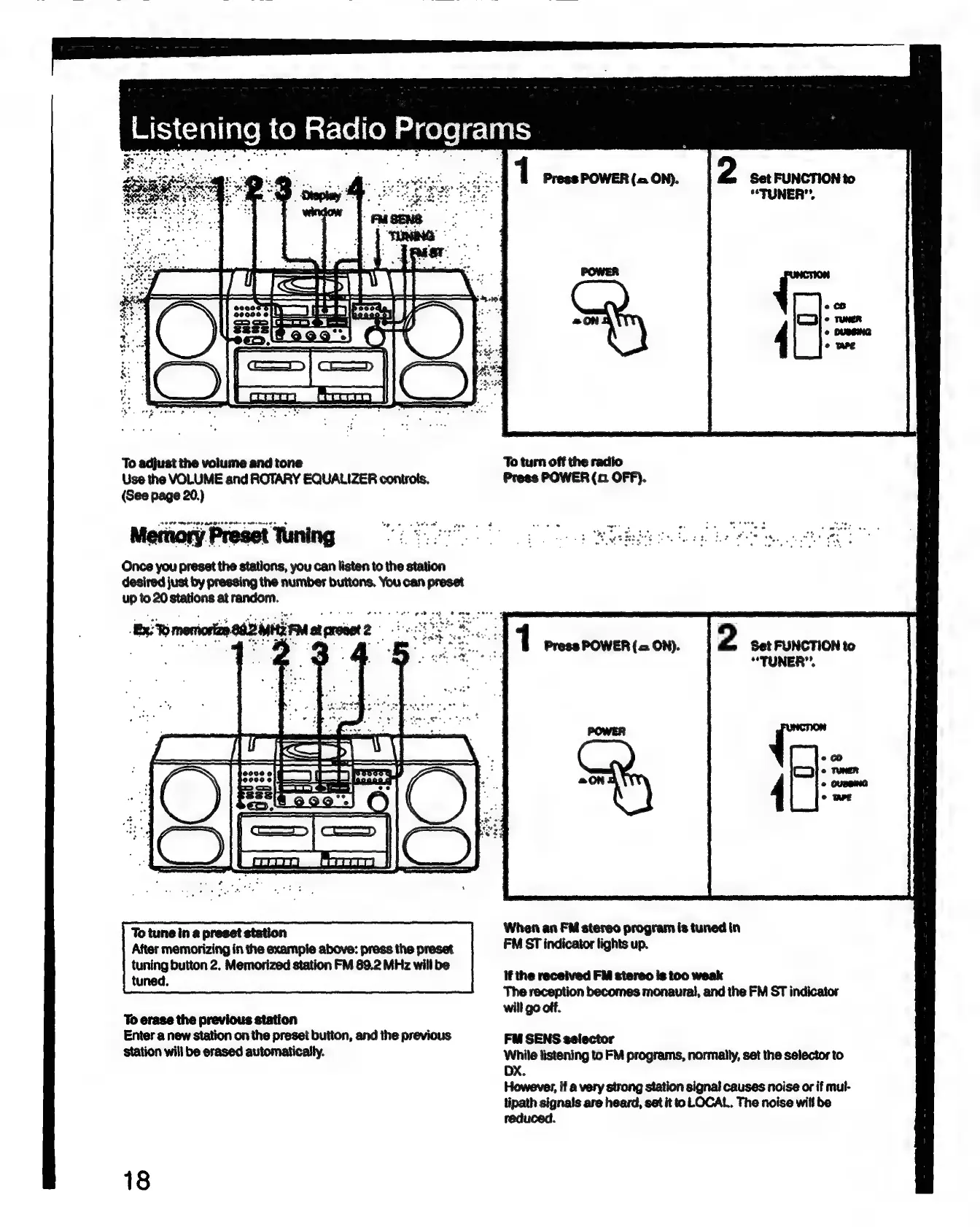
Set
FUNCTION
to
“TUNER”.
To
adjust
the
volume
and
tone
To
turn
off the
radio
Use
the
VOLUME
and
ROTARY
EQUALIZER
controls.
Press
POWER
(xn
OFF).
(See page
20.)
Memory
Preset
Tuning
J
ee
*
Wake
olan
be
et
et
Once
you
preset
the
stations,
you
can
listen
to
the
station
desired
just
by
pressing
the
number
buttons.
You
can
preset
up
to
20
stations
at
random.
Serena
BIE
Maroet2
2
Set
FUNCTION
to
“TUNER”.
1
Press
POWER
(=
ON).
After
memorizing
in
the
example
above:
press
the
preset
FM
ST
indicator
lights
up.
tuning
button
2.
Memorized
station
FM
89.2
MHz
will
be
mace
if
the
received
FM
stereo
Is
too
weak
The
reception
becomes
monaural,
and
the
FM
ST
indicator
will
go
off.
To
erase
the
previous
station
Enter
a
new
station
on
the
preset
button,
and
the
previous
FM
SENS
selector
station
will
be
erased
automatically.
listening
to
FM
programs,
normally,
set
the
selector
to
if
a
very
strong
station
signal
causes
noise
or
if
mul-
tipath
signals
are
heard,
set
it
to
LOCAL.
The
noise
will
be
reduced.
18

Related product manuals