EasyManua.ls Logo

Sony CFD-765 - To Select Repeat Mode; To Scan the Beginning of the Selections

Sony CFD-765
40 pages
Print Icon
To Next Page IconTo Next Page
To Previous Page IconTo Previous Page
Loading...
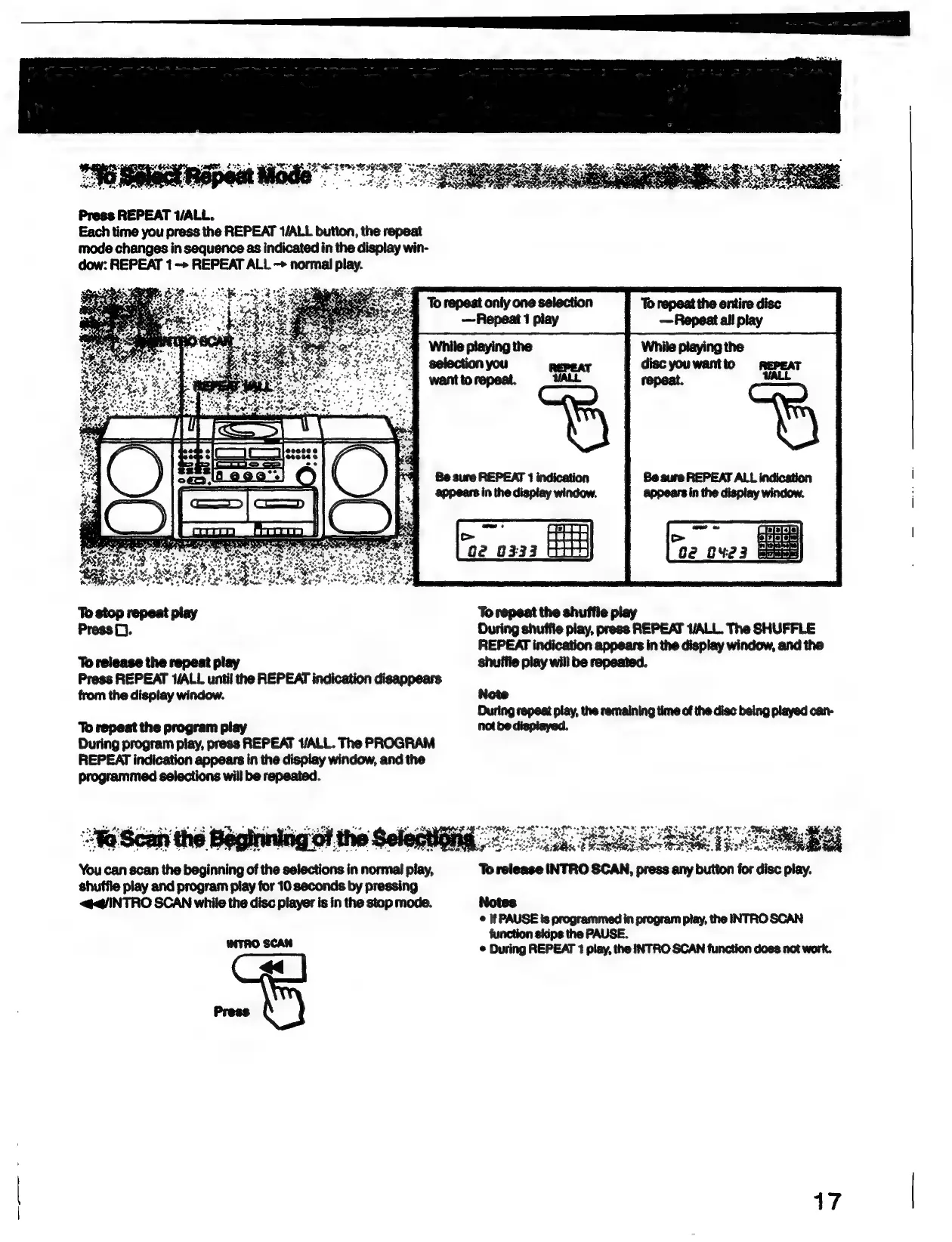
Press
REPEAT
WALL.
Each
time
you
press
the
REPEAT
1/ALL
button,
the
repeat
mode
changes
in
sequence
as
indicated
in
the
display
win-
dow:
REPEAT
1
->
REPEAT
ALL
->
normal
play.
Be
sure
REPEAT
1
indication
appears
in
the
display
window.
ES
Ge
0333
To
stop
repeat
play
Press
D.
To
release
the
repeat
play
Press
REPEAT
1/ALL
until
the
REPEAT
indication
disappears
from
the
display
window.
To
repeat
the
program
play
During
program
play,
press
REPEAT
ALL.
The
PROGRAM
REPEAT
indication
appears
in
the
display
window,
and
the
programmed
selections
will
be
repeated.
You
can
scan
the
begi
of
the
selections
in
normal
*
shuffle
play
and
program
play
for
10
seconds
by
pressing
<@q@INTRO
SCAN
while
the
disc
pfayer
is
in
the
stop
mode.
WTRO
SCAN
While
playing
the
disc
youwantto
REPEAT
repeat.
a
To
repeat
the
shuffle
play
During
shuffie
play,
press
REPEAT
1/ALL.
The
SHUFFLE
REPEAT
indication
appears
in
the
display
window,
and
the
shuffie
play will
be
repeated.
Note
During
repeat
play,
the
remaining
time
of
the
disc
being
played
can-
hot
be
dispiayed.
re
———
sods
S
Bis
To
release
INTRO
SCAN,
peess
ary
bition
for
dine
play,
Notes
©
If
PAUSE
ts
programmed
in
program
play,
the
INTRO
SCAN
function
skips
the
PAUSE.
©
During
REPEAT
1
play,
the
INTRO
SCAN
function
does
not
work.
17