EasyManua.ls Logo

Sony CFD-765 - Page 29

Sony CFD-765
40 pages
Print Icon
To Next Page IconTo Next Page
To Previous Page IconTo Previous Page
Loading...
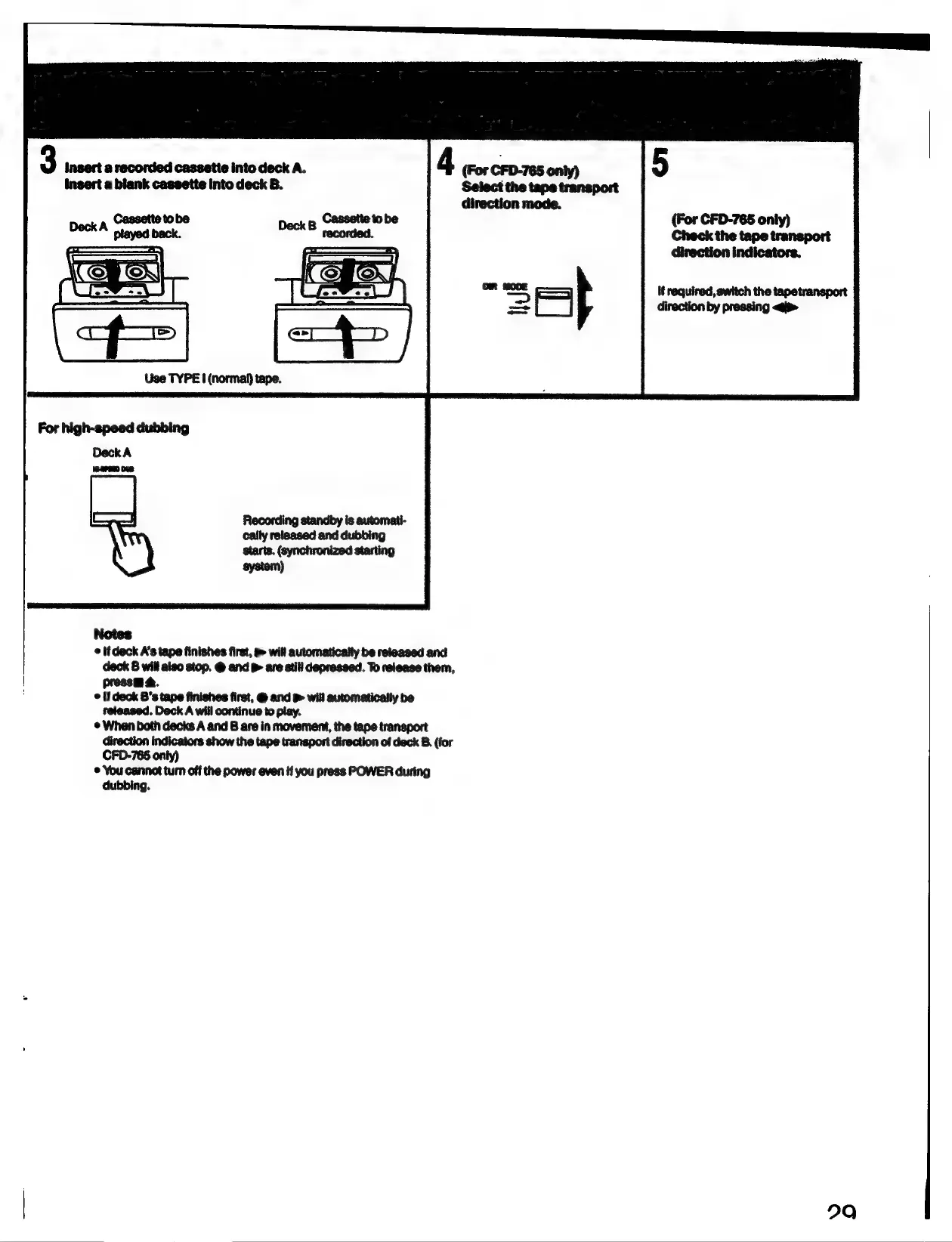
3
Jasert
a
recorded
cassette
into
deck
A.
4
(For
CFD-765
only)
insert
a
blank
cassette
Into
deck
B.
Select
the
tape
transport
direction
mode.
Use
TYPE
I
(normal)
tape.
For
high-speed
dubbing
Deck
A
(G2PERD
Ove
Recording
standby
is
automati-
cally
released
and
dubbing
starts.
(synchronized
starting
system)
Notes
©
tfdeck
A’s
tape
finishes
first,
&
will
automatically
be
released
and
deck
B
will
also
stop.
@
and
>
are
stil!
depressed.
To
release
them,
pressm
4.
©
if
deck
B’s
tape
finishes
first,
@
and
will
automatically
be
released.
Deck
A
will
continue
to
play.
¢
When
both
decks
A
and
B
are
in
movement,
the
tape
transport
direction
indicators
show
the
tape
transport
direction
of
deck
B.
(for
CFD-765
only)
¢
You
cannot
turn
off
the
power
even
if
you
press
POWER
during
dubbing.
5
(For
CFD-765
only)
Check
the
tape
transport
direction
indicators.
it
required,
switch
the
tapetransport
direction
by
pressing
<i>
290

Related product manuals