EasyManua.ls Logo

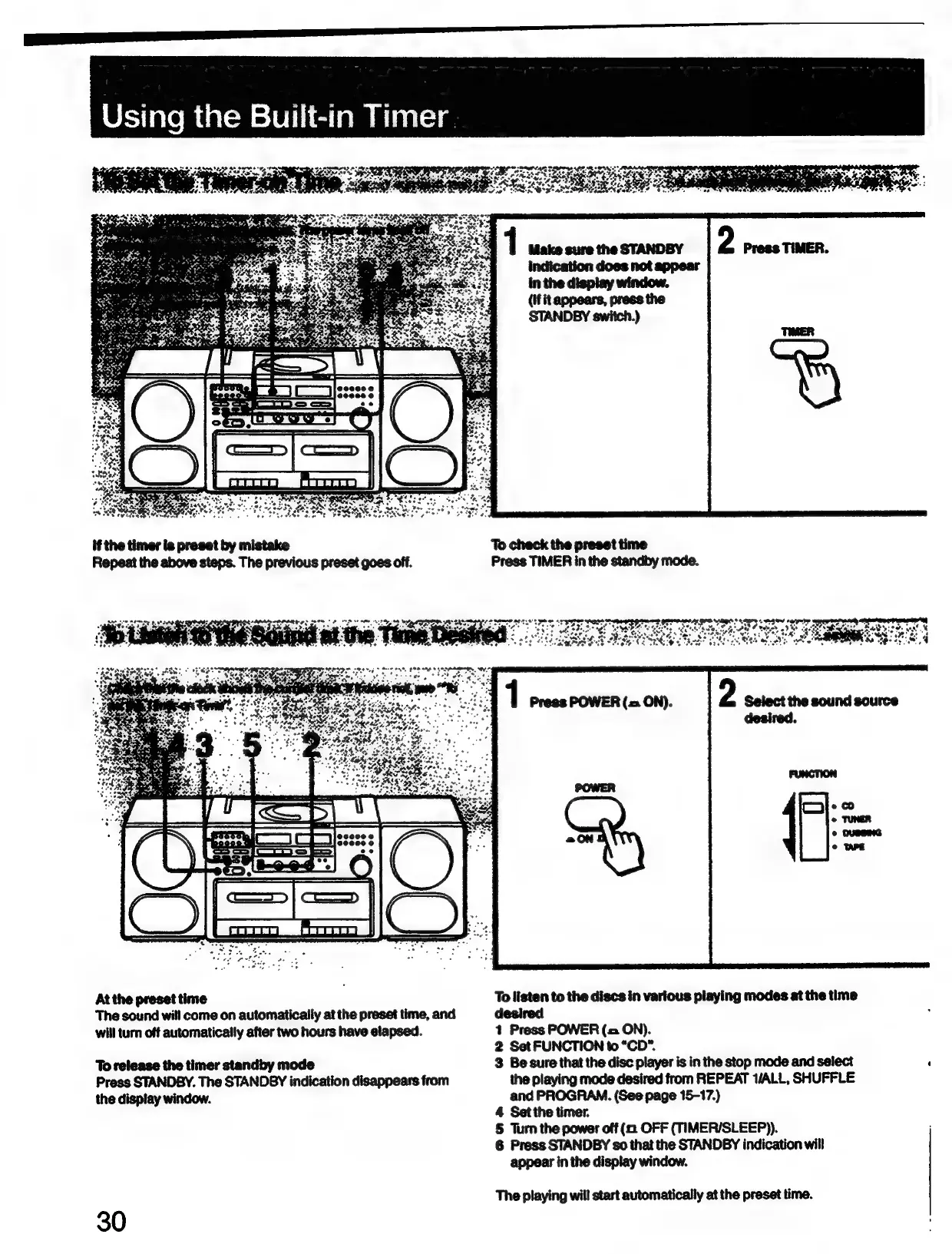
Sony CFD-765 - Using the Built-in Timer; To Listen to the Sound at the Time Desired

Sony CFD-765
40 pages
Print Icon
To Next Page IconTo Next Page
To Previous Page IconTo Previous Page
Loading...
if
the
timer
is
preset
by
mistake
Repeat
the
above
steps.
The
previous
preset
goes
off.
sete
eres:
gers
oe
pe
.
X
Sia
toe
t
At
the
preset
time
The
sound
will
come
on
automatically
at
the
preset
time,
and
will
turn
off
automatically
after
two
hours
have
elapsed.
To
release
the
timer
standby
mode
Press
STANDBY.
The
STANDBY
indication
disappears
from
the
display
window.
30
To
check
the
preset
time
Press
TIMER
in
the
standby
mode.
a
AO
Pa
OY
58
CRORE
SPS
AIK
80S
desired.
To
listen
to
the
discs
in
various
playing
modes
at
the
time
desired
:
1
Press
POWER
(=
ON).
2
Set
FUNCTION
to
“CD"*.
3
Besure
that
the
disc
player
is
in
the
stop
mode
and
select
the
playing
mode
desired
from
REPEAT
ALL,
SHUFFLE
and
PROGRAM.
(See
page
15-17.)
4
Set
the
timer.
§
Turn
the
power
off
OFF
(TIMER/SLEEP)).
6
Press
STANDBY
s0
that
the
STANDBY
indication
will
appear
in
the
display
window.
The
playing
will
start
automatically
at
the
preset
time.

Related product manuals