Basic Operations
Basic Operations
9
CFD-V20/V30.E_3-859-117-1X.U2/CA2/AU6/E92
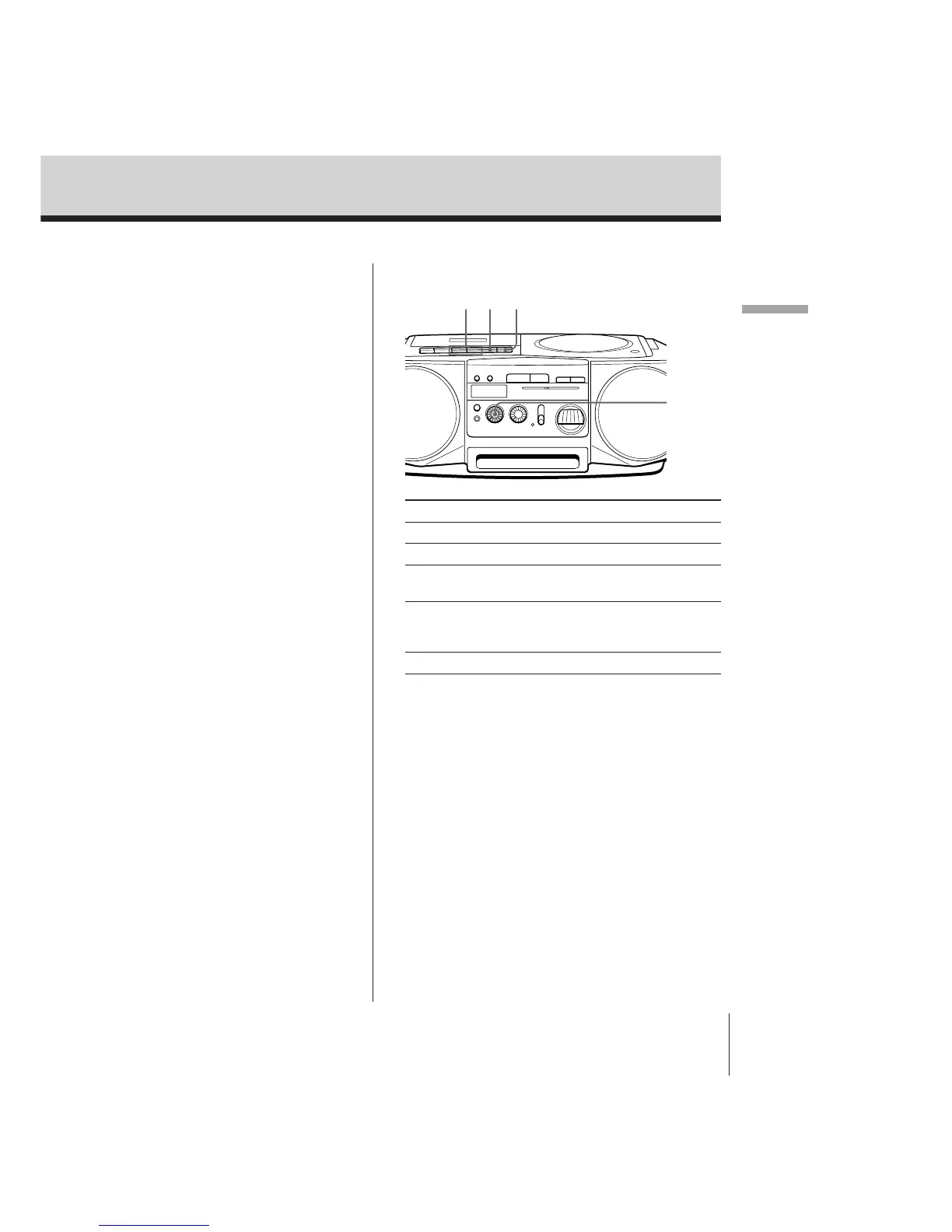
Use these buttons for additional operations
VOLUME
Pp60/)
To Do this
Adjust the volume Turn VOLUME.
Stop playback Press p6.
Fast-forward or rewind the tape Press ) or 0 for the
side facing upward.
Pause playback Press P.
Press the button again to
resume play after pause.
Eject the cassette Press p6.


 To Next Page